Malware Families Explained: Why Grouping Threats Matters
Grouping malware by lineage reveals shared weaknesses, allowing defenders to block entire variants with a single detection rule rather than chasing individual file hashes.
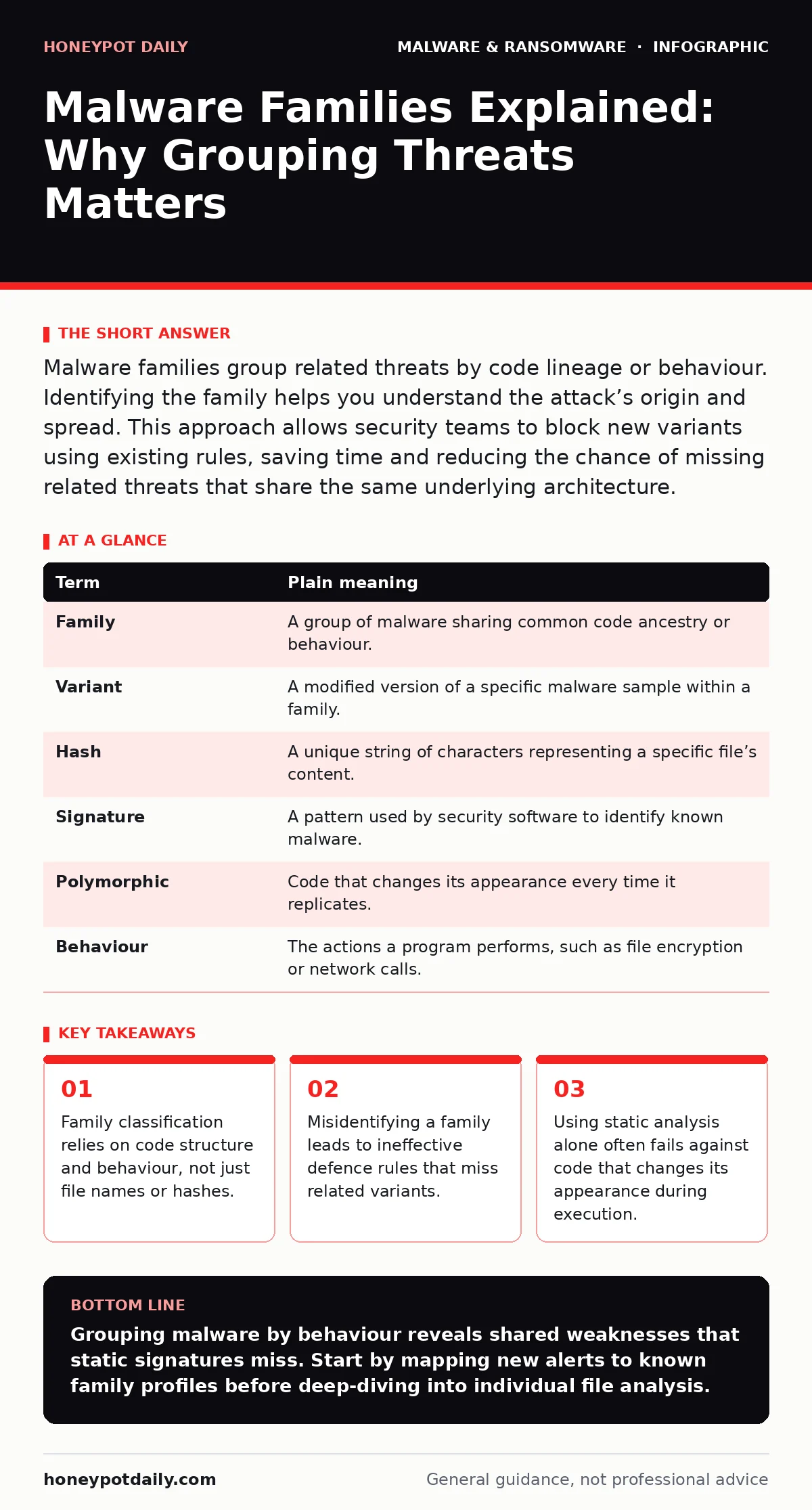
Malware families group related threats by code lineage or behaviour. Identifying the family helps you understand the attack’s origin and spread. This approach allows security teams to block new variants using existing rules, saving time and reducing the chance of missing related threats that share the same underlying architecture.
The Recipe Analogy
Imagine a bakery that produces sourdough bread. The original recipe is the base code. If the head baker tweaks the flour type or baking time, you still have sourdough. It looks slightly different, but the core structure remains. Malware families work the same way. Developers take a base malicious program and tweak it to evade detection. The visual appearance changes, but the underlying mechanism stays consistent.
You can recognise the family by the fermentation process, not just the crust colour. Similarly, you identify malware by its behaviour and code structure, not just its file signature.
Defining the Lineage
A malware family is a group of malicious programs derived from the same source or sharing a common ancestor. Security researchers group them to track evolution and share intelligence. This grouping allows defenders to create broader detection rules. Instead of blocking one specific file, you block the entire lineage.
This method reduces the workload for security operations teams. You do not need to analyse every new file from scratch. If you know the family, you know the typical entry points and the data it exfiltrates. This context is critical for effective incident response.
Common Points of Confusion
Many analysts confuse variants with families. A variant is a minor modification of a single sample. A family includes all variants and their derivatives. Another confusion is equating file hashes with identity. A hash is a unique fingerprint for one specific file. If the attacker changes a single byte, the hash changes completely.
Relying solely on hashes is like identifying a person by their exact outfit. If they change their shirt, you no longer recognise them. This is why static signature-based tools often fail against new variants. You need behavioural analysis to see the person, not just the clothes.
This distinction explains why simple signature updates are no longer sufficient. Modern threats evolve too quickly for manual hash collection.
The Hidden Cost of Misclassification
Misclassifying a family leads to wasted resources and missed threats. If you label a new threat as part of an old family incorrectly, your detection rules may fail. The new threat behaves differently than you expect. Your automated systems ignore it because it does not match the known pattern.
This error creates a false sense of security. You believe you have covered the threat because you have rules for that family. In reality, you have left a gap in your defence. This is a non-obvious consequence of poor taxonomy. It also complicates forensic efforts. If you trace the infection to the wrong source, you may clean the wrong systems or miss the root cause.
Key Terms for Analysts
Understanding the terminology helps you communicate clearly with your team. The table below defines the core concepts used in threat analysis.
| Term | Plain meaning |
|---|---|
| Family | A group of malware sharing common code ancestry or behaviour. |
| Variant | A modified version of a specific malware sample within a family. |
| Hash | A unique string of characters representing a specific file’s content. |
| Signature | A pattern used by security software to identify known malware. |
| Polymorphic | Code that changes its appearance every time it replicates. |
| Behaviour | The actions a program performs, such as file encryption or network calls. |
See also: OSINT investigations mistakes and how to avoid false leads · Block OSINT Tool Reconnaissance Across Your Surface
Practical Detection Steps
You can improve your detection accuracy by following these steps. First, analyse the behaviour of the suspect file. Look for network connections, file modifications, and registry changes. This tells you what the malware does, not just what it looks like.
Second, compare these behaviours against known family profiles. Do not rely on file names or icons. These are easily changed. Focus on the underlying actions. Third, update your detection rules to cover the entire family. Use behavioural indicators rather than static hashes.
- Capture the process tree and network traffic of the suspect file.
- Match observed behaviours to a known family’s profile in your threat intelligence feed.
- Deploy rules that trigger on the specific behavioural sequence, not just the file presence.
Handling Evolving Threats
Some malware families use advanced techniques to hide. Polymorphic malware, for instance, rewrites its own code with each infection. This changes the hash and often the signature. Static analysis tools struggle here. They see a new file every time.
This is where memory forensics becomes useful. It examines the running code in RAM, not just the file on disk. Even if the file changes, the behaviour in memory often remains similar. You can see the decryption routine or the command-and-control communication.
For persistent threats, consider reimaging infected computers. Cleaning a heavily compromised system is risky. The malware may have hidden files in system areas that are hard to detect. Reimaging ensures a clean start.
Integrating With Broader Defence
Malware families often deliver payloads via other vectors. For example, fake software updates may distribute the initial installer. Recognising the delivery method helps you block the entry point. You can also look for malicious browser extensions that facilitate the download.
Understanding the family helps you assess the risk accurately. Some families are designed for data theft, while others focus on encryption. This distinction matters for your response strategy. If it is ransomware, you may need to consider the ransomware payment debate and the effectiveness of immutable backups.
However, prevention remains the priority. Using next-generation antivirus solutions that focus on behaviour rather than signatures provides a stronger first line of defence. These tools can detect the family’s behaviour even if the specific variant is new.
Key takeaways
- Family classification relies on code structure and behaviour, not just file names or hashes.
- Misidentifying a family leads to ineffective defence rules that miss related variants.
- Using static analysis alone often fails against code that changes its appearance during execution.
Grouping malware by behaviour reveals shared weaknesses that static signatures miss. Start by mapping new alerts to known family profiles before deep-diving into individual file analysis.
Frequently asked questions
How do I tell if two malware samples are from the same family?
Compare their code structure and behavioural patterns. If they share unique functions or network protocols, they likely belong to the same family, even if their file hashes differ.
Why can't I just use file hashes to block malware?
Hashes change with any minor modification to the file. Attackers easily alter hashes by adding comments or whitespace, causing signature-based tools to miss the threat entirely.
What is the difference between a variant and a family?
A family is the broader group sharing a common origin. A variant is a specific, modified instance within that family. Think of the family as the species and the variant as an individual animal.
Does polymorphic malware belong to a single family?
Yes. Even though the code changes appearance, the core logic and behaviour remain consistent. Analysts trace these back to the original family by examining the unchanging behavioural traits.
How this guide was produced: written by the Honeypot Daily editorial team with AI assistance, checked against the public references listed below, and reviewed when the facts change. See our editorial policy or report an error.