Polymorphic Malware Risks and Protection for Small Businesses
Stop relying on static signatures. Implement behaviour monitoring and strict access controls to catch code that changes its appearance with every infection.
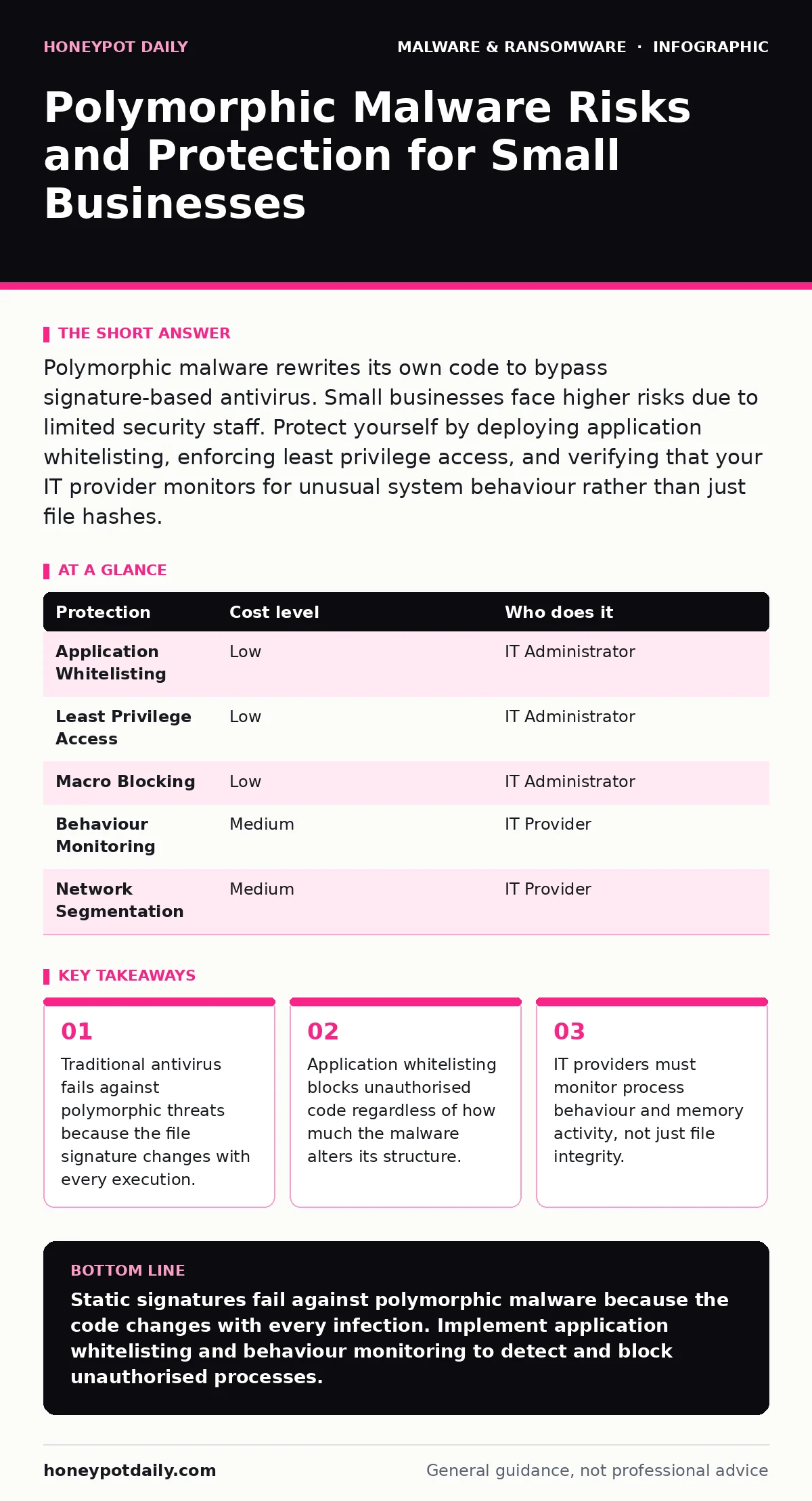
Polymorphic malware rewrites its own code to bypass signature-based antivirus. Small businesses face higher risks due to limited security staff. Protect yourself by deploying application whitelisting, enforcing least privilege access, and verifying that your IT provider monitors for unusual system behaviour rather than just file hashes.
The Mechanics of Shifting Code
Polymorphic malware is designed to evade detection by altering its code structure while maintaining its original functionality. Traditional antivirus software relies on static signatures. A signature is a unique digital fingerprint derived from the specific sequence of bytes in a malicious file. If the malware changes even a single byte, the signature no longer matches.
This technique uses an encryption engine and a decryption stub. The encryption engine scrambles the main payload. The decryption stub is the only part of the code that remains consistent. However, the stub also changes its appearance each time it replicates. This means that every infected file looks completely different to a scanner.
You cannot detect this threat by looking for a known bad file. You must look for bad behaviour. The malware still needs to perform actions like connecting to a command server or modifying system files. These actions leave traces in system logs and memory usage.
Why Small Organisations Are Exposed
Small businesses often operate with limited security budgets and fewer dedicated staff. This creates a specific vulnerability profile. Large enterprises can afford advanced threat intelligence platforms that analyse global trends. Small teams usually rely on endpoint protection that scans files on demand.
The exposure comes from the assumption that obscurity provides safety. Attackers know that small organisations rarely have security information and event management systems. These systems correlate logs from multiple sources to find anomalies. Without them, a single infected workstation remains invisible until the damage spreads.
Remote work exacerbates this risk. Employees connect from various networks and devices. Each device is a potential entry point. If one laptop lacks strict application controls, it becomes a bridge for the malware to enter your corporate network.
The cost of a breach for a small firm is disproportionate. You may not have the resources for incident response teams or legal counsel. Downtime can halt operations entirely. The threat actor targets this fragility. They know you cannot afford to ignore the warning signs.
The Limits of Signature Detection
Signature-based detection is a necessary baseline, but it is insufficient against polymorphic threats. It works by comparing file hashes against a database of known malware. A hash is a fixed-size string of characters representing the file content.
When malware uses polymorphism, the hash changes with every generation. The scanner sees a new, unknown file. If the file is clean-looking and signed by a legitimate certificate, the scanner permits execution. This is known as a false negative.
Heuristic analysis attempts to bridge this gap. Heuristics use algorithms to guess whether code is malicious based on its structure. However, polymorphic malware is designed to look like benign code. It mimics the structure of legitimate applications to fool heuristic engines.
You must accept that prevention at the file level is imperfect. The focus must shift to containment. Even if the malware executes, you can limit what it does. This requires moving beyond file scanning to process monitoring.
Low-Cost Protections That Work
You do not need enterprise-grade hardware to mitigate this risk. Several low-cost measures provide significant defence. The key is to restrict what software can run on your systems.
Application whitelisting is the most effective control. It allows only approved applications to execute. Any other process is blocked immediately. This stops polymorphic malware because it is not on the approved list. The malware cannot run, regardless of how much it changes its code.
Implement least privilege access. Users should only have the permissions necessary for their job. If a user account cannot install software or modify system settings, the malware has limited options. It cannot drop new executables into system folders.
Disable macro execution in office documents. Many polymorphic payloads are delivered via macro-enabled files. Blocking macros by default prevents the initial code from running. Users can enable macros manually if they trust the source, adding a layer of human verification.
| Protection | Cost level | Who does it |
|---|---|---|
| Application Whitelisting | Low | IT Administrator |
| Least Privilege Access | Low | IT Administrator |
| Macro Blocking | Low | IT Administrator |
| Behaviour Monitoring | Medium | IT Provider |
| Network Segmentation | Medium | IT Provider |
What to Ask Your IT Provider
Your IT provider must move beyond basic maintenance. You need to verify that their monitoring capabilities address behavioural threats. Ask specific questions about their detection methods.
Do not accept vague assurances about "advanced protection". Ask for details on how they identify anomalies. Polymorphic malware leaves traces in process creation and network connections. Your provider must monitor these activities.
Request a demonstration of their incident response plan. How do they isolate an infected machine? How quickly can they identify the scope of the infection? Speed is critical. The longer the malware stays active, the more data it can exfiltrate or encrypt.
Ask about their update frequency. Polymorphic engines evolve. Your provider’s detection rules must update frequently. If they rely on monthly updates, you are exposed. You need near real-time adjustments to detection logic.
- Does your provider monitor process behaviour, not just file signatures?
- Can they demonstrate how they detect a new, unknown executable?
- What is the average time to detect and isolate a polymorphic threat?
- Do they provide regular reports on blocked suspicious activities?
- How do they handle false positives in application whitelisting?
See also: Data Inventory and Mapping for Small Businesses · Immutable Backups: Stop Ransomware Deleting Your Data Copies
Building a Resilient Environment
Resilience means surviving an attack. You must assume that some malware will bypass your defences. The goal is to limit the impact.
Regular backups are your final safety net. Store backups offline or in a separate cloud account. Ensure that the backup system is not connected to the main network. This prevents the malware from encrypting the backups as well.
Test your restoration process. Knowing you have backups is not enough. You must verify that you can restore data quickly. Practice restoring files from a backup to ensure the process works under pressure.
Educate your staff. They are the first line of defence. Teach them to recognise suspicious files and unusual system behaviour. If a computer acts slowly or displays strange messages, they should report it immediately.
The Ongoing Battle
Polymorphic malware is not a one-time threat. It is a persistent challenge. Attackers constantly refine their techniques. Your defences must adapt accordingly.
Review your security posture regularly. Check that application whitelisting lists are up to date. Verify that user permissions are still appropriate. Audit your backup integrity.
Stay informed about new threats. Subscribe to security advisories from reputable sources. Understand the latest trends in malware development. This knowledge helps you anticipate potential vulnerabilities.
Collaborate with your IT provider. Share information about suspicious activities. Work together to improve your detection capabilities. Security is a shared responsibility.
By focusing on behaviour monitoring and strict access controls, you reduce the risk of polymorphic malware. You may not stop every attack, but you will limit the damage. This approach provides a sustainable defence for small organisations.
Key takeaways
- Traditional antivirus fails against polymorphic threats because the file signature changes with every execution.
- Application whitelisting blocks unauthorised code regardless of how much the malware alters its structure.
- IT providers must monitor process behaviour and memory activity, not just file integrity.
Static signatures fail against polymorphic malware because the code changes with every infection. Implement application whitelisting and behaviour monitoring to detect and block unauthorised processes.
Frequently asked questions
Can a firewall stop polymorphic malware?
A firewall controls network traffic but does not inspect the internal structure of files. It can block known malicious IP addresses, but polymorphic malware often uses legitimate domains to communicate. You need endpoint protection to stop the execution.
Is cloud storage safe from polymorphic malware?
Cloud storage is safe only if you have versioning and offline backups. If your computer is infected, the malware can sync encrypted files to the cloud. Ensure your cloud provider allows you to restore previous versions of files.
How do I know if I have polymorphic malware?
Look for unusual system behaviour such as high CPU usage, unexpected network connections, or files changing extensions. Standard antivirus may not alert you. Use a dedicated behaviour monitoring tool to identify suspicious processes.
Does disabling macros completely stop these threats?
Disabling macros stops many initial infections but not all. Attackers can use other delivery methods like drive-by downloads or exploit kits. You must combine macro blocking with application whitelisting and user training for full protection.
How this guide was produced: written by the Honeypot Daily editorial team with AI assistance, checked against the public references listed below, and reviewed when the facts change. See our editorial policy or report an error.