Reimaging Infected Computers: The Forensic Checklist for Clean Recovery
Wiping a drive rarely removes firmware implants or memory-resident agents, making pre-imaging forensics mandatory for true recovery.
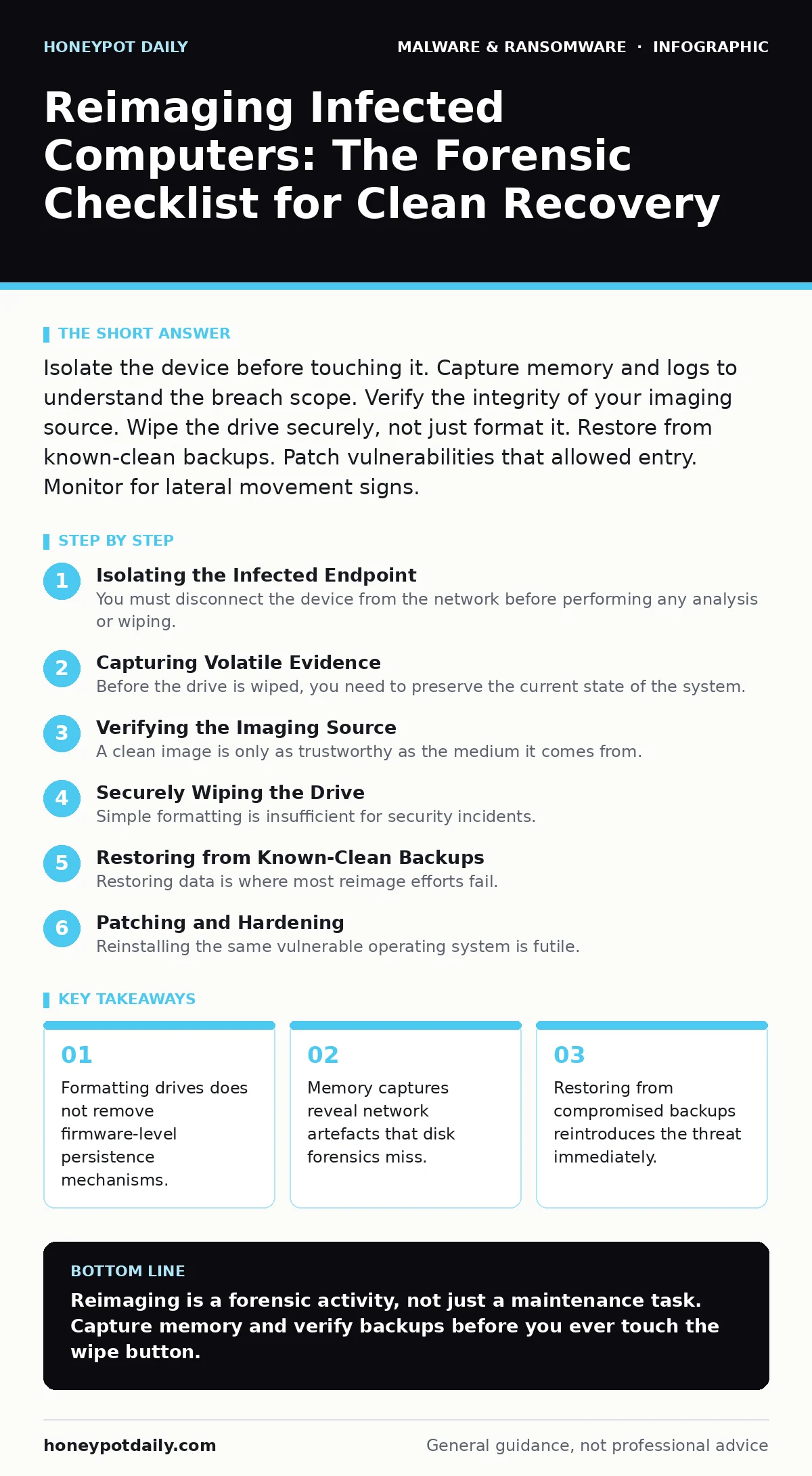
Isolate the device before touching it. Capture memory and logs to understand the breach scope. Verify the integrity of your imaging source. Wipe the drive securely, not just format it. Restore from known-clean backups. Patch vulnerabilities that allowed entry. Monitor for lateral movement signs.
Isolating the Infected Endpoint
You must disconnect the device from the network before performing any analysis or wiping. Physical disconnection is superior to Wi-Fi disabling, as some malware can trigger on network interface changes. If the device is a critical server, pull the network cable rather than powering it down immediately. Powering down may cause the loss of volatile memory data that holds encryption keys or command-and-control session details.
Capturing Volatile Evidence
Before the drive is wiped, you need to preserve the current state of the system. This is where memory forensics becomes necessary. Dumping the physical memory allows analysts to inspect running processes, injected code, and established network connections. Disk images alone cannot show what was actively executing in RAM at the time of compromise. Without this snapshot, you cannot fully understand how the attacker maintained persistence or what data was exfiltrated during the session.
- Capture full memory dump: Preserves active malware processes and network artefacts that disappear on reboot.
- Export running process list: Identifies legitimate services being abused for lateral movement.
- Record active network connections: Reveals command-and-control channels and data exfiltration targets.
- Save clipboard and recent history: Provides context on user activity leading up to the infection.
Verifying the Imaging Source
A clean image is only as trustworthy as the medium it comes from. If your deployment source contains the same vulnerability the attacker exploited, you are merely reinstalling the problem. You must verify the checksum of the operating system image against the vendor’s published hash. This ensures the file has not been tampered with or corrupted during storage. Many teams assume their golden images are safe because they are internal, but insider threats or compromised build servers can poison these sources.
Securely Wiping the Drive
Simple formatting is insufficient for security incidents. Formatting only removes the file system’s index of where data is stored, leaving the actual bits on the disk recoverable. You must use a secure wipe method that overwrites the data sectors with zeros or random patterns. This prevents attackers from recovering residual data or hidden partitions they may have created. For solid-state drives, use the manufacturer’s secure erase command, which resets the flash memory cells to their factory state.
- Execute secure wipe utility: Overwrites data sectors to prevent recovery of residual files.
- Verify wipe completion: Confirms that no data remnants remain on the storage medium.
- Check for hidden partitions: Ensures no attacker-created storage spaces were missed by the wipe.
Restoring from Known-Clean Backups
Restoring data is where most reimage efforts fail. You cannot simply pull the latest backup; that backup may already be infected. You need to identify a recovery point that predates the initial compromise by a significant margin. This is why immutable backups are preferred, as they prevent modification or deletion by malware. You must scan the backup data in an isolated environment before restoring it to the reimaged machine. Restoring unverified data reintroduces the threat and nullifies your wiping efforts.
- Identify pre-compromise backup: Selects a recovery point known to be free of malware.
- Scan backup in isolation: Detects any threats that may have persisted in older data files.
- Verify file integrity: Ensures restored files match their expected checksums and structure.
See also: How security operations centers detect and respond to threats · Whaling Attack Response: Containment, Recovery and Prevention Steps
Patching and Hardening
Reinstalling the same vulnerable operating system is futile. You must patch the specific vulnerability that allowed the initial infection. This often requires more than just the latest security update; it may involve disabling unused services or changing default configurations. Review the attack vector to understand how the malware gained entry. If the breach occurred through a weak credential, you must reset all credentials associated with that account, not just on the infected machine.
- Apply all security patches: Closes the specific vulnerability exploited by the attacker.
- Disable unused services: Reduces the attack surface available to future threats.
- Reset compromised credentials: Prevents reuse of stolen authentication tokens.
Validating the Recovery
The final step is confirming the system is clean and functioning correctly. You cannot assume the wipe was successful without verification. Run a full antivirus scan and compare the system’s state against a known-good baseline. Monitor network traffic for any unusual outbound connections that might indicate a missed persistence mechanism. If the system behaves anomalously, repeat the process or discard the hardware. Hardware-level implants, discussed in firmware malware, may require replacing the physical device entirely.
- Run full antivirus scan: Detects any residual threats that survived the wipe.
- Compare against baseline: Identifies configuration drift or unexpected changes.
- Monitor network traffic: Catches late-stage activation of hidden malware.
- Verify application functionality: Ensures business operations can resume without issues.
Key takeaways
- Formatting drives does not remove firmware-level persistence mechanisms.
- Memory captures reveal network artefacts that disk forensics miss.
- Restoring from compromised backups reintroduces the threat immediately.
Reimaging is a forensic activity, not just a maintenance task. Capture memory and verify backups before you ever touch the wipe button.
Frequently asked questions
Can I just format the drive and reinstall the OS?
No, formatting does not securely erase data and leaves firmware vulnerabilities open. You must use a secure wipe tool.
How do I know if my backup is clean?
Scan the backup in an isolated environment and verify it predates the initial compromise by a significant margin.
Is a power cycle enough to clear malware?
No, many malware variants persist on disk or in firmware. You must wipe the drive and verify the imaging source.
Should I keep the infected hardware?
Only if you are certain the threat is software-based. If **firmware malware** is suspected, replace the hardware entirely.
How this guide was produced: written by the Honeypot Daily editorial team with AI assistance, checked against the public references listed below, and reviewed when the facts change. See our editorial policy or report an error.