Security Telemetry for Small Teams: What to Collect and Why
Most small businesses collect logs but ignore the correlation layer, leaving attackers free to move laterally across the network without triggering an alarm.
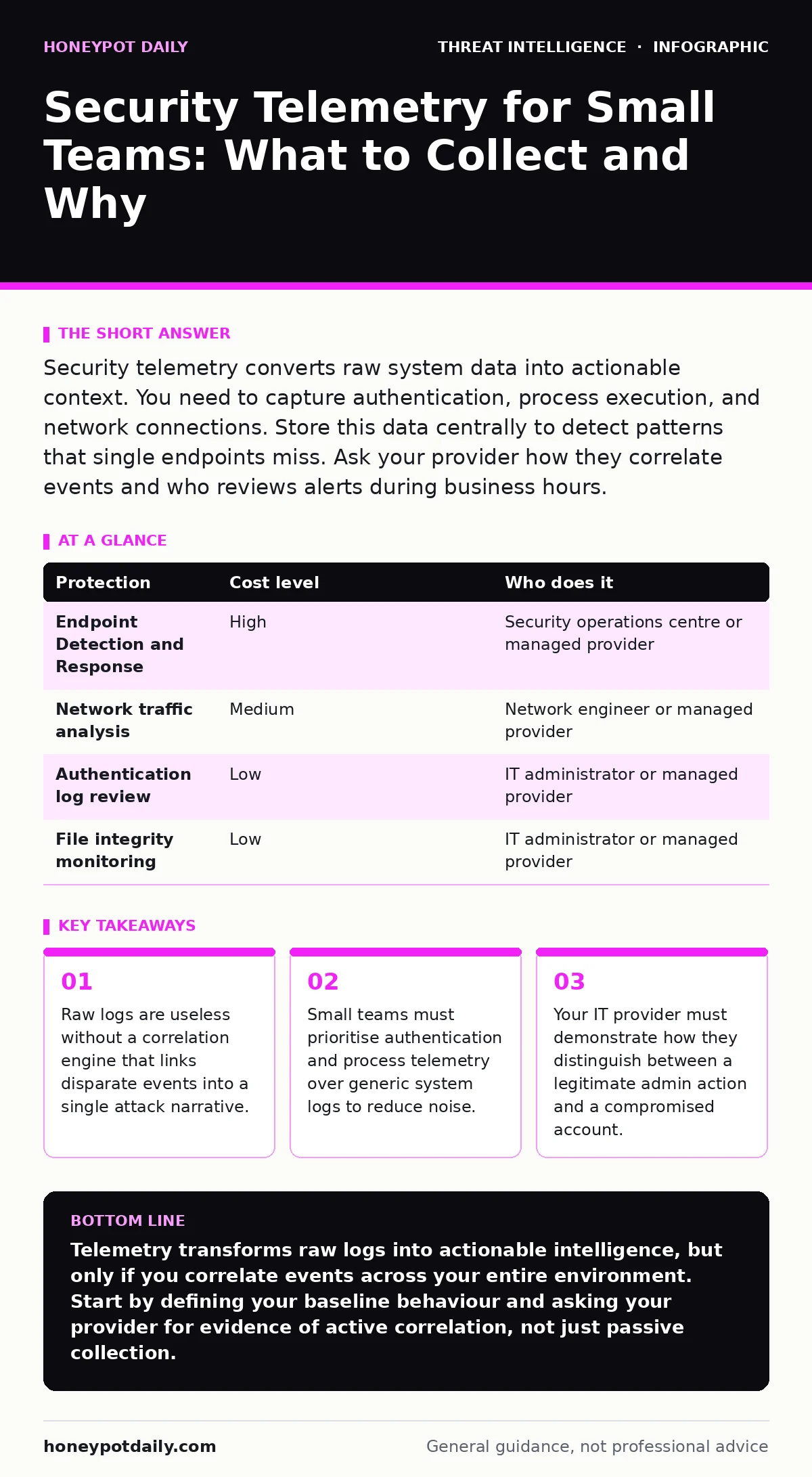
Security telemetry converts raw system data into actionable context. You need to capture authentication, process execution, and network connections. Store this data centrally to detect patterns that single endpoints miss. Ask your provider how they correlate events and who reviews alerts during business hours.
Why Telemetry Matters at Small Scale
Small organisations often assume they are too small to be targeted. This assumption ignores the reality of automated scanning and opportunistic malware. Attackers do not care about your revenue; they care about your connectivity. Security telemetry provides the visibility required to detect these automated campaigns before they succeed.
Telemetry is not merely logging. Logging records that an event occurred. Telemetry records the context of that event, including the source, destination, time, and outcome. This context allows you to reconstruct an attack path. Without it, you are reacting to symptoms rather than identifying the cause.
The primary value for small teams is speed. You cannot afford a months-long forensic investigation. You need to know within hours whether an alert is a false positive or a genuine breach. Telemetry enables this speed by providing the data necessary to make that distinction quickly.
The Cost of Visibility
Visibility has a hidden cost: storage and analysis. Every byte of telemetry you collect requires space and compute power to process. If you collect everything, you drown in noise. If you collect too little, you miss the attack. The balance lies in selecting high-signal data sources.
Authentication logs are the highest value. They tell you who tried to log in, from where, and whether they succeeded. Process execution logs show what programs ran on your machines. Network connection logs reveal where your systems are communicating.
Generic system logs, such as application errors or routine service starts, add little value for detection. They consume storage and analyst time without improving security posture. Filter these out at the source if possible. Focus your retention budget on the data that proves compromise.
| Protection | Cost level | Who does it |
|---|---|---|
| Endpoint Detection and Response | High | Security operations centre or managed provider |
| Network traffic analysis | Medium | Network engineer or managed provider |
| Authentication log review | Low | IT administrator or managed provider |
| File integrity monitoring | Low | IT administrator or managed provider |
What to Do With Telemetry in Practice
Collecting data is the easy part. Acting on it is the challenge. You need a centralised platform to ingest logs from all endpoints, servers, and network devices. This centralisation allows you to correlate events across the entire environment.
Correlation is the key mechanism. A single failed login is normal. Five failed logins from different countries in one minute is not. Your platform must flag this pattern automatically. Manual review of every event is impossible, even for small teams.
You must define baseline behaviour. What does normal look like for your organisation? Does the finance server talk to the internet? Does the HR laptop connect to external databases? Establishing these baselines allows your detection rules to flag deviations accurately.
Integrating with Existing Operations
Telemetry does not exist in a vacuum. It must integrate with your existing security tools and processes. If your firewall blocks traffic, that event should be logged and correlated with endpoint activity. If your antivirus quarantines a file, that event should trigger a deeper investigation.
Consider how Windows event log monitoring fits into this picture. Windows logs provide rich detail about user and system activity, but they are verbose. You need a parser that extracts the relevant fields and discards the rest. This reduces storage costs and improves query speed.
Network detection and response tools rely heavily on telemetry. They need to see the flow of data between hosts to identify lateral movement. Ensure your network devices export flow data or packet captures to your central platform. Without this, your visibility is blind to what happens between endpoints.
What to Ask an IT Provider
Many small businesses outsource their IT and security. This is a sensible choice, but it creates a dependency. You must verify that your provider is actually using telemetry to protect you, not just collecting it for compliance.
Ask for evidence of correlation. Do not accept a dashboard showing raw log counts. Ask to see an example of an alert that combined data from three different sources. For instance, did they link a suspicious PowerShell script execution with an unusual outbound connection and a new user creation?
Ask about their response time. How quickly do they investigate a high-fidelity alert? Do they have a defined process for containment? Telemetry is useless if the response is too slow to prevent damage.
Ask about data retention. How long do they keep raw logs? How long do they keep indexed data? You may need historical data for forensic investigations after a breach. Ensure your contract specifies these retention periods.
See also: Dark web threat intelligence explained: separating myth from reality · OSINT investigations mistakes and how to avoid false leads
Questions to Ask Your Provider
Prepare these questions before your next review meeting. They cut through the marketing and get to the operational reality.
- How do you correlate authentication events with network traffic to detect compromised credentials?
- What is your process for tuning detection rules to reduce false positives without missing real threats?
- How do you handle log tampering attempts by attackers who try to delete evidence from endpoints?
- Can you demonstrate how you detect PowerShell abuse in real-time, rather than just logging the script execution?
- How do you integrate threat intelligence feeds to enrich your telemetry with context about known bad actors?
- What is your average time to detect and respond to a lateral movement event within our network?
- How do you ensure the security of the telemetry data itself, preventing attackers from accessing or altering it?
- Do you perform regular reviews of network enumeration attempts to identify scanning activity before it leads to exploitation?
The Hidden Costs of Telemetry
Telemetry introduces complexity. You now have a new system to secure, maintain, and understand. If your central log server is compromised, the attacker gains a complete view of your environment. This is a significant risk.
You must secure the telemetry pipeline. Use encryption for data in transit and at rest. Restrict access to the log management platform. Monitor access to the logs themselves. An attacker who can delete logs can hide their tracks.
The cost of skilled labour is also rising. Interpreting telemetry requires expertise. If you do not have this expertise in-house, you must pay for it. Ensure your budget reflects the true cost of visibility, not just the software licence.
Beyond Basic Monitoring
Telemetry is the foundation, not the ceiling. Once you have visibility, you can move to proactive defence. You can use blue team operations to test your detection capabilities. You can simulate attacks to see if your telemetry catches them.
You can also use telemetry to improve your incident response plans. Review past incidents and identify gaps in your data. Did you miss a key log source? Did you lack the context to understand the attacker’s goal? Use these insights to refine your collection strategy.
Finally, remember that telemetry is a tool, not a solution. It provides the information you need to make decisions. It does not make the decisions for you. Your team must interpret the data and act on it. The value lies in the action, not the collection.
Key takeaways
- Raw logs are useless without a correlation engine that links disparate events into a single attack narrative.
- Small teams must prioritise authentication and process telemetry over generic system logs to reduce noise.
- Your IT provider must demonstrate how they distinguish between a legitimate admin action and a compromised account.
Telemetry transforms raw logs into actionable intelligence, but only if you correlate events across your entire environment. Start by defining your baseline behaviour and asking your provider for evidence of active correlation, not just passive collection.
Frequently asked questions
How long should I keep my security logs?
Keep raw logs for at least 90 days for operational troubleshooting. Keep indexed logs for one to three years to support forensic investigations and compliance requirements.
Is cloud-based telemetry more secure than on-premises?
Cloud providers often have stronger security controls than small businesses can afford. However, you lose direct control over the data. Ensure the provider uses encryption and strict access controls.
Can telemetry prevent a ransomware attack?
No. Telemetry detects the attack. Prevention requires patching, access controls, and backups. Telemetry gives you the time to contain the threat before encryption spreads.
What is the difference between SIEM and telemetry?
Telemetry is the raw data collected from systems. SIEM is the platform that ingests, correlates, and analyses that data. You need both to achieve visibility.
How this guide was produced: written by the Honeypot Daily editorial team with AI assistance, checked against the public references listed below, and reviewed when the facts change. See our editorial policy or report an error.