
Data retention policies: how to limit liability and storage costs
Keeping data longer than necessary increases attack surface and legal exposure while raising infrastructure costs without adding business value.
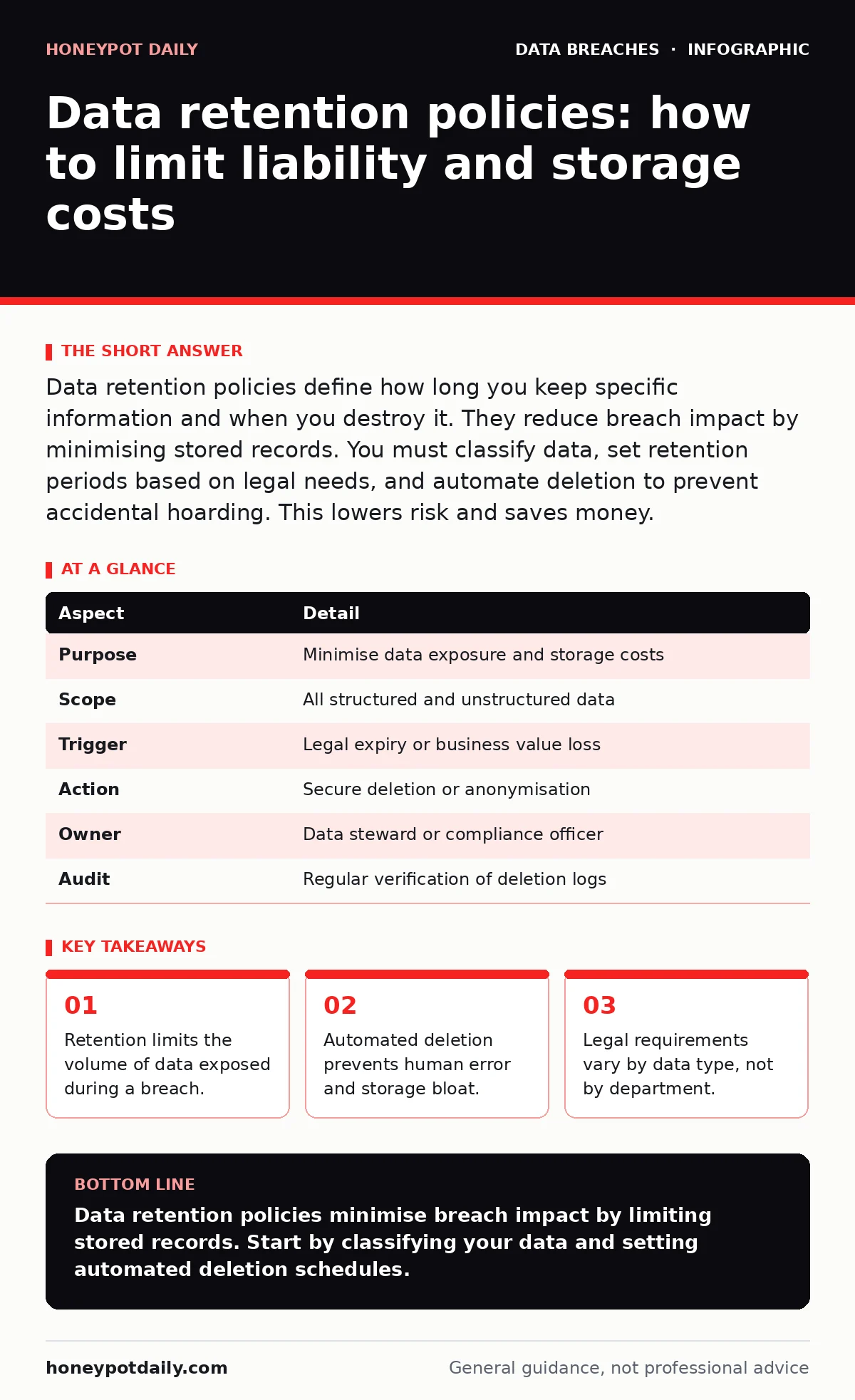
Data retention policies define how long you keep specific information and when you destroy it. They reduce breach impact by minimising stored records. You must classify data, set retention periods based on legal needs, and automate deletion to prevent accidental hoarding. This lowers risk and saves money.
Why data retention matters
Imagine a library that never throws away books. The shelves overflow, the building costs rise, and finding a specific title becomes impossible. Data retention policies work the same way for digital information. They define the lifespan of each data type and mandate destruction when that time expires. This practice reduces the amount of personally identifiable information available to attackers. It also ensures compliance with privacy laws that restrict how long you may hold user records. Without these rules, organisations accumulate digital dust that serves no business purpose.
| Aspect | Detail |
|---|---|
| Purpose | Minimise data exposure and storage costs |
| Scope | All structured and unstructured data |
| Trigger | Legal expiry or business value loss |
| Action | Secure deletion or anonymisation |
| Owner | Data steward or compliance officer |
| Audit | Regular verification of deletion logs |
How data retention policies work
The process begins with classification. You must identify what data you hold and why. A customer email is different from a health record. Each type has different legal and operational lifespans. Once classified, you assign a retention period. This period starts when the data is created and ends when it is no longer needed for business or legal reasons. When the period expires, the policy triggers deletion.
This deletion must be irreversible. Simple file deletion often leaves recoverable fragments. You need secure wiping or cryptographic erasure. This ensures the data cannot be reconstructed. The policy also covers backups. Backups often outlive the primary data. You must align backup retention with the main policy. Otherwise, you delete the live record but keep a copy in the archive. This creates a compliance gap.
Who is affected by retention rules
Every system that stores data is affected. This includes databases, email servers, cloud storage buckets, and local workstations. Employees generate data constantly. Their actions must align with the policy. A sales team might save customer contracts indefinitely. This violates the policy if the contract period ends. IT teams manage the infrastructure. They must configure systems to enforce deletion.
Legal teams define the minimum retention periods. They ensure you keep enough data to defend against lawsuits. Compliance officers verify that deletion actually happens. They check logs and audit trails. If you outsource processing, your vendors must follow the same rules. A breach at a vendor can expose your data. You remain liable if their retention practices are weak. This extends your risk beyond your own network.
Building a practical policy
Start with a data inventory and mapping exercise. You cannot protect what you cannot see. Identify every data source and its location. Classify each item by sensitivity. Assign retention periods based on legal requirements and business needs. Do not guess. Consult legal counsel for specific jurisdictions. Define the deletion method. Specify whether you use overwriting, degaussing, or cryptographic erasure.
Document the exceptions. Some data may need longer retention for litigation holds. These exceptions must be manual and approved. Automate the enforcement where possible. Manual deletion is prone to error. Use scripts or platform features to trigger deletion. Test the process regularly. Verify that deleted data is gone. Review the policy annually. Laws change. Business processes evolve. Your policy must adapt.
Common mistakes to avoid
Many organisations treat retention as an IT problem. It is a business and legal problem. IT implements the controls, but business defines the need. Another mistake is keeping data "just in case". This hoarding increases risk without adding value. If you do not use the data, do not keep it. Backups are often forgotten. Admins delete live data but forget to update backup schedules. This leaves ghost copies in storage.
Deletion is not always permanent. Some systems archive data to cold storage. You must track these archives. Another error is inconsistent policies. Different departments may have different rules. This creates confusion and gaps. Standardise across the organisation. Use a central registry for retention periods. Finally, ignore the metadata. Metadata often reveals more than the data itself. Delete metadata along with the content.
See also: Threat Intelligence Feeds: Mechanics, Noise and Practical Usage · How Digital Forensics Works: The Chain of Evidence Explained
The role of technology
Technology enforces the policy. You need tools that can identify data. Data loss prevention systems can tag sensitive information. Database management systems can set time-to-live values. Cloud providers offer lifecycle management rules. These rules move data to cheaper storage or delete it automatically. Encryption helps. If you use full disk encryption, you can delete the key to render data unreadable.
This is faster than wiping disks. However, you must manage keys carefully. Losing a key means losing data permanently. This is useful for deletion but dangerous for availability. Tokenization can replace sensitive data with tokens. Tokens have no value to attackers. You can retain tokens longer without the same risk. This separates the sensitive data from the operational data.
Legal and operational trade-offs
Longer retention provides more history. This helps with trend analysis and long-term support. However, it increases liability. If a breach occurs years later, you face questions about why you kept the data. Legal defences weaken if you cannot justify the retention. Shorter retention reduces risk but may hurt operations. You might lose context for customer queries. You must balance these needs. Define the minimum period required by law. Add only what is necessary for business. Document the justification for any extra time. This documentation protects you during audits. It shows you made a reasoned decision. Do not rely on industry averages. Your specific risk profile dictates the period.
Auditing and verification
A policy is useless if not followed. You must audit compliance. Check deletion logs regularly. Verify that data is gone after the retention period. Use sampling methods. Randomly select records and check their status. Look for orphaned data. This is data that no system claims but still exists. Clean it up. Report findings to management. Show the volume of data deleted.
Highlight any exceptions. Investigate why exceptions were needed. If exceptions are frequent, your policy may be wrong. Adjust the periods. Continuous improvement keeps the policy effective. It also demonstrates due diligence. Auditors look for evidence of control. Logs are that evidence. Keep them secure. If logs are tampered with, you cannot prove compliance.
Integration with security controls
Data retention works with other security measures. It reduces the value of stolen data. It complements access controls. Fewer records mean fewer accounts to manage. It supports incident response. With less data, forensics are faster. You spend less time sifting through irrelevant records. This improves the speed of digital forensics. It also reduces the cost of breach notification.
Fewer affected individuals mean lower notification costs. Combine retention with password hashing and salting. This protects stored credentials. Even if attackers get the database, they cannot reverse the hashes. Retention ensures you do not keep old hashes. Old hashes may use weaker algorithms. Delete them when the password is changed. This limits the window of vulnerability.
Next steps for implementation
Review your current data holdings. Identify the oldest data. Ask why it is still there. If you cannot answer, delete it. Classify your data types. Set retention periods for each. Implement automated deletion. Test the process. Train your staff. Make retention part of the culture. It is not just an IT task. It is a business imperative. Regular reviews keep the policy relevant. Stay updated on legal changes. Adapt your periods accordingly. This proactive approach minimises risk. It also optimises your storage spend. You pay only for what you need.
Key takeaways
- Retention limits the volume of data exposed during a breach.
- Automated deletion prevents human error and storage bloat.
- Legal requirements vary by data type, not by department.
Data retention policies minimise breach impact by limiting stored records. Start by classifying your data and setting automated deletion schedules.
Frequently asked questions
How long should I keep customer data?
Keep it only as long as required by law or business need. Consult legal counsel for specific retention periods in your jurisdiction.
Does deletion mean the data is gone forever?
Secure deletion ensures the data cannot be recovered. Simple deletion may leave fragments. Use cryptographic erasure or overwriting for sensitive data.
Can I keep data for analytics longer?
You can retain anonymised data for analytics. Remove all personally identifiable information. This reduces privacy risk while keeping the utility.
What happens if I delete data by mistake?
Implement a quarantine zone before final deletion. This allows recovery within a grace period. Regular backups may also help, but align backup retention with policy.
How this guide was produced: written by the Honeypot Daily editorial team with AI assistance, checked against the public references listed below, and reviewed when the facts change. See our editorial policy or report an error.