
Windows Event Log Monitoring: Signal, Noise and Strategic Limits
Most teams drown in noise because they treat every log entry as intelligence rather than filtering for specific behavioural anomalies.
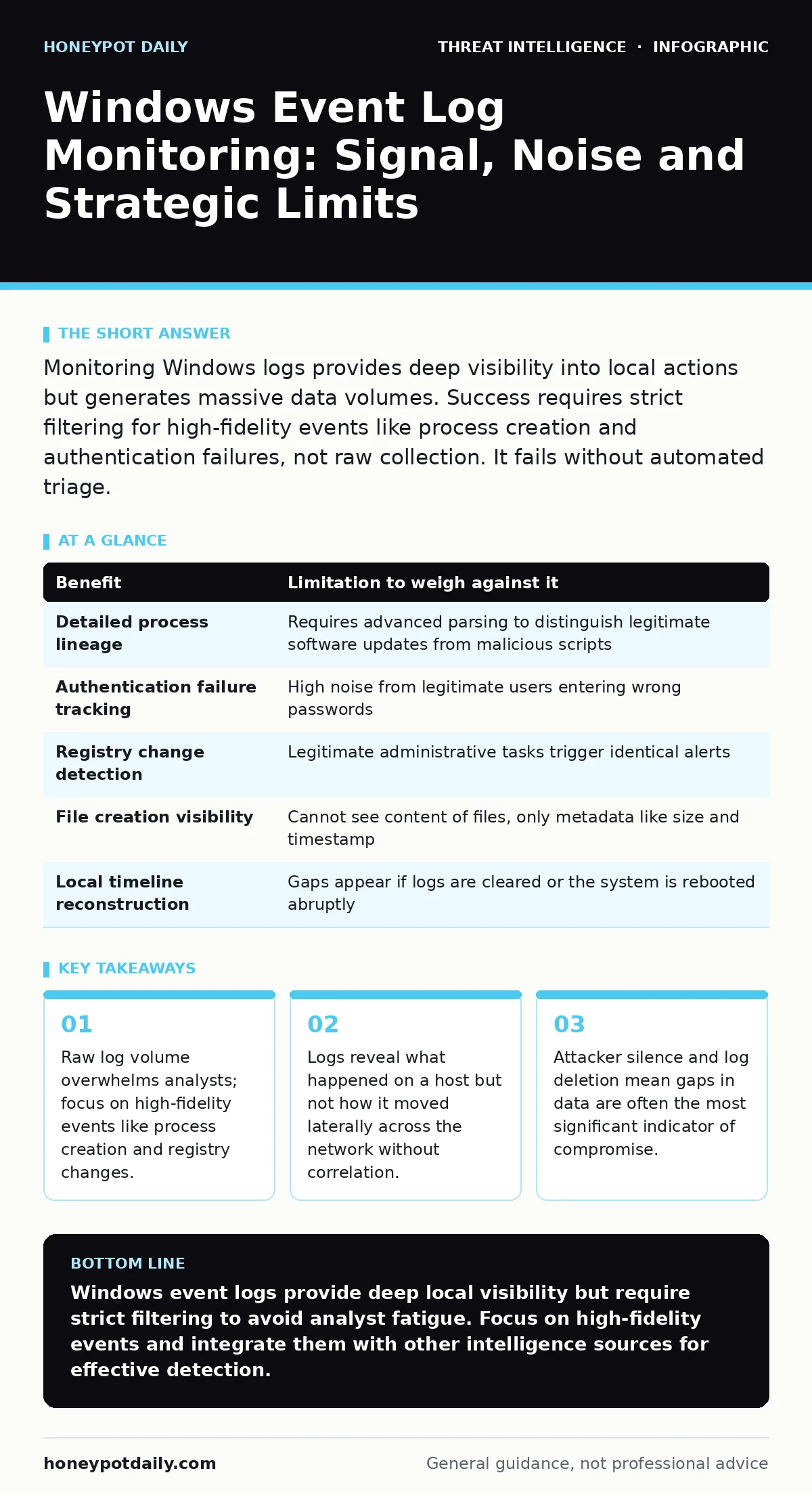
Monitoring Windows logs provides deep visibility into local actions but generates massive data volumes. Success requires strict filtering for high-fidelity events like process creation and authentication failures, not raw collection. It fails without automated triage.
The Illusion of Total Visibility
Windows event logs record system and application activities with granular detail. You might assume this provides a perfect record of every action on a machine. This assumption is dangerous. Logs are local records that can be modified, deleted or truncated by anyone with administrative privileges. They tell you what the operating system saw, not necessarily what an attacker achieved.
The volume of data is the primary barrier to effective monitoring. A single busy server can generate millions of events daily. If you collect everything, you will never find anything. The challenge is not gathering data but identifying the specific signals that indicate malicious intent amidst the noise of legitimate user activity.
High-Fidelity Events Over Volume
Not all log entries hold equal value. Some events occur constantly and offer little context for investigation. Others are rare and highly indicative of specific actions. You must prioritise high-fidelity events that map directly to attacker tactics. Process creation logs show exactly what executable ran and who triggered it. Authentication logs reveal failed login attempts and successful privilege escalations.
Registry modification logs track changes to system configuration, which often precede persistence mechanisms. File creation events can indicate malware dropping payloads. By focusing on these specific categories, you reduce the data volume significantly while increasing the signal-to-noise ratio. This approach aligns with effective endpoint telemetry strategies that prioritise quality over quantity.
| Benefit | Limitation to weigh against it |
|---|---|
| Detailed process lineage | Requires advanced parsing to distinguish legitimate software updates from malicious scripts |
| Authentication failure tracking | High noise from legitimate users entering wrong passwords |
| Registry change detection | Legitimate administrative tasks trigger identical alerts |
| File creation visibility | Cannot see content of files, only metadata like size and timestamp |
| Local timeline reconstruction | Gaps appear if logs are cleared or the system is rebooted abruptly |
The Hidden Cost of Storage and Processing
Storing these logs is not free. The cost is not just disk space but computational power. Every log entry must be ingested, parsed and stored. This requires dedicated resources that scale linearly with the number of monitored hosts. If you expand monitoring to include verbose debug logs, your infrastructure costs will skyrocket without proportional security gains.
Processing this data requires significant analyst time. Even with automation, false positives demand human review. If your alert triage process is inefficient, analysts will become fatigued. They will begin to ignore alerts, assuming most are benign. This complacency creates blind spots where real threats can operate undetected for extended periods.
When It Is Worth It
Monitoring is worth the investment when you need to understand specific local actions. Suppose you suspect an insider threat. Logs provide the only detailed record of what files were accessed and what commands were executed. They are also valuable for compliance requirements that mandate audit trails for specific actions.
It is also worth it when combined with other data sources. Logs alone are static. When correlated with network scanning results or threat intelligence feeds, they provide context. A process creation log becomes suspicious if the process name matches a known malware signature from an external feed. This correlation transforms raw data into actionable intelligence.
When It Is Not
It is not worth it if you lack the resources to parse and analyse the data. Collecting logs without a plan to review them is a waste of storage. It creates a false sense of security. You are paying for data you cannot use. This is particularly true for small teams with limited blue team operations capacity.
It is also not worth it if you rely solely on logs for detection. Attackers know logs are monitored. They often use techniques to avoid logging or to clear logs after execution. If your monitoring strategy depends entirely on the presence of log entries, you are vulnerable to silent attacks. You need additional layers of defence to catch what logs miss.
See also: Watering hole attack example: how the trap works and how to escape · Blue Team Operations: Definition, Purpose and Core Mechanics
The Gap Between Detection and Response
Detecting an anomaly is only the first step. The real challenge is responding to it. Mean time to detect is a common metric, but it is less useful than mean time to respond. You can detect an attack quickly, but if you cannot contain it, the detection is meaningless. Logs provide the evidence, but they do not provide the containment mechanism.
You need automated responses or clear procedures for handling alerts. If an alert indicates a suspicious process, what happens next? Does the system isolate the host? Does it terminate the process? Without these automated actions, logs serve only as a historical record. They help you understand past breaches but do not prevent future ones.
Integrating with Broader Intelligence
Logs do not exist in a vacuum. They are part of a larger security ecosystem. To get the most value, you must integrate them with other intelligence sources. OSINT investigations can help you understand the context of an indicator found in a log. If a file hash appears in your logs, checking external databases can reveal if it is known malware.
This integration requires a mature security operations centre. It is not something you can achieve overnight. It requires building pipelines that move data between different systems. It also requires training analysts to think in terms of correlation rather than isolated events. This shift in mindset is the hardest part of implementing effective log monitoring.
Key takeaways
- Raw log volume overwhelms analysts; focus on high-fidelity events like process creation and registry changes.
- Logs reveal what happened on a host but not how it moved laterally across the network without correlation.
- Attacker silence and log deletion mean gaps in data are often the most significant indicator of compromise.
Windows event logs provide deep local visibility but require strict filtering to avoid analyst fatigue. Focus on high-fidelity events and integrate them with other intelligence sources for effective detection.
Frequently asked questions
Which Windows event IDs should I monitor first?
Focus on Event ID 4688 for process creation, 4624 for successful logons and 4625 for failed logons. These provide the highest signal-to-noise ratio for initial monitoring.
Can attackers hide their activity from Windows logs?
Yes, attackers with administrative privileges can disable logging, delete specific entries or use techniques that do not generate standard log entries.
How much storage do I need for log monitoring?
Storage needs vary widely based on logging verbosity and host count. Start with a few days of retention for high-fidelity events and expand as you refine your parsing rules.
Is cloud-based log monitoring better than on-premise?
Cloud solutions offer easier scalability and integration but may raise data sovereignty concerns. On-premise gives you full control but requires more infrastructure management.
How this guide was produced: written by the Honeypot Daily editorial team with AI assistance, checked against the public references listed below, and reviewed when the facts change. See our editorial policy or report an error.