PowerShell Abuse Anatomy: Step-by-Step Attack Execution
Attackers exploit PowerShell’s design as a management tool to execute code in memory, bypassing traditional file-based scanning without triggering standard executable alerts.
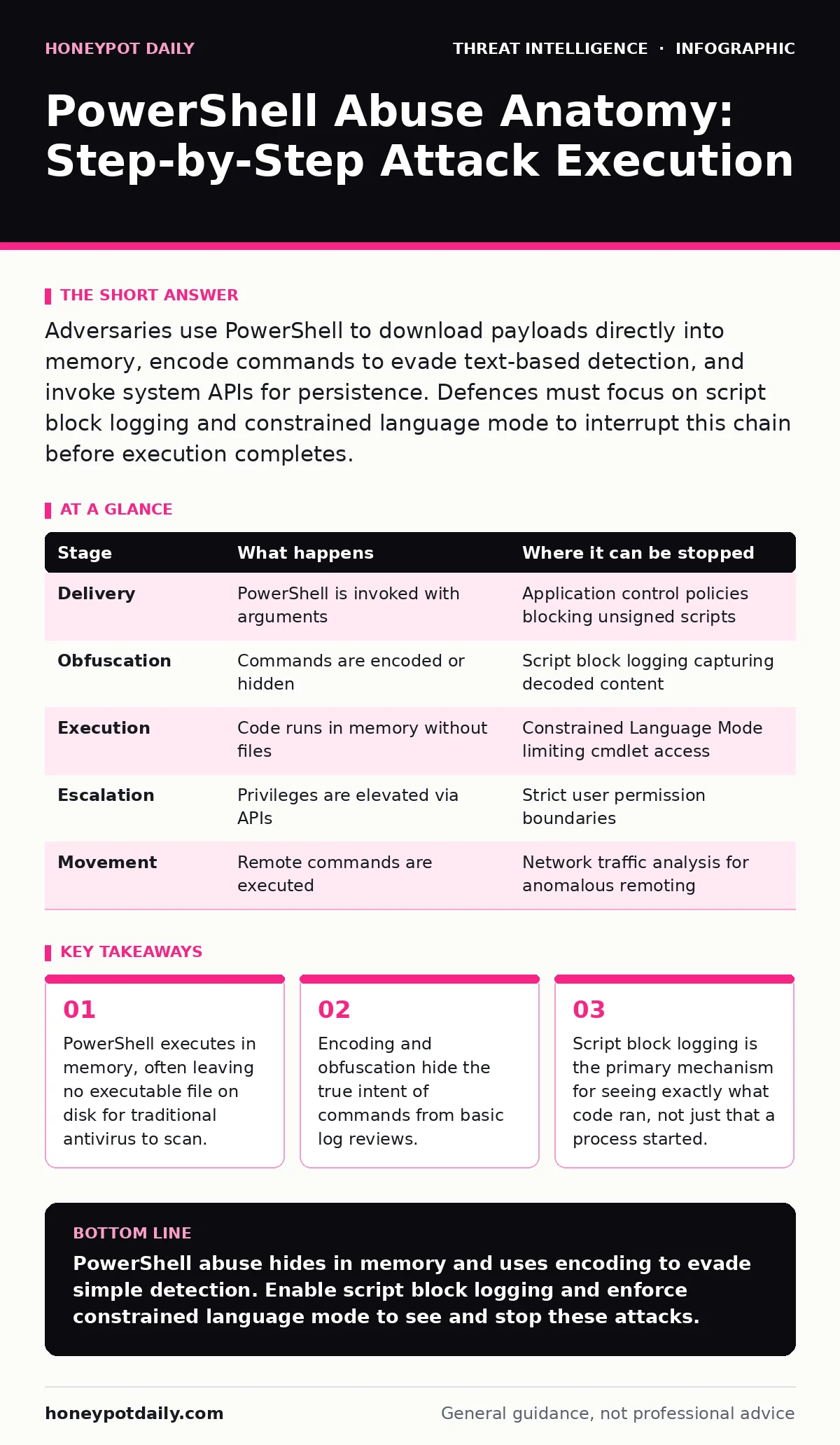
Adversaries use PowerShell to download payloads directly into memory, encode commands to evade text-based detection, and invoke system APIs for persistence. Defences must focus on script block logging and constrained language mode to interrupt this chain before execution completes.
The Management Tool Paradox
PowerShell was designed to simplify administrative tasks on Windows systems. This utility allows operators to manage complex configurations through command-line scripts rather than graphical interfaces. The same features that make it efficient for system administrators make it dangerous in the wrong hands. It is a fully-featured scripting environment with access to the .NET framework.
The core issue is trust. The operating system trusts PowerShell because it is a signed Microsoft binary. Security tools often hesitate to block a legitimate system component, creating a blind spot. Attackers exploit this trust to run malicious code that would otherwise be caught by application whitelisting or behavioural heuristics.
### Stage 1: Initial Access and Payload Delivery
The attack begins with a vector that delivers a PowerShell command to the target. This might be a malicious document, a phishing email attachment, or a drive-by download. The goal is not to install software but to execute a command line.
Imagine a user opens a spreadsheet that contains a macro. The macro does not drop a file. Instead, it calls the PowerShell executable with a series of arguments. These arguments instruct the system to download a second-stage payload from a remote server. The payload remains in memory, never touching the hard drive as a named file.
### Stage 2: Obfuscation and Encoding
Raw PowerShell commands are easy for security teams to spot in logs. Adversaries rarely use plain text. They use encoding techniques to hide the command structure. Base64 encoding is the most common method. It converts binary data into ASCII text, making it safe for transport over various protocols.
Obfuscation goes deeper. Attackers may split strings, use variable names that look like legitimate system variables, or insert random characters that the interpreter ignores. This increases the complexity of detection. Simple signature-based detection fails because the signature changes with every obfuscation layer.
This stage relies on the assumption that security tools only log the process name, not the arguments. If the log only shows "powershell.exe", the defender sees nothing unusual. The true activity is hidden in the command-line arguments, which are often truncated in standard logs.
### Stage 3: In-Memory Execution
Once the command is decoded, PowerShell executes it in memory. This is the critical phase where the attack becomes active. Because the code runs in RAM, file integrity monitoring tools see nothing. Antivirus software that scans files on disk also misses the threat.
The attacker may use techniques like process injection to hide further. This involves inserting code into the memory space of another legitimate process, such as a web browser or system service. This makes the malicious activity appear as part of normal system behaviour.
The reliance here is on the speed of execution. The code runs and exits quickly. If monitoring is not real-time, the event is missed. The attacker gains a foothold without creating artefacts that survive a reboot.
### Stage 4: Privilege Escalation
With initial access, the attacker seeks higher privileges. PowerShell provides modules that interact with the Windows Security Account Manager. These modules can extract password hashes or reset credentials.
The attacker may exploit misconfigurations in local security policies. For instance, if a user has administrative rights on their local machine, PowerShell can be used to install a local admin account or modify registry keys for persistence.
This stage relies on the principle of least privilege not being enforced. If the initial user account has limited rights, PowerShell cannot escalate further without exploiting a separate vulnerability. Strict permission boundaries limit the scope of abuse.
See also: How security operations centers detect and respond to threats · Whaling Attack Response: Containment, Recovery and Prevention Steps
### Stage 5: Lateral Movement and Persistence
The final stage involves moving across the network and ensuring the attacker can return. PowerShell can execute commands on remote computers using remoting features. This allows an attacker to control multiple machines from a single console.
Persistence is achieved by adding scripts to startup folders or scheduled tasks. The attacker may also use PowerShell profiles, which are scripts that run every time a user opens a terminal. This ensures the malicious code runs continuously.
Network detection and response systems can interrupt this phase. By monitoring for unusual PowerShell remoting traffic, defenders can spot lateral movement. Threat intelligence feeds can help identify known malicious scripts or indicators of compromise associated with these campaigns.
Interrupting the Chain
Defending against PowerShell abuse requires shifting from file-based detection to behavioural monitoring. The key is visibility into what the script actually does, not just that it runs.
| Stage | What happens | Where it can be stopped |
|---|---|---|
| Delivery | PowerShell is invoked with arguments | Application control policies blocking unsigned scripts |
| Obfuscation | Commands are encoded or hidden | Script block logging capturing decoded content |
| Execution | Code runs in memory without files | Constrained Language Mode limiting cmdlet access |
| Escalation | Privileges are elevated via APIs | Strict user permission boundaries |
| Movement | Remote commands are executed | Network traffic analysis for anomalous remoting |
Windows event log monitoring is critical here. You must correlate process creation events with script block logs. Without this correlation, you are guessing at the intent of the activity. Blue team operations should focus on baselining normal PowerShell usage to identify deviations.
The Hidden Cost of Visibility
Enabling full PowerShell logging has a cost. Script block logging generates significant volume. Every time a user runs a simple command, it is logged. This can overwhelm log management systems and increase storage costs.
There is also a performance impact. The system must decode and record every script block before it runs. This adds latency to command execution. In high-throughput environments, this can be noticeable.
Balancing security and performance is difficult. You must filter logs effectively to avoid alert fatigue. YARA rules can help identify malicious patterns in the logs without requiring manual review of every entry. However, creating effective rules requires deep knowledge of PowerShell scripting techniques.
Final Considerations
PowerShell abuse is a testament to the power of legitimate tools. Defending against it requires understanding the tool itself. You must know how PowerShell works to know how it is being misused.
The strategy is not to eliminate the risk but to manage it. Use constrained language mode for standard users. This limits the ability to execute certain dangerous commands. For administrators, use comprehensive logging and monitoring.
Process injection remains a sophisticated technique that can bypass some controls. Combining memory forensics with behavioural analysis provides the best defence. Stay aware of new techniques and update your detection rules accordingly.
Key takeaways
- PowerShell executes in memory, often leaving no executable file on disk for traditional antivirus to scan.
- Encoding and obfuscation hide the true intent of commands from basic log reviews.
- Script block logging is the primary mechanism for seeing exactly what code ran, not just that a process started.
PowerShell abuse hides in memory and uses encoding to evade simple detection. Enable script block logging and enforce constrained language mode to see and stop these attacks.
Frequently asked questions
Does blocking PowerShell prevent all attacks?
No, attackers can use other scripting languages like Python or Ruby, or compile their own executables. Blocking PowerShell only removes one vector.
How do I tell if PowerShell is being abused?
Look for encoded commands, unusual process parents, or scripts running from temporary directories. Correlate these with script block logs.
Can antivirus stop in-memory execution?
Traditional file-based antivirus cannot. You need endpoint detection and response solutions that monitor process behaviour and memory activity.
How this guide was produced: written by the Honeypot Daily editorial team with AI assistance, checked against the public references listed below, and reviewed when the facts change. See our editorial policy or report an error.