
Warning Signs of Default Credentials: Detection and Response
Default credentials often hide in plain sight, masquerading as valid accounts within complex network traffic rather than obvious login failures.
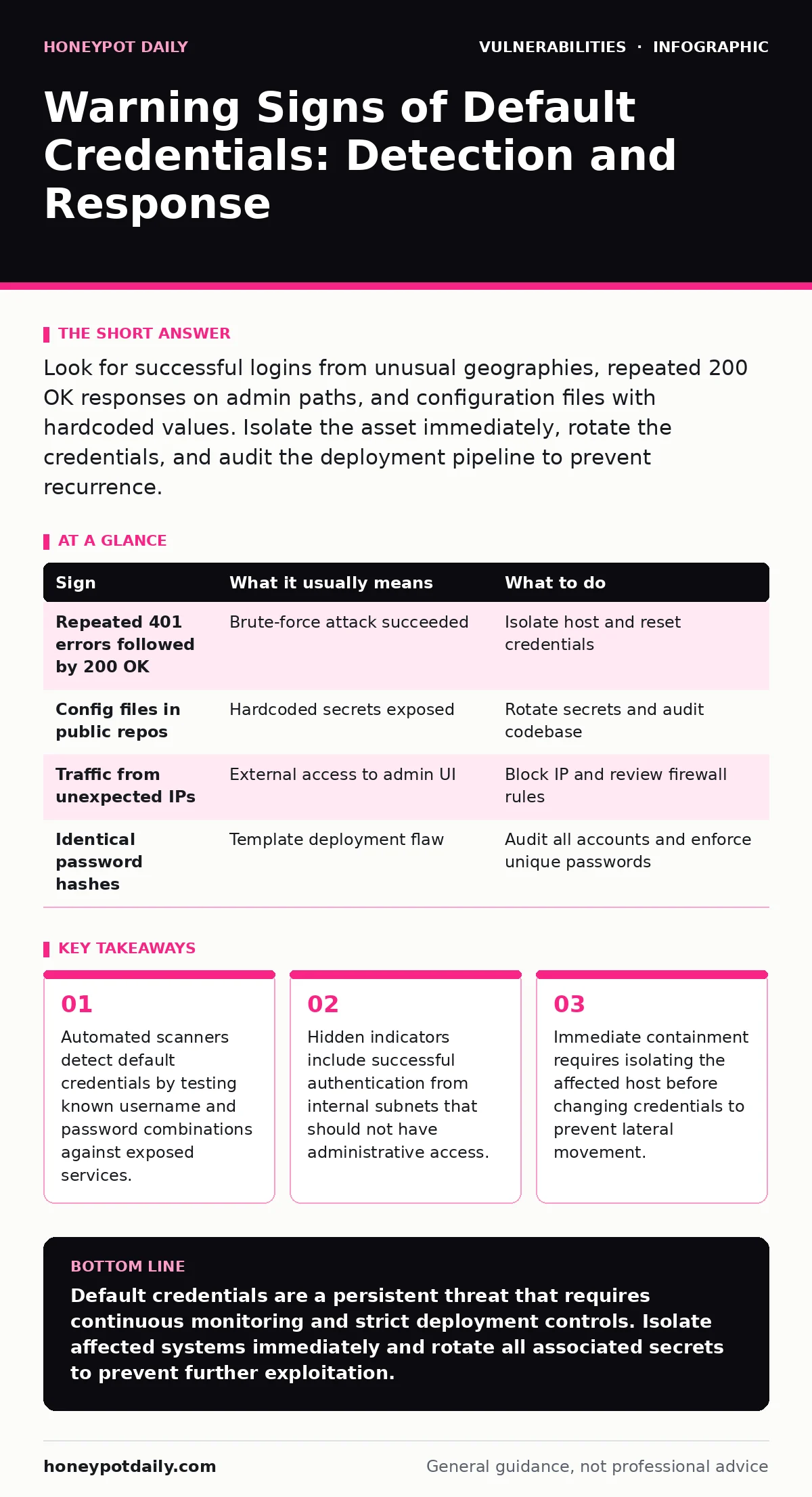
Look for successful logins from unusual geographies, repeated 200 OK responses on admin paths, and configuration files with hardcoded values. Isolate the asset immediately, rotate the credentials, and audit the deployment pipeline to prevent recurrence.
The Obvious Indicators
The most visible signs of default credentials appear in your security information and event management (SIEM) logs. You will see repeated failed login attempts followed by a sudden stream of successful authentications. This pattern indicates an attacker has tried many combinations before finding the one that works.
Another clear signal is traffic destined for administrative interfaces from unexpected sources. If you see HTTP POST requests to a /admin endpoint from a residential IP address, something is wrong. Legitimate administrators rarely access management consoles from home networks without a corporate virtual private network.
Check your web server access logs for specific user agents. Attackers often use automated tools that leave distinct fingerprints. If you notice requests with generic or missing user-agent strings targeting login pages, treat this as a high-priority alert.
The Subtle Signals
Default credentials are not always obvious. Sometimes the system accepts the login without generating an error, making it invisible to basic monitoring. You must look for behavioural anomalies rather than just authentication failures.
One subtle sign is the presence of configuration files in public directories. Developers sometimes commit .env files or YAML configurations to version control systems. These files may contain hardcoded default passwords that were never changed during deployment.
Another hidden indicator is the existence of multiple accounts with the same password hash. If you find that several service accounts share identical credential hashes, it suggests a template-based deployment where defaults were never rotated. This is a significant risk because compromising one account compromises many.
Understanding the Attack Surface
Default credentials exist because manufacturers ship devices with pre-set access methods for initial setup. These are often documented in public manuals or discovered through reverse engineering. The security team must assume every device in the network uses these defaults until proven otherwise.
The risk extends beyond simple login pages. Many Internet of Things devices expose Telnet or SSH services with default credentials. These protocols transmit data in plain text, allowing attackers to capture credentials in transit. Even if the credentials are complex, the lack of encryption makes them vulnerable to interception.
Detection Strategies
To find these vulnerabilities, you need proactive scanning. Passive monitoring catches attacks in progress, but active scanning finds the vulnerabilities before attackers do. Use internal vulnerability scanners to check all assets for known default credentials.
Integrate scanning into your continuous integration and continuous deployment pipeline. This ensures that new instances are checked for default configurations before they reach production. You can also use dynamic application security testing (DAST) to probe running applications for weak authentication mechanisms.
Regularly audit your exposure management posture. This process involves identifying all external-facing assets and verifying their security settings. It helps you find forgotten devices that may still be using factory defaults.
Immediate Response Actions
When you detect a default credential, act quickly. The first step is to isolate the affected asset from the network. This prevents the attacker from moving laterally to other systems. Do not disconnect the device entirely if you need to preserve forensic evidence.
Next, change the credentials. Use a complex, unique password that does not appear in any public data breach. If the system supports it, enforce multi-factor authentication. This adds a layer of security that protects against stolen passwords.
Finally, review the access logs for the affected period. Determine what the attacker accessed and whether they exfiltrated data. This information is vital for understanding the scope of the breach and reporting it if necessary.
See also: How security operations centers detect and respond to threats · Whaling Attack Response: Containment, Recovery and Prevention Steps
Prevention and Long-Term Security
Preventing default credential issues requires a shift in deployment practices. Never ship devices or applications with default accounts active. Use automated scripts to generate unique credentials during the provisioning process.
Implement strict change management for security patches. This ensures that updates include security fixes and that configurations are reviewed before deployment. Regular penetration testing can also identify systems that still rely on default credentials.
Consider using virtual patching to protect vulnerable systems that cannot be updated immediately. This technique sits in front of the application and blocks malicious traffic without changing the underlying code. It provides temporary protection while you work on a permanent fix.
| Sign | What it usually means | What to do |
|---|---|---|
| Repeated 401 errors followed by 200 OK | Brute-force attack succeeded | Isolate host and reset credentials |
| Config files in public repos | Hardcoded secrets exposed | Rotate secrets and audit codebase |
| Traffic from unexpected IPs | External access to admin UI | Block IP and review firewall rules |
| Identical password hashes | Template deployment flaw | Audit all accounts and enforce unique passwords |
Key takeaways
- Automated scanners detect default credentials by testing known username and password combinations against exposed services.
- Hidden indicators include successful authentication from internal subnets that should not have administrative access.
- Immediate containment requires isolating the affected host before changing credentials to prevent lateral movement.
Default credentials are a persistent threat that requires continuous monitoring and strict deployment controls. Isolate affected systems immediately and rotate all associated secrets to prevent further exploitation.
Frequently asked questions
How do I know if my device uses default credentials?
Check the manufacturer documentation or look for common default usernames like admin or root. Test these with common passwords like password or 123456 in a safe environment.
Can I use default credentials for internal testing?
No. Internal testing environments should also use unique credentials. Attackers can move laterally from internal networks to external assets.
What is the difference between default and weak credentials?
Default credentials are factory-set and known publicly. Weak credentials are chosen by users but are easily guessed due to simplicity.
How often should I scan for default credentials?
Scan continuously. New devices are added frequently, and configurations can drift over time. Automated scanning is the most reliable method.
How this guide was produced: written by the Honeypot Daily editorial team with AI assistance, checked against the public references listed below, and reviewed when the facts change. See our editorial policy or report an error.