Patch Change Management: A Step-by-Step Rollout Plan
Treating patches as code deployments prevents outages by forcing validation before production exposure and isolating failure points.
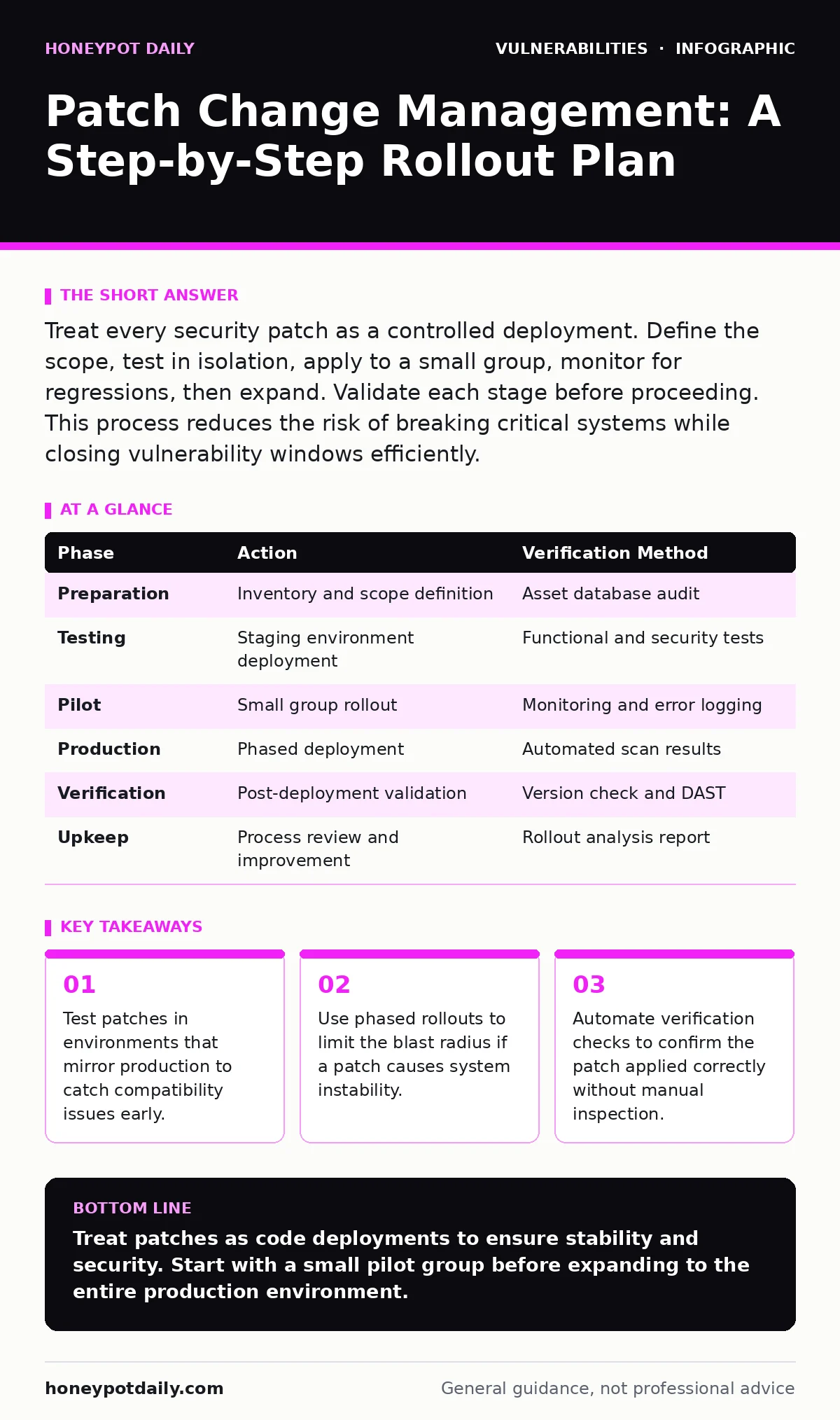
Treat every security patch as a controlled deployment. Define the scope, test in isolation, apply to a small group, monitor for regressions, then expand. Validate each stage before proceeding. This process reduces the risk of breaking critical systems while closing vulnerability windows efficiently.
Preparing the Patch Inventory
You cannot manage what you do not see. Begin by maintaining a strict inventory of all hardware and software assets. This list must include operating systems, applications, libraries, and firmware. Without this baseline, you will miss critical components that require updating.
Group assets by function and criticality. A database server requires a different rollout strategy than a development workstation. Define which systems are in scope for each patch cycle. Exclude systems that are isolated or deprecated to avoid wasting effort on irrelevant targets.
Check for known compatibility issues before downloading updates. Some patches break specific configurations or third-party integrations. Review vendor release notes for these conflicts. If a conflict exists, consider virtual patching as a temporary measure until a compatible update is available.
Step 1: Isolate and Test
Create a staging environment that mirrors your production setup. Install the patch on this isolated system first. Do not skip this step, even for minor updates. Small changes can trigger large failures in complex dependencies.
Run your standard application tests against the patched system. Verify that core functionalities remain intact. Check for performance degradation or new error logs. If the system behaves differently, halt the process and investigate the cause.
Step 2: Deploy to a Pilot Group
Select a small, non-critical group of systems for the initial rollout. These systems should be representative of the broader environment but not essential for daily operations. This group acts as a canary in the coal mine.
Apply the patch to this pilot group. Monitor these systems closely for the first twenty-four hours. Watch for application crashes, network connectivity issues, or authentication failures. If problems arise, you can revert the change quickly with minimal impact.
Document any issues encountered during this phase. Note the specific error messages and the conditions under which they occurred. This information is vital for troubleshooting later stages of the rollout.
Step 3: Expand to Production
Once the pilot group remains stable, proceed to the broader production environment. Roll out the patch in waves, not all at once. This approach limits the blast radius if a hidden issue emerges.
Prioritise critical systems that face the highest risk. Apply the patch to these assets first. Follow with less critical systems. This order ensures that your most exposed assets are protected while you monitor the wider deployment.
Automate the deployment where possible. Manual application is prone to human error and inconsistency. Use configuration management tools to ensure every system receives the exact same update.
Step 4: Verify and Validate
Verification is not optional. You must confirm that the patch applied successfully on every system. Do not assume success just because the installer reported no errors.
Check for the presence of the new version or build number. Verify that the vulnerability is no longer exploitable. Use automated tools to scan for the specific signature of the patch. This step confirms that the remediation is effective.
Include exposure management in your verification process. Ensure that the patched systems are not inadvertently exposing new attack surfaces. Sometimes, updates open new ports or services that were previously closed.
Step 5: Monitor for Regressions
Monitoring continues after the patch is applied. Watch for subtle performance issues that may not appear immediately. Look for increased latency, higher CPU usage, or memory leaks.
Set up alerts for unusual behaviour in the patched systems. If an application starts failing intermittently, correlate these events with the patch deployment. This correlation helps you identify if the patch is the root cause.
Keep a rollback plan ready. If a critical issue emerges, you must be able to revert to the previous state quickly. Test your rollback procedure regularly to ensure it works when needed.
Checking It Works
A patch is only effective if it closes the vulnerability without breaking the system. Use a combination of automated scans and manual checks to verify success. Automated scans can confirm the presence of the patch, but they cannot guarantee functionality.
Perform functional testing on critical applications. Ensure that users can log in, process data, and access necessary resources. If these basic functions fail, the patch has introduced a regression.
Upkeep and Continuous Improvement
Patch management is not a one-time task. It is a continuous cycle of assessment, deployment, and verification. Regularly review your patch management process to identify areas for improvement.
Analyze each rollout for lessons learned. What went well? What went wrong? Use this feedback to refine your procedures. Update your documentation to reflect any changes in the process.
Integrate patch management with your broader security strategy. Align it with penetration testing schedules to validate the effectiveness of your controls. This integration ensures that your patching efforts contribute to overall security resilience.
Consider mitigations and workarounds for systems that cannot be patched immediately. These temporary measures can reduce risk until a permanent fix is applied. Document these mitigations and ensure they are removed once the patch is deployed.
| Phase | Action | Verification Method |
|---|---|---|
| Preparation | Inventory and scope definition | Asset database audit |
| Testing | Staging environment deployment | Functional and security tests |
| Pilot | Small group rollout | Monitoring and error logging |
| Production | Phased deployment | Automated scan results |
| Verification | Post-deployment validation | Version check and DAST |
| Upkeep | Process review and improvement | Rollout analysis report |
Key takeaways
- Test patches in environments that mirror production to catch compatibility issues early.
- Use phased rollouts to limit the blast radius if a patch causes system instability.
- Automate verification checks to confirm the patch applied correctly without manual inspection.
Treat patches as code deployments to ensure stability and security. Start with a small pilot group before expanding to the entire production environment.
Frequently asked questions
How do I handle systems that cannot be patched?
Use virtual patching or network segmentation to isolate these systems. Apply compensating controls like strict access lists to reduce risk.
What if a patch breaks a critical application?
Roll back the patch immediately to restore functionality. Investigate the cause in the staging environment before attempting to re-apply the update.
How often should I review my patch management process?
Review the process after each major rollout and at least quarterly. Incorporate lessons learned and update procedures to reflect new threats or technologies.
Can I automate the entire patch management process?
You can automate deployment and verification, but human oversight is necessary for decision-making. Automated tools should support, not replace, your change management board.
How this guide was produced: written by the Honeypot Daily editorial team with AI assistance, checked against the public references listed below, and reviewed when the facts change. See our editorial policy or report an error.