
Data Retention Policy Mistakes and How to Avoid Them
Retaining data beyond its operational life creates an attack surface that grows with every day you delay deletion, turning old logs into permanent liabilities.
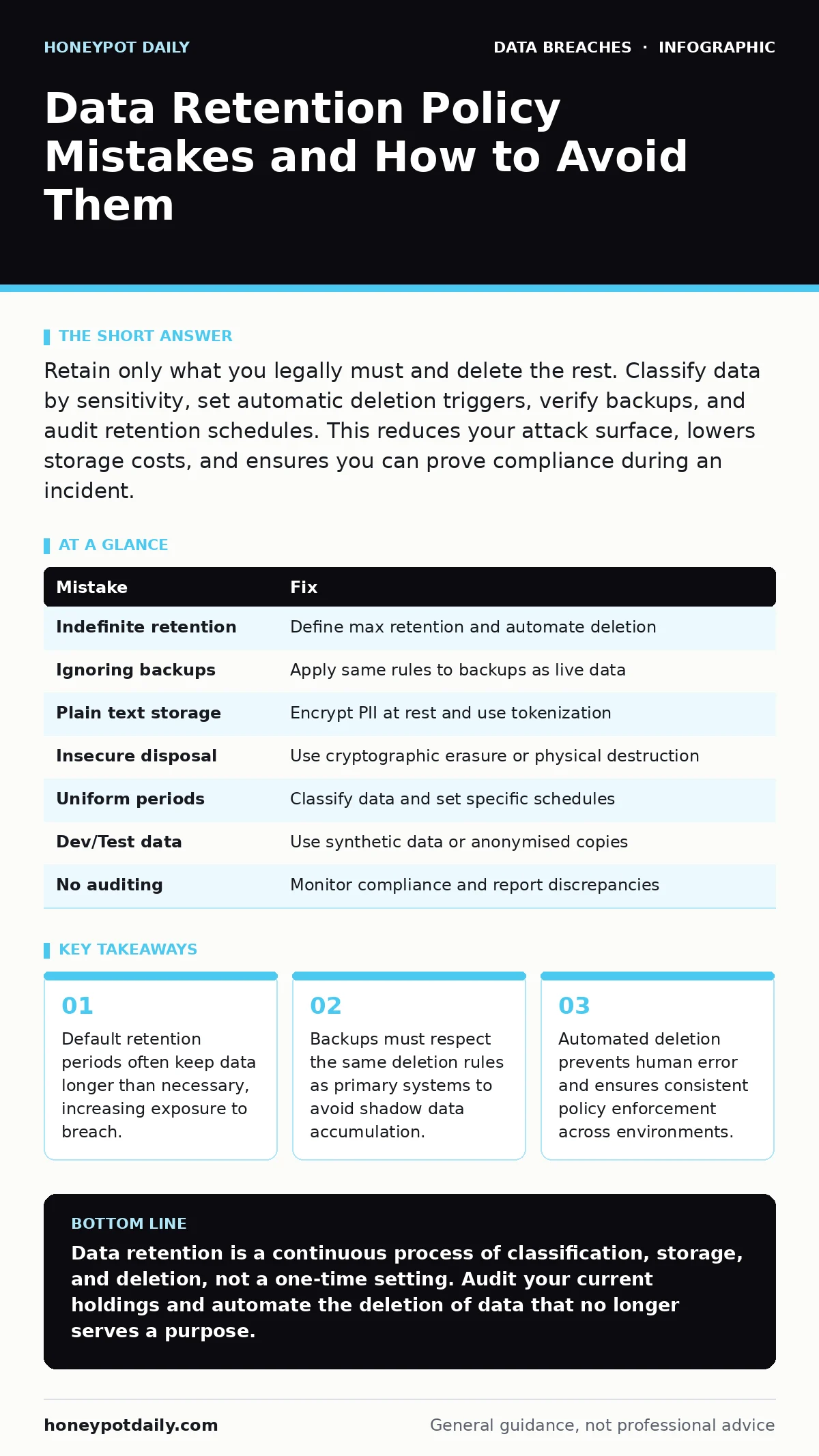
Retain only what you legally must and delete the rest. Classify data by sensitivity, set automatic deletion triggers, verify backups, and audit retention schedules. This reduces your attack surface, lowers storage costs, and ensures you can prove compliance during an incident.
Mistake 1: Retaining Data Indefinitely Without a Defined End Date
Organisations often collect data with the assumption that keeping it forever is safer than deleting it. This assumption is incorrect. Data that serves no business purpose becomes pure liability. Without a defined end date, you cannot prove that you have deleted records when required.
Why it hurts:
Indefinite retention expands your attack surface. Every record stored is a potential target. If an attacker gains access to your system, they harvest everything available. Old logs, abandoned project files, and legacy customer records become valuable loot. You lose the ability to argue that certain data should not have been accessible in the first place.
The fix:
Define a maximum retention period for every data class. Tie this period to a specific business need or legal requirement. When the period expires, the data must be destroyed. Use automated scheduling to trigger deletion processes. Review these schedules annually to ensure they still match current operations. See our guide on data inventory and mapping to identify what you hold.
Mistake 2: Ignoring Backups in Retention Policies
Many teams define retention policies for live databases but forget that backups contain the same information. Backups are often stored for longer periods than the primary data. This creates a shadow archive of sensitive information that is rarely monitored or protected with the same rigour as the production environment.
Why it hurts:
Attackers know that backups are the weak link. If they compromise your live systems, they often move to backup repositories next. These repositories may lack the same access controls or encryption standards. You may believe you have deleted data from your main server, but it remains intact in a quarterly backup tape or cloud snapshot. This defeats the purpose of your retention policy.
The fix:
Apply the same retention rules to backups as you do to live data. Implement a process that purges old backups automatically. Ensure that backup media is encrypted at rest. Use full disk encryption on all storage devices that hold backups. Verify that your backup solution supports granular deletion of specific files, not just whole snapshots.
Mistake 3: Storing Personally Identifiable Information in Plain Text
Storing sensitive data without encryption is a fundamental failure of data protection. Many legacy systems were built before encryption was standard. They continue to store names, addresses, and financial details in readable formats. This practice persists because migrating to encrypted storage is perceived as difficult or risky.
Why it hurts:
Plain text data is immediately usable by anyone who accesses it. Encryption adds a layer of security that protects data even if perimeter controls fail. Without encryption, a single breach exposes everything. You cannot mitigate the risk of exposure if the data is already readable. This also violates most modern privacy regulations which require technical safeguards.
The fix:
Encrypt all personally identifiable information at rest. Use strong, standardised algorithms. Manage keys separately from the data. Consider tokenization for payment data and other high-value identifiers. Tokenization replaces sensitive data with non-sensitive equivalents, reducing the value of stolen records. Ensure that decryption keys are not stored in the same location as the encrypted data.
Mistake 4: Failing to Secure Data During Disposal
Deleting a file from a file system often only removes the reference to the data, not the data itself. On magnetic drives, the bits remain until they are overwritten. On solid-state drives, wear-levelling algorithms may leave copies in unused blocks. Standard deletion commands are insufficient for sensitive data.
Why it hurts:
Data recovery tools can restore "deleted" files from unallocated space. If you dispose of hardware or archive data without proper sanitisation, you hand your data to whoever acquires the storage medium. This is a common source of leaks in second-hand hardware markets. It also undermines legal defences in litigation, as opponents can recover your supposedly deleted evidence.
The fix:
Use cryptographic erasure for encrypted storage. Destroying the encryption key renders the data unreadable instantly. For physical media, use certified destruction methods such as degaussing or physical shredding. For digital archives, overwrite data multiple times with random patterns. Verify the destruction process with logging and audit trails.
Mistake 5: One-Size-Fits-All Retention Periods
Applying a single retention period to all data types ignores the varying legal and business requirements for different information. Financial records, health data, and casual chat logs have different lifespans. Treating them all the same leads to either unnecessary risk or non-compliance.
Why it hurts:
Over-retention increases storage costs and liability. Under-retention can lead to legal penalties if you delete data before the mandatory period expires. You may lose critical evidence for digital forensics investigations if logs are purged too quickly. A blanket policy is neither efficient nor compliant. It fails to account for the specific nature of each data set.
The fix:
Classify data by sensitivity and regulatory requirement. Create distinct retention schedules for each class. For instance, financial transactions may require seven years of retention, while employee performance notes might only need two. Document the rationale for each period. Review these classifications regularly to adapt to changing laws and business needs.
See also: What Does Personally Identifiable Information Mean and How to Protect It · How Digital Forensics Works: The Chain of Evidence Explained
Mistake 6: Neglecting Data in Development and Testing Environments
Development and testing environments often use copies of production data. These copies are necessary for realistic testing but are frequently overlooked in security policies. They may reside on less secure servers with weaker access controls. Developers sometimes use real customer data to debug issues, creating unnecessary risk.
Why it hurts:
These environments are often easier to penetrate than production systems. Attackers may bypass strict production security to reach a testing server with lax controls. Real data in these environments can be exfiltrated with little resistance. It also poses a privacy risk if developers accidentally expose real user details in logs or error messages.
The fix:
Use synthetic data for development and testing wherever possible. Synthetic data mimics the structure and statistical properties of real data without containing actual personal information. If real data is required, anonymise it thoroughly before transfer. Ensure that testing environments have the same security controls as production. Restrict access to these environments strictly.
Mistake 7: Not Auditing Retention Compliance
Setting a policy is only the first step. Without regular audits, you cannot verify that the policy is being followed. Systems drift over time. New data sources are added without applying the correct retention rules. Employees may create local archives that bypass central controls.
Why it hurts:
You operate under the false assumption that your data is managed correctly. When an incident occurs, you discover that old data still exists. This surprise delays response efforts and increases legal exposure. Auditors will penalise you for lacking evidence of compliance. You cannot manage what you do not measure.
The fix:
Implement automated monitoring of data age and volume. Generate regular reports on data nearing its retention limit. Conduct periodic manual spot checks to verify automated processes. Include retention compliance in your internal audit schedule. Address any discrepancies immediately. See our guide on password hashing and salting for related security hygiene practices.
| Mistake | Fix |
|---|---|
| Indefinite retention | Define max retention and automate deletion |
| Ignoring backups | Apply same rules to backups as live data |
| Plain text storage | Encrypt PII at rest and use tokenization |
| Insecure disposal | Use cryptographic erasure or physical destruction |
| Uniform periods | Classify data and set specific schedules |
| Dev/Test data | Use synthetic data or anonymised copies |
| No auditing | Monitor compliance and report discrepancies |
Key takeaways
- Default retention periods often keep data longer than necessary, increasing exposure to breach.
- Backups must respect the same deletion rules as primary systems to avoid shadow data accumulation.
- Automated deletion prevents human error and ensures consistent policy enforcement across environments.
Data retention is a continuous process of classification, storage, and deletion, not a one-time setting. Audit your current holdings and automate the deletion of data that no longer serves a purpose.
Frequently asked questions
How do I determine the legal retention period for my data?
Consult local privacy laws and industry regulations. Legal counsel should define mandatory minimums. Business requirements dictate the maximum. Align your policy with both.
Can I keep data indefinitely if it is encrypted?
Encryption protects confidentiality but does not reduce liability. You still face regulatory penalties for over-retention. Legal requirements for deletion apply regardless of encryption status.
What is the difference between deletion and erasure?
Deletion removes the file reference but may leave data recoverable. Erasure overwrites or cryptographically destroys the data, making recovery impossible. Use erasure for sensitive data.
How do I handle data from third-party vendors?
Include data retention and disposal clauses in your contracts. Require vendors to certify deletion upon contract end. Audit their compliance if they hold significant sensitive data.
How this guide was produced: written by the Honeypot Daily editorial team with AI assistance, checked against the public references listed below, and reviewed when the facts change. See our editorial policy or report an error.