
Kubernetes Misconfigurations: Warning Signs and Remediation Steps
Silent permission creep often remains invisible until an attacker exfiltrates data, while noisy errors are merely symptoms of deeper policy failures.
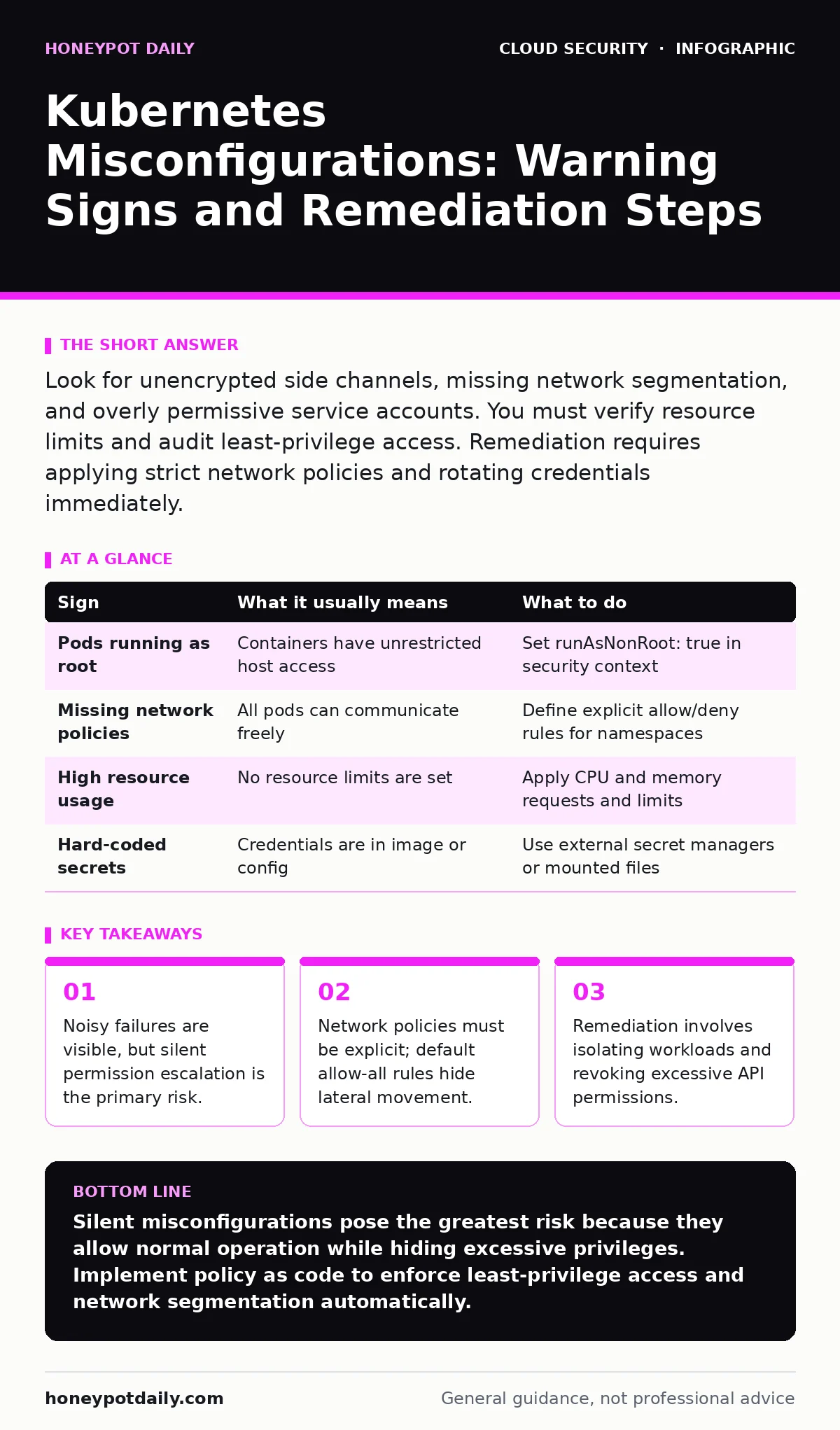
Look for unencrypted side channels, missing network segmentation, and overly permissive service accounts. You must verify resource limits and audit least-privilege access. Remediation requires applying strict network policies and rotating credentials immediately.
The Loud Indicators of Failure
Some misconfigurations announce themselves through immediate operational friction. You will notice these when applications fail to start or when logs fill with permission denied errors. These are not merely inconveniences; they are clear signals that your security controls are misaligned with your workload requirements.
Imagine a deployment where a pod cannot bind to a specific port. This usually stems from a container security context that restricts capabilities too broadly. While this stops the app from running, it also prevents any process from exploiting that container. However, the opposite error is far more dangerous. If you see pods running with unrestricted capabilities, the application works perfectly, but you have removed the kernel-level safeguards.
The Silent Drift of Privilege
The most dangerous signs are those that produce no error messages. These include containers running as root or service accounts with cluster-admin privileges. These configurations allow applications to function normally, masking the fact that they hold the keys to the entire cluster.
Privilege escalation often happens gradually. A developer grants extra permissions to fix a bug, then forgets to remove them. Over time, dozens of pods accumulate unnecessary access rights. This is known as permission creep. You may not see this in your logs because the system behaves exactly as the misconfigured policy allows. The risk is that a compromised pod inherits these excessive rights, allowing an attacker to move laterally without triggering alerts.
Network Segmentation Blind Spots
Many teams assume that Kubernetes provides network isolation by default. It does not. By default, pods can communicate with any other pod in the same namespace, and often across namespaces, unless you explicitly block them. This lack of segmentation is a critical blind spot.
You might notice this issue when you attempt to restrict traffic and find that your applications break. This indicates that your services are relying on implicit connectivity. If you do not define network policies, an attacker who compromises one pod can scan and access all other pods. This turns a single point of failure into a cluster-wide breach. See our guide on Kubernetes network policies for detailed implementation strategies.
Resource Exhaustion and Denial of Service
Misconfigured resource limits can lead to denial-of-service conditions. If you do not set CPU or memory limits on your pods, a single runaway process can consume all available node resources. This starves other applications and degrades the performance of the control plane.
You will notice this through increased latency or node evictions. The Kubernetes scheduler will forcibly remove pods to reclaim resources, causing downtime. This is not always an attack; it can be a bug in your application. However, the lack of limits means that a minor issue can cascade into a major outage. Proper resource quotas are a form of self-imposed guardrail. Refer to cloud guardrails for broader infrastructure constraints.
Credential Management Failures
Default credentials and hard-coded secrets are common in development environments but disastrous in production. Many images ship with known usernames and passwords. If you do not change these, anyone with knowledge of the base image can access your container.
Even if you use secret managers, you might mount secrets as environment variables. This exposes them to any process running in the same container and to the API server. A better approach is to mount secrets as files with strict permissions. Check your configurations for any references to default credentials. For broader identity management, review single sign-on practices.
See also: Orphaned Cloud Resources: Definition, Risks, and Cleanup Strategy · Shift Left Security Meaning: Move Checks to Code Before Build
Remediation and Immediate Actions
When you identify a misconfiguration, you must act quickly. The first step is to isolate the affected workload. Use network policies to restrict its communication to only necessary endpoints. This containment step prevents lateral movement while you investigate the root cause.
Next, review the service account permissions. Apply the principle of least privilege by removing unnecessary API access. Rotate any credentials that may have been exposed. Do not simply patch the configuration; audit the history of changes to understand how the misconfiguration occurred. This helps you prevent recurrence.
Prevention Through Policy as Code
To prevent these issues from recurring, implement policy as code. This allows you to define allowed configurations and block deployments that violate them. Tools can check your manifests before they are applied to the cluster. This shifts security left, catching errors before they reach production.
Regular audits are also necessary. Automated tools can scan your cluster for known misconfigurations. Combine this with manual reviews of high-privilege accounts. Remember that security is a continuous process, not a one-time fix. For environments spanning multiple clouds, consider hybrid cloud security frameworks.
| Sign | What it usually means | What to do |
|---|---|---|
| Pods running as root | Containers have unrestricted host access | Set runAsNonRoot: true in security context |
| Missing network policies | All pods can communicate freely | Define explicit allow/deny rules for namespaces |
| High resource usage | No resource limits are set | Apply CPU and memory requests and limits |
| Hard-coded secrets | Credentials are in image or config | Use external secret managers or mounted files |
Key takeaways
- Noisy failures are visible, but silent permission escalation is the primary risk.
- Network policies must be explicit; default allow-all rules hide lateral movement.
- Remediation involves isolating workloads and revoking excessive API permissions.
Silent misconfigurations pose the greatest risk because they allow normal operation while hiding excessive privileges. Implement policy as code to enforce least-privilege access and network segmentation automatically.
Frequently asked questions
How do I detect if my pods are running as root?
Use kubectl to inspect the security context of your pods. Look for `runAsUser: 0` or missing `runAsNonRoot` settings.
Can network policies prevent lateral movement?
Yes, network policies restrict traffic between pods. By defining strict allow rules, you limit an attacker's ability to move between compromised workloads.
What is the difference between a secret and a config map?
Secrets are encrypted at rest and are intended for sensitive data. Config maps are for non-sensitive configuration data. Never store passwords in config maps.
How often should I review Kubernetes permissions?
Review permissions regularly, especially after major deployments. Automated tools can help identify excessive privileges continuously.
How this guide was produced: written by the Honeypot Daily editorial team with AI assistance, checked against the public references listed below, and reviewed when the facts change. See our editorial policy or report an error.