
Shared Responsibility Model: 6 Misreadings That Leave Cloud Security Gaps
The provider secures the cloud infrastructure while you secure everything you place inside it, including data and identity controls.
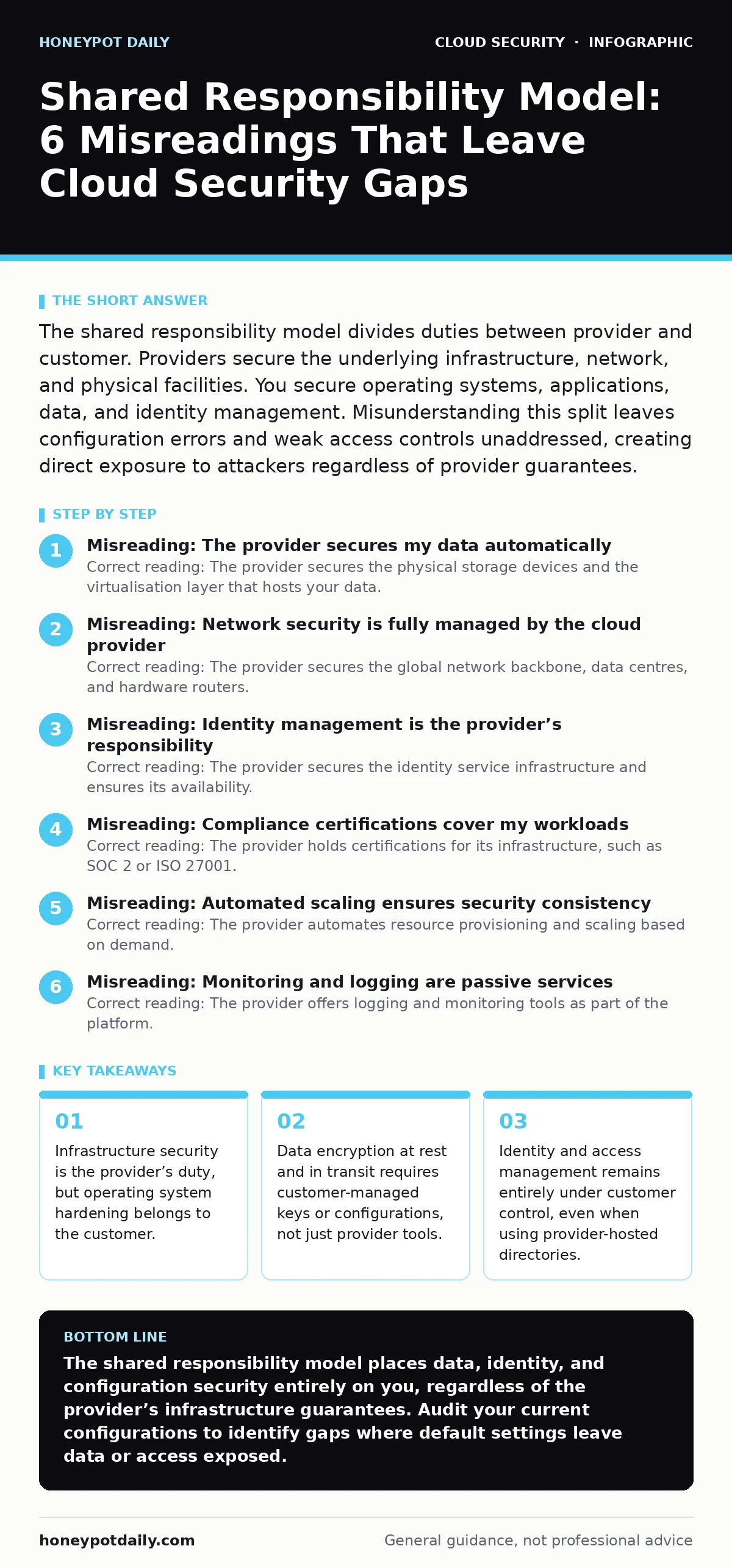
The shared responsibility model divides duties between provider and customer. Providers secure the underlying infrastructure, network, and physical facilities. You secure operating systems, applications, data, and identity management. Misunderstanding this split leaves configuration errors and weak access controls unaddressed, creating direct exposure to attackers regardless of provider guarantees.
Misreading: The provider secures my data automatically
Correct reading: The provider secures the physical storage devices and the virtualisation layer that hosts your data. You secure the data itself through encryption, access controls, and classification. Encryption at rest often requires you to manage keys or configure key management services. Without explicit configuration, data may remain accessible to anyone with account privileges. The provider cannot guess your sensitivity requirements or business logic. You must define which data requires protection and implement the necessary cryptographic controls.
Assume that the provider’s default settings prioritise availability over strict confidentiality. Configure encryption explicitly for every storage bucket, database, and file system. Review key rotation policies regularly to limit exposure from compromised credentials. Data breaches frequently occur because teams assume the cloud platform handles encryption by default. This assumption fails when new services are provisioned without manual security configuration. The burden of proving data protection rests with you during audits.
Imagine a team uploads sensitive customer records to a storage bucket. They assume the provider’s infrastructure security covers the data. An insider with legitimate access downloads the records because no field-level encryption or access restrictions were applied. The provider’s security team cannot intervene because the account owner granted the access. You must treat data as your sole responsibility from creation to deletion.
Misreading: Network security is fully managed by the cloud provider
Correct reading: The provider secures the global network backbone, data centres, and hardware routers. You secure the virtual network architecture, including subnets, firewalls, and security groups. Virtual private clouds require explicit rules to restrict traffic flow. Default configurations often allow all inbound or outbound traffic until you modify them. You must define which ports and protocols are permitted between services.
Network segmentation prevents lateral movement if one component is compromised. Without proper segmentation, an attacker who breaches a web server can pivot to internal databases. Configure network policies to deny all traffic by default, then allow only specific connections. This approach reduces the attack surface significantly. Monitor traffic patterns to detect anomalies that indicate scanning or exfiltration. The provider cannot see your internal traffic patterns or business logic requirements.
Suppose you deploy a microservices architecture without configuring network policies. Services communicate freely across all ports. An attacker exploits a vulnerability in one service and accesses others without restriction. The provider’s network security remains intact, but your internal isolation fails. You must implement strict network boundaries. Refer to guides on Kubernetes network policies for containerised environments where default isolation is often insufficient.
Misreading: Identity management is the provider’s responsibility
Correct reading: The provider secures the identity service infrastructure and ensures its availability. You manage the identities, roles, and permissions within that service. This includes creating users, assigning least-privilege roles, and enforcing multi-factor authentication. Weak passwords or overly broad permissions are your liability. The provider cannot enforce your organisational security policies.
You must regularly review access rights and remove unused accounts. Identity is the new perimeter in cloud environments. Compromised credentials are a primary attack vector. Implement single sign-on to centralise authentication and reduce password fatigue. Monitor for unusual login patterns or privilege escalation attempts. The provider provides the tools, but you must configure and maintain them.
Imagine an employee leaves the company but their cloud account remains active. An attacker guesses the weak password and gains access to production databases. The provider’s infrastructure was never breached. The failure occurred because the customer did not revoke access promptly. You must automate user provisioning and de-provisioning processes. Regular access reviews are necessary to maintain security hygiene.
Misreading: Compliance certifications cover my workloads
Correct reading: The provider holds certifications for its infrastructure, such as SOC 2 or ISO 27001. These certifications do not extend to your applications, data, or configurations. You must demonstrate compliance for your specific use cases. Auditors will examine your access logs, encryption settings, and change management processes.
The provider’s compliance report is evidence of their security posture, not yours. You must map your controls to the relevant regulatory framework. Document how you enforce security policies across your cloud resources. Misconfigurations can invalidate your compliance status regardless of the provider’s certifications. Regular self-assessments help identify gaps before external audits.
Suppose you operate in a regulated industry and assume the provider’s ISO certification covers your data processing. An auditor finds unencrypted personal data and excessive admin privileges. You fail the audit because you did not implement the necessary controls. The provider’s certification is irrelevant to your specific configuration errors. You must build and maintain your own compliance framework.
Misreading: Automated scaling ensures security consistency
Correct reading: The provider automates resource provisioning and scaling based on demand. You must ensure security policies apply to every new instance. Automated scaling can create resources faster than manual security checks can verify them. Misconfigured instances may be launched without proper hardening or monitoring.
You must use infrastructure-as-code templates that embed security controls. These templates ensure every new resource inherits the correct configuration. Test your templates in a staging environment before production deployment. Monitor for drift where running configurations diverge from the defined templates. The provider does not validate your security settings during scaling events.
Imagine a sudden traffic spike triggers auto-scaling. New instances are launched with default security groups that allow all inbound traffic. An attacker scans the new IPs and exploits a known vulnerability. The scaling feature worked as designed, but your security policy did not scale with it. You must automate security configuration alongside resource provisioning. Refer to guides on cloud guardrails to enforce consistent security policies across dynamic environments.
See also: Difference Between Virtual Private Cloud and Private Cloud · Private Endpoints: Answers to Ten Cloud Network Questions
Misreading: Monitoring and logging are passive services
Correct reading: The provider offers logging and monitoring tools as part of the platform. You must configure what is logged, where it is stored, and how alerts are triggered. Default logging levels may miss critical security events. You must define baseline behaviour to distinguish normal activity from threats. Store logs in a secure, immutable location to prevent tampering. Set up alerts for anomalous activities such as unusual login locations or privilege changes. The provider does not analyse your logs for security incidents. You are responsible for detecting and responding to threats. Regularly review alert thresholds to reduce noise and improve signal quality.
Suppose you enable logging but do not configure alerts or review the data. An attacker performs reconnaissance for weeks without detection. The logs exist, but you never analysed them. You must actively monitor your environment. Treat logging as a continuous process, not a one-time setup.
Misreading: Hybrid environments share the same security model
Correct reading: The shared responsibility model applies differently to on-premises and cloud resources. You are fully responsible for on-premises security, including physical access and hardware maintenance. In the cloud, the provider shares infrastructure duties. Hybrid architectures require consistent security policies across both environments. Misalignment creates gaps where attackers can pivot between systems. You must implement unified identity management and monitoring across the entire estate. Ensure that data in transit between cloud and on-premises is encrypted. The provider’s security controls do not extend to your data centre.
Imagine you migrate some workloads to the cloud but keep legacy systems on-premises. You apply strict cloud security policies but neglect the on-premises network. An attacker breaches the legacy system and uses it to access the cloud via shared credentials. You must secure the weakest link in your hybrid chain. Refer to guides on hybrid cloud security for strategies to unify controls across different environments.
Key takeaways
- Infrastructure security is the provider’s duty, but operating system hardening belongs to the customer.
- Data encryption at rest and in transit requires customer-managed keys or configurations, not just provider tools.
- Identity and access management remains entirely under customer control, even when using provider-hosted directories.
- Compliance certifications apply to the provider’s infrastructure, not to your specific workload configurations or data handling.
The shared responsibility model places data, identity, and configuration security entirely on you, regardless of the provider’s infrastructure guarantees. Audit your current configurations to identify gaps where default settings leave data or access exposed.
Frequently asked questions
Does the provider patch my operating systems?
The provider patches the hypervisor and physical hardware. You must patch the guest operating systems and applications running on your virtual machines or containers.
Who is responsible for DDoS protection?
The provider protects the global network infrastructure from large-scale DDoS attacks. You must configure application-level protections and rate limiting for your specific services.
Can the provider access my data?
The provider’s employees may access infrastructure components for maintenance, but they cannot access your customer data without your permission or a legal order. You must encrypt data to prevent provider-side access.
How do I verify my compliance status?
You must map your controls to the relevant regulatory framework and conduct regular internal audits. The provider’s compliance reports only cover their infrastructure, not your specific configurations.
How this guide was produced: written by the Honeypot Daily editorial team with AI assistance, checked against the public references listed below, and reviewed when the facts change. See our editorial policy or report an error.