
Just-In-Time Access: Zero Standing Privileges for Cloud Security
Just-in-time access eliminates standing permissions by granting elevated rights only when needed, then revoking them automatically to reduce the attack surface.
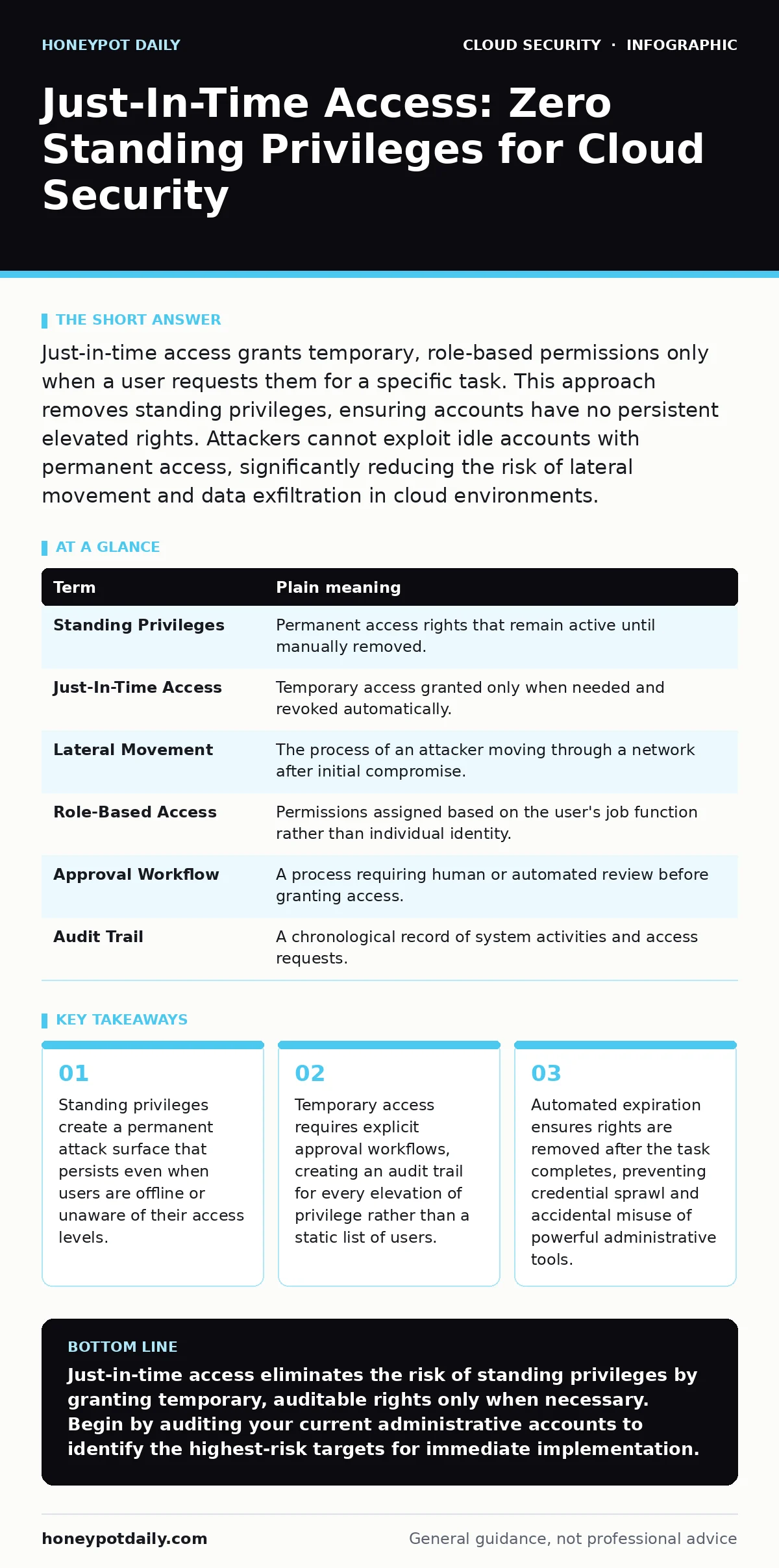
Just-in-time access grants temporary, role-based permissions only when a user requests them for a specific task. This approach removes standing privileges, ensuring accounts have no persistent elevated rights. Attackers cannot exploit idle accounts with permanent access, significantly reducing the risk of lateral movement and data exfiltration in cloud environments.
The Keycard Analogy
Imagine a high-security research facility where every employee holds a master keycard. This card opens every door, from the cafeteria to the server room, at all times. If an employee loses this card, or if it is stolen, the thief has immediate, unrestricted access to the entire building. There is no way to know who is inside which room, and revoking access requires physically changing every lock. This is the model of standing privileges in cloud infrastructure. Most organisations still operate this way, granting permanent administrative rights to engineers and developers. The convenience of constant access comes with the hidden cost of uncontrolled exposure.
How Just-In-Time Access Changes the Model
Just-in-time access replaces the master keycard with a temporary badge. An employee approaches a security desk to request entry to the server room for a specific maintenance task. The security team verifies the identity and the need for access. Once approved, the badge unlocks only the server room door for a set duration, such as four hours. After that time, the badge becomes useless for that specific area. The employee retains access to the cafeteria and their office, but the sensitive area is locked again. This mechanism ensures that no individual holds permanent keys to critical systems.
Why Standing Privileges Fail
The primary failure of standing privileges is the accumulation of access rights over time. Employees change roles, leave projects, or move departments, but their cloud permissions often remain unchanged. This creates a backlog of unnecessary access rights. An attacker who compromises a single account with standing administrative privileges can move laterally across the entire environment. They do not need to bypass additional security controls because the account already possesses the authority to read, write, or delete any resource. The attack surface grows with every new hire and every permission grant that is never removed.
The Mechanics of Temporary Elevation
Just-in-time access relies on automated workflows to manage the lifecycle of temporary permissions. When a user requests access, the system checks their identity against the current policy. If the request is valid, the system grants the specific role for a defined period. This process often integrates with identity providers to ensure the user is who they claim to be. The expiration is automatic and enforced by the cloud platform itself. There is no manual step required to remove the access. This automation prevents human error and ensures consistency across the environment.
Hidden Costs and Implementation Challenges
Implementing just-in-time access is not merely a technical change; it is a cultural shift. Teams accustomed to immediate access may resist the delay caused by approval workflows. The initial setup requires mapping out every role and the specific permissions each role requires. This mapping process can be tedious and time-consuming. If the role definitions are too broad, the security benefit is lost. If they are too narrow, productivity suffers because users must request access for trivial tasks. Finding the right balance requires careful analysis of operational needs.
See also: Shared Responsibility Model: 6 Misreadings That Leave Cloud Security Gaps · Orphaned Cloud Resources: Definition, Risks, and Cleanup Strategy
Security Benefits Beyond Access Control
The audit trail generated by just-in-time access provides valuable visibility into system usage. Every request for elevation is recorded, including who requested it, why, and when it was granted. This data allows security teams to identify unusual patterns, such as requests outside of normal working hours or for resources that are rarely accessed. It also simplifies compliance reporting, as there is a clear record of who had access to what and for how long. This level of detail is impossible to achieve with standing privileges, where access is assumed rather than recorded.
Integration with Existing Identity Systems
Just-in-time access works best when combined with strong identity foundations. Single sign-on provides a central point for authentication, ensuring that every access request originates from a verified identity. Without single sign-on, managing temporary permissions becomes fragmented and difficult to enforce. Similarly, private endpoints can further restrict access by ensuring that the temporary credentials can only be used from specific, trusted network locations. This layered approach ensures that even if credentials are stolen, they cannot be used from an unauthorised location.
First Practical Step: Audit Current Permissions
The first step towards just-in-time access is to understand what permissions currently exist. Identify all accounts with administrative or elevated privileges in your cloud environment. Document who holds these rights and why. Look for accounts that have not been used recently or that belong to former employees. This audit reveals the extent of standing privilege sprawl. It also highlights the most critical accounts that should be the first to move to a just-in-time model. Start with the highest-privilege accounts to maximise the immediate security benefit.
| Term | Plain meaning |
|---|---|
| Standing Privileges | Permanent access rights that remain active until manually removed. |
| Just-In-Time Access | Temporary access granted only when needed and revoked automatically. |
| Lateral Movement | The process of an attacker moving through a network after initial compromise. |
| Role-Based Access | Permissions assigned based on the user's job function rather than individual identity. |
| Approval Workflow | A process requiring human or automated review before granting access. |
| Audit Trail | A chronological record of system activities and access requests. |
- Identify all accounts with permanent administrative access in your cloud environment.
- Map out the specific tasks each account performs and the permissions required for those tasks.
- Select one high-risk account to pilot the just-in-time access workflow and monitor for issues.
Managing the Transition
The transition from standing to temporary access should be gradual. Attempting to change all accounts at once introduces too much risk and operational friction. Prioritise accounts with the highest privileges and the greatest exposure. Monitor the pilot closely to identify any gaps in the role definitions. Adjust the permissions and approval times based on feedback from the users. This iterative approach ensures that the system supports operational needs while maintaining security standards.
Key takeaways
- Standing privileges create a permanent attack surface that persists even when users are offline or unaware of their access levels.
- Temporary access requires explicit approval workflows, creating an audit trail for every elevation of privilege rather than a static list of users.
- Automated expiration ensures rights are removed after the task completes, preventing credential sprawl and accidental misuse of powerful administrative tools.
Just-in-time access eliminates the risk of standing privileges by granting temporary, auditable rights only when necessary. Begin by auditing your current administrative accounts to identify the highest-risk targets for immediate implementation.
Frequently asked questions
Does just-in-time access slow down emergency response times?
Well-designed systems include emergency break-glass procedures that allow immediate access during critical incidents, with full logging for post-incident review.
Can just-in-time access be used for service accounts?
Yes, service accounts can be configured to request temporary credentials, ensuring they only have access when performing their specific automated tasks.
How does this relate to orphaned cloud resources?
Just-in-time access helps identify unused accounts, which often manage orphaned resources, allowing teams to clean up both permissions and unused infrastructure.
Is just-in-time access compatible with hybrid cloud security models?
Yes, it can be implemented across hybrid environments, ensuring consistent access controls whether resources are on-premises or in the cloud.
How this guide was produced: written by the Honeypot Daily editorial team with AI assistance, checked against the public references listed below, and reviewed when the facts change. See our editorial policy or report an error.