Apache Struts Vulnerabilities Explained Simply
Struts flaws allow remote code execution because the framework trusts user input too much, turning web forms into direct command lines for attackers.
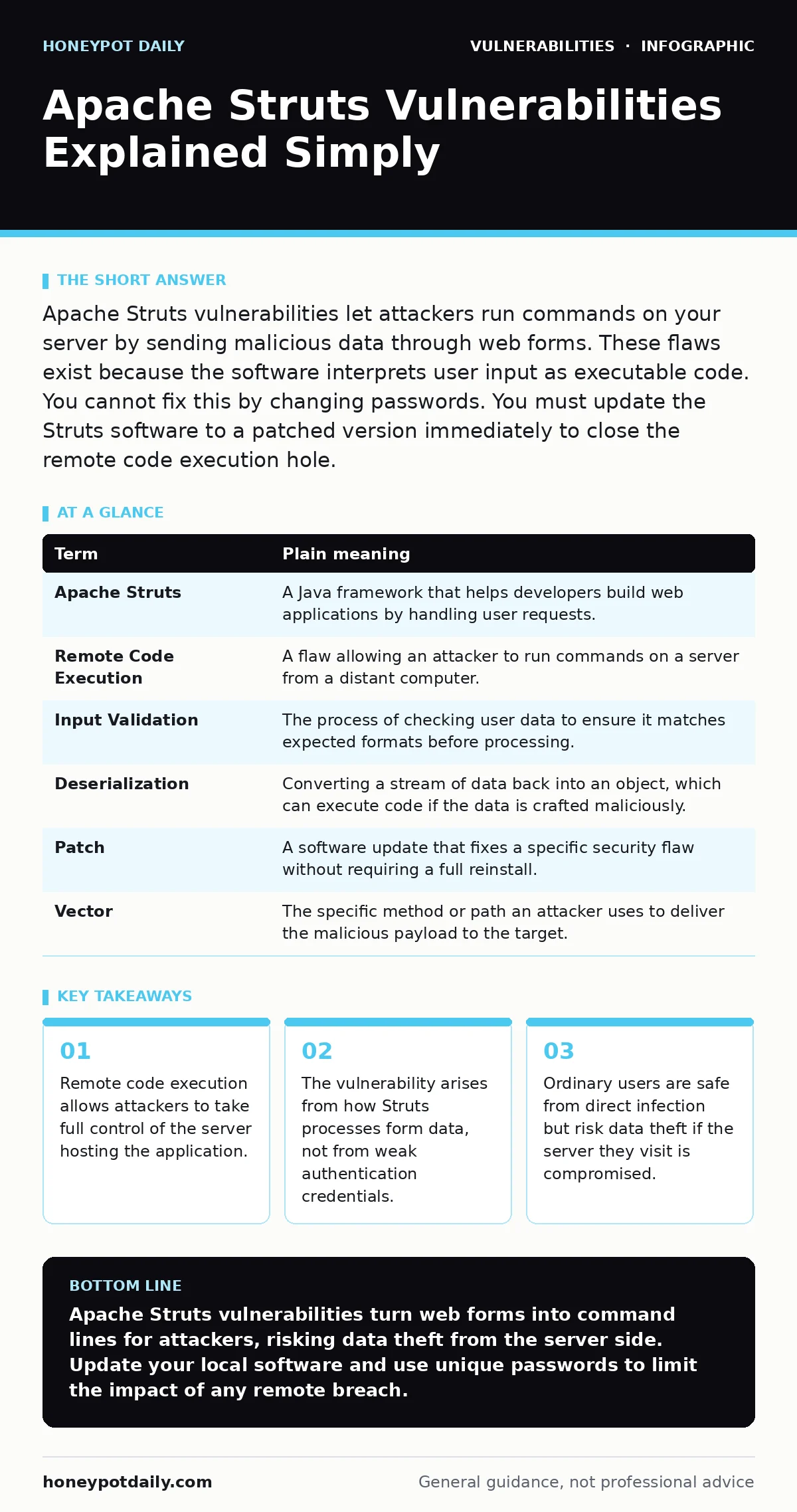
Apache Struts vulnerabilities let attackers run commands on your server by sending malicious data through web forms. These flaws exist because the software interprets user input as executable code. You cannot fix this by changing passwords. You must update the Struts software to a patched version immediately to close the remote code execution hole.
The Open Mailroom Analogy
Imagine a busy office mailroom. The receptionist receives thousands of letters daily. Most are standard bills or invoices. The receptionist has a simple rule: open the envelope, read the letter, and place it in the correct department’s tray. This works perfectly when every letter is just paper.
Now imagine a sender slips a live snake into an envelope. The receptionist follows the rule exactly. They open the envelope. They do not check for animals. The snake escapes. The office is now unsafe. Apache Struts vulnerabilities work like this open mailroom. The software opens every digital envelope it receives. It assumes the content is harmless text. It does not check for executable code hidden inside.
Key Terms Defined
Understanding the mechanics requires clear definitions. These terms appear frequently in security reports regarding Java-based web applications.
| Term | Plain meaning |
|---|---|
| Apache Struts | A Java framework that helps developers build web applications by handling user requests. |
| Remote Code Execution | A flaw allowing an attacker to run commands on a server from a distant computer. |
| Input Validation | The process of checking user data to ensure it matches expected formats before processing. |
| Deserialization | Converting a stream of data back into an object, which can execute code if the data is crafted maliciously. |
| Patch | A software update that fixes a specific security flaw without requiring a full reinstall. |
| Vector | The specific method or path an attacker uses to deliver the malicious payload to the target. |
What This Means For You
You might wonder why a server-side framework affects your daily browsing. You do not run Apache Struts on your laptop. You visit websites that run it. When a site uses Struts, it processes your login details, search queries, and form submissions.
If that site has an unpatched Struts vulnerability, the server becomes the victim. Attackers exploit the flaw to steal data stored on that server. They might access customer databases or internal documents. Your personal risk is indirect. You might find your data leaked in a breach. You might see a website defaced with political messages or malware. You are not hacked directly, but your trust in the service is broken.
The Hidden Cost of Trust
The core issue is trust. Struts is designed to be flexible. It allows developers to pass dynamic values between different parts of an application. This flexibility is its strength. It is also its weakness. The framework uses a template engine to render pages. This engine interprets special syntax within the data.
Attackers discovered they could inject their own syntax. Instead of displaying a username, the template engine executed a command. This is known as injection. The cost of this flexibility is constant vigilance. Developers often assume the framework handles security. They focus on features. They forget that the framework processes untrusted input from the internet. This assumption creates a blind spot.
Simple Safety Habits
You cannot patch a server you do not own. You can control your exposure. Start by managing the software on your own devices. Use modern browsers that isolate web content. This prevents malicious scripts from accessing your local files.
Check for security updates on your own computer. While this does not fix the Struts server, it reduces the chance of secondary infection. If a compromised site tries to exploit your browser, an updated browser will likely block it. This is a layer of defence. It shifts the burden from the server to your local environment.
See also: Input Validation Mechanics: How Parsing Blocks Attacks
Try This Now
Take 3 steps to reduce your risk when visiting unknown sites.
- Check the connection. Ensure the site uses HTTPS. Look for the padlock icon. This encrypts your data in transit. It does not stop server-side exploits, but it prevents eavesdropping on your credentials.
- Avoid unnecessary logins. Do not create accounts on sites you rarely use. Each account is a potential target for data breaches. If the site is compromised, your email and password may be exposed.
- Use a password manager. Generate unique passwords for every site. If one site suffers a Struts breach, your other accounts remain safe. This limits the damage of any single incident.
Why Updates Matter
The fix for these vulnerabilities is straightforward. The Apache Software Foundation releases patches. These updates change how the framework handles input. They add stricter validation. They stop the template engine from executing arbitrary commands.
However, updating is not always simple. Some applications rely on older versions. Changing the version can break features. This creates a delay. Attackers know this. They scan for sites running old versions. They exploit them quickly after a vulnerability is disclosed. This is why exposure management is critical. Organizations must know what they run. They must update promptly.
The Bigger Picture
Struts vulnerabilities are not unique. Many frameworks have suffered similar fates. The pattern repeats. Flexibility introduces complexity. Complexity introduces bugs. Bugs introduce vulnerabilities. Understanding this pattern helps you assess risk. It applies to WordPress plugin vulnerabilities as well. It applies to logging library vulnerabilities.
The lesson is consistent. Trust no input. Validate everything. Keep software current. This approach protects against current threats. It also prepares you for future ones. Security is not a product. It is a process.
Key takeaways
- Remote code execution allows attackers to take full control of the server hosting the application.
- The vulnerability arises from how Struts processes form data, not from weak authentication credentials.
- Ordinary users are safe from direct infection but risk data theft if the server they visit is compromised.
Apache Struts vulnerabilities turn web forms into command lines for attackers, risking data theft from the server side. Update your local software and use unique passwords to limit the impact of any remote breach.
Frequently asked questions
Can I get a virus from visiting a site with Struts vulnerabilities?
Not directly. The vulnerability allows attacks on the server, not your computer. However, the server might serve malicious content to your browser if it is fully compromised.
How do I know if a website uses Apache Struts?
You usually cannot tell from the browser. Security tools and headers might reveal it. Most users should assume any large web application could use such frameworks.
Is changing my password enough to fix this?
No. Password changes do not fix server-side code flaws. Only updating the Struts software on the server fixes the vulnerability. Your password change protects against credential theft.
Are all Struts versions vulnerable?
Specific versions have specific flaws. Older versions are more likely to be unpatched. Newer versions include fixes, but new vulnerabilities can still emerge. Always check for the latest security advisories.
How this guide was produced: written by the Honeypot Daily editorial team with AI assistance, checked against the public references listed below, and reviewed when the facts change. See our editorial policy or report an error.