Input Validation Mechanics: How Parsing Blocks Attacks
Input validation fails when it relies on regex rather than strict schema parsing, allowing encoded payloads to bypass surface-level checks.
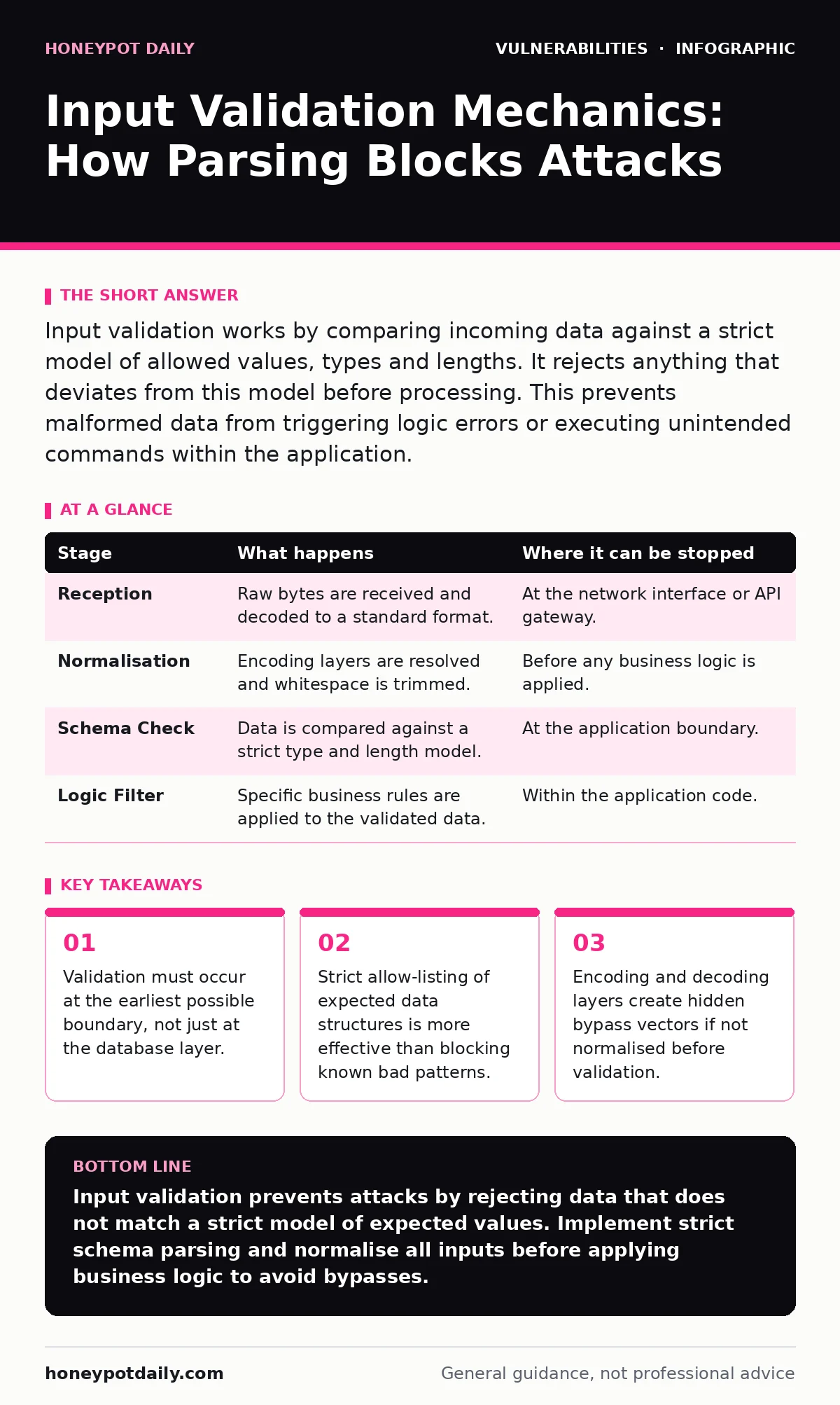
Input validation works by comparing incoming data against a strict model of allowed values, types and lengths. It rejects anything that deviates from this model before processing. This prevents malformed data from triggering logic errors or executing unintended commands within the application.
The First Line of Defence
Data enters your system through many channels, but every entry point requires the same rigorous scrutiny. You cannot trust data simply because it originates from a user interface or an internal service. The core mechanism of input validation is the comparison of raw input against a predefined model of acceptable data. This model defines the type, length, format and range of values the application can safely process.
If the input matches the model, the system proceeds. If it deviates, the system rejects the data immediately. This binary outcome prevents the application from ever seeing malformed data that could trigger unexpected behaviour.
### Stage 1: Reception and Normalisation
The process begins when the application receives raw bytes from a network socket or file system. At this stage, the data is often encoded in formats like UTF-8 or Base64. You must decode this data into a standard internal representation before any checks occur.
Imagine a user submits a URL with double-encoded characters. If you validate the raw string, the malicious payload remains hidden inside the encoding. You must normalise the input by resolving all encoding layers to their simplest form. This step ensures that the validation logic sees the true content, not a disguised version.
| Stage | What happens | Where it can be stopped |
|---|---|---|
| Reception | Raw bytes are received and decoded to a standard format. | At the network interface or API gateway. |
| Normalisation | Encoding layers are resolved and whitespace is trimmed. | Before any business logic is applied. |
| Schema Check | Data is compared against a strict type and length model. | At the application boundary. |
| Logic Filter | Specific business rules are applied to the validated data. | Within the application code. |
### Stage 2: Schema and Type Enforcement
Once the data is normalised, you apply structural checks. This is where you define what the data must be, rather than what it must not be. For a user age field, you specify an integer between zero and one hundred. For an email address, you use a strict parser that validates domain structure, not a regular expression that merely looks for an @ symbol.
Regular expressions are often insufficient because they can be complex and error-prone. A strict schema parser rejects any data that does not fit the exact structure. This approach eliminates ambiguity. If the parser cannot interpret the data as the expected type, it fails immediately.
### Stage 3: Contextual Business Rules
Structural validity does not guarantee logical safety. After the schema check passes, you must apply business-specific rules. These rules depend on the context of the application. For example, a date of birth must not be in the future. A discount code must match a current campaign.
This stage requires deep knowledge of the application’s logic. It is where many vulnerabilities slip through because developers focus on syntax rather than semantics. You must ensure that the validated data makes sense within the current state of the system. If a user tries to delete a record they do not own, the input is structurally valid but logically invalid.
### Stage 4: Sanitisation and Escaping
Validation determines if data is allowed. Sanitisation ensures that allowed data is safe for its specific output context. Even validated data can be dangerous if it is rendered in a web page or sent to a database. You must escape special characters based on where the data will be used.
HTML escaping prevents script injection by converting angle brackets into entities. SQL escaping prevents command injection by handling quotes and semicolons. This step is distinct from validation. Validation says "this is a number". Sanitisation says "this number is safe to print in HTML".
See also: Dynamic Application Security Testing: Answers to Eight Common Questions
The Hidden Costs of Validation
Implementing strict validation introduces latency. Every byte must be parsed and checked before processing. In high-throughput systems, this can become a bottleneck. You must balance security with performance. Overly complex validation rules can slow down response times significantly.
Another hidden cost is the maintenance burden. As your application evolves, your data models change. Validation rules must be updated to reflect these changes. If you fail to update the rules, you either block legitimate users or open new attack vectors. This ongoing maintenance is often underestimated in project planning.
Limits and Bypass Vectors
No validation scheme is perfect. Attackers constantly find ways to bypass checks. One common bypass is type juggling, where the application interprets a string as a number or vice versa. If your validation checks for a number but the database accepts a string, an attacker can inject code by exploiting this mismatch.
Another limit is the complexity of modern data formats. JSON and XML parsers can behave differently across libraries. An attacker might craft a payload that one parser accepts but another rejects, leading to inconsistent behaviour. You must test your validation with multiple parsers and edge cases.
Integration with Broader Security
Input validation is one layer of defence. It must work alongside other security measures. For instance, HTTP security headers can prevent browsers from executing scripts even if validation fails. Similarly, virtual patching can block known exploit patterns at the network level, providing protection before the application processes the input.
You should also consider dynamic application security testing (DAST) to verify that your validation rules work in practice. Automated tests can send malformed inputs to your application and check for unexpected responses. This helps identify gaps in your validation logic that manual review might miss.
Maintaining Validation Over Time
As your application grows, so does the complexity of its inputs. New features introduce new data fields and new validation rules. You must integrate validation checks into your development workflow. Every new feature should include updated validation rules and tests.
Regular penetration testing can help identify weaknesses in your validation logic. Testers will attempt to bypass your rules using creative techniques. Their findings can help you strengthen your validation and close potential gaps. This ongoing process ensures that your input validation remains effective against evolving threats.
Key takeaways
- Validation must occur at the earliest possible boundary, not just at the database layer.
- Strict allow-listing of expected data structures is more effective than blocking known bad patterns.
- Encoding and decoding layers create hidden bypass vectors if not normalised before validation.
Input validation prevents attacks by rejecting data that does not match a strict model of expected values. Implement strict schema parsing and normalise all inputs before applying business logic to avoid bypasses.
Frequently asked questions
Can I use regular expressions for all input validation?
No, regular expressions are often insufficient for complex data formats and can introduce vulnerabilities. Use strict schema parsers for robust validation.
Where should I place input validation in my application?
Place validation at the earliest possible boundary, such as the API gateway or application entry point, to reject malicious data before it reaches business logic.
Does input validation replace other security measures?
No, input validation is one layer of defence. It must be combined with other measures like HTTP security headers and virtual patching for comprehensive protection.
How do I handle validation for complex data formats like JSON?
Use strict JSON schemas to define the expected structure and types. Validate against this schema before processing the data to ensure consistency and safety.
How this guide was produced: written by the Honeypot Daily editorial team with AI assistance, checked against the public references listed below, and reviewed when the facts change. See our editorial policy or report an error.