
Should I Use Password Managers: Security Risks and Best Practices
Password managers reduce credential reuse but create a single high-value target that requires strict master password hygiene and offline backup strategies.
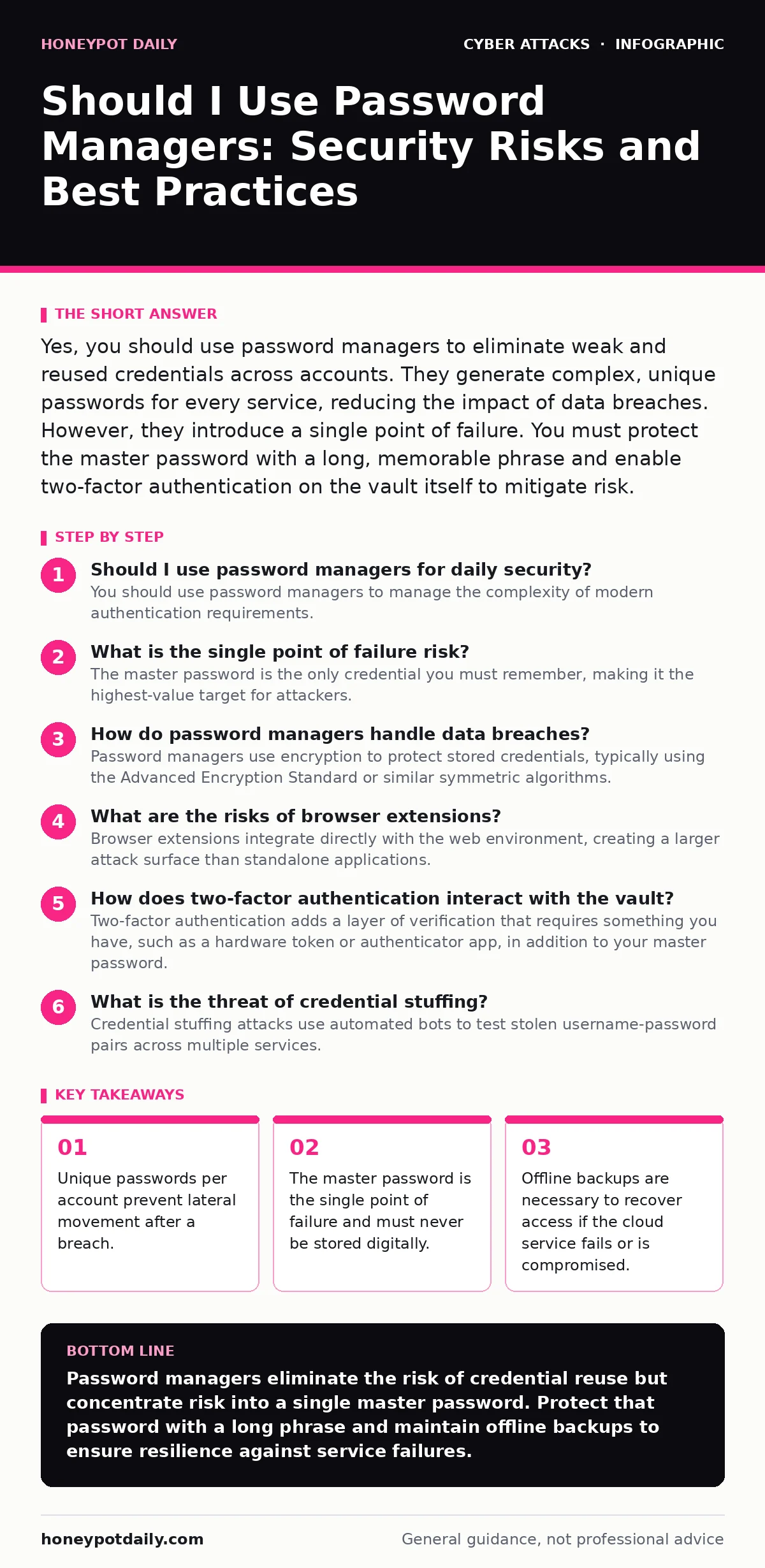
Yes, you should use password managers to eliminate weak and reused credentials across accounts. They generate complex, unique passwords for every service, reducing the impact of data breaches. However, they introduce a single point of failure. You must protect the master password with a long, memorable phrase and enable two-factor authentication on the vault itself to mitigate risk.
Should I use password managers for daily security?
You should use password managers to manage the complexity of modern authentication requirements. Human memory cannot securely store dozens of unique, high-entropy credentials. Reusing passwords across services allows an attacker who compromises one low-security site to access your email, banking or professional accounts. A password manager generates and stores these unique strings, ensuring that a breach on one platform does not cascade into a total identity compromise. This isolation is the primary security benefit of the tool.
What is the single point of failure risk?
The master password is the only credential you must remember, making it the highest-value target for attackers. If an adversary obtains your master password, they gain immediate access to every stored credential in your vault. This creates a concentrated risk profile. Unlike distributed password reuse, where one stolen password only affects one account, a compromised master password exposes your entire digital identity. You must treat the master password with significantly higher security than any individual login, using a long, random phrase that is difficult to guess but memorable enough to type.
How do password managers handle data breaches?
Password managers use encryption to protect stored credentials, typically using the Advanced Encryption Standard or similar symmetric algorithms. The data is encrypted on your device before being transmitted to the cloud or stored locally. This means the service provider cannot read your passwords. Even if the provider’s servers are breached, attackers only retrieve encrypted blobs. Without the master password or the derived key, the stolen data is computationally infeasible to decrypt. This architecture ensures that remote breaches do not automatically expose your credentials, provided the encryption implementation is sound.
What are the risks of browser extensions?
Browser extensions integrate directly with the web environment, creating a larger attack surface than standalone applications. Extensions run with elevated permissions within the browser, allowing them to read page content and inject scripts. This capability can be exploited by malicious websites to trigger credential theft or session manipulation.
Imagine a scenario where a compromised website detects the extension and sends crafted requests to bypass the manager’s security checks. This is why understanding the mechanics of browser-in-the-browser attacks is relevant, as some phishing techniques mimic the visual interface of password prompts to trick users into entering their master password into a fake overlay.
How does two-factor authentication interact with the vault?
Two-factor authentication adds a layer of verification that requires something you have, such as a hardware token or authenticator app, in addition to your master password. This protects the vault even if the master password is stolen via keylogging or phishing. However, enabling two-factor authentication introduces a recovery complexity. If you lose access to both the password and the second factor, you may be permanently locked out of your data. Most providers offer emergency recovery codes, which must be stored securely offline. Without these codes, the encrypted data is mathematically unrecoverable, regardless of support requests.
What is the threat of credential stuffing?
Credential stuffing attacks use automated bots to test stolen username-password pairs across multiple services. Users who reuse passwords are vulnerable to this method because one breach compromises all linked accounts. Password managers mitigate this by ensuring every account has a unique credential. Even if an attacker obtains a list of leaked credentials from a third-party breach, those credentials will not match the unique passwords generated by the manager.
This breaks the chain of lateral movement. Understanding how password spraying differs from credential stuffing helps in configuring account lockout policies effectively, as spraying attempts many passwords against a single account to avoid triggering locks, whereas stuffing tries one password against many accounts.
How do you backup password data securely?
Cloud storage offers convenience but relies on the provider’s security and availability. If the provider suffers a service outage or is shut down, access to your credentials may be lost. Local backups provide resilience against cloud failures but introduce physical security risks. You should export your vault data regularly and encrypt the backup file using a strong, independent key.
Store this encrypted backup on an offline medium, such as an external drive kept in a secure location. This strategy ensures that you retain access to your credentials even if the primary service fails. It also protects against scenarios where account lockout policies are triggered incorrectly, locking you out of the cloud interface.
| Backup Method | Security Level | Accessibility | Recovery Complexity |
|---|---|---|---|
| Cloud Sync | High | Immediate | Low |
| Local Encrypted File | Very High | Manual | Medium |
| Offline Physical Copy | Maximum | Delayed | High |
What are the limitations of password managers?
Password managers protect stored credentials but do not secure the session after login. Once you authenticate, the website issues a session token that maintains your logged-in state. Attackers can steal these tokens through cross-site scripting or network interception, bypassing the password entirely. This is known as session hijacking.
Additionally, password managers do not protect against social engineering attacks where you are tricked into performing actions, such as transferring funds or changing settings. They also do not prevent baiting attacks where users are lured into downloading malicious software that captures keystrokes or screenshots. Understanding these limits helps you prioritise other security controls, such as privileged access management for sensitive systems.
Key takeaways
- Unique passwords per account prevent lateral movement after a breach.
- The master password is the single point of failure and must never be stored digitally.
- Offline backups are necessary to recover access if the cloud service fails or is compromised.
Password managers eliminate the risk of credential reuse but concentrate risk into a single master password. Protect that password with a long phrase and maintain offline backups to ensure resilience against service failures.
Frequently asked questions
Can password managers be hacked?
The vault data is encrypted, so remote breaches do not expose readable passwords. However, the master password can be stolen via phishing or malware, granting full access to the vault.
Do password managers work offline?
Yes, most managers store data locally on your device and sync when connected. Offline access allows you to retrieve passwords without an internet connection, though initial setup usually requires online verification.
What if I forget my master password?
You cannot reset it. The encryption key is derived from the password, so without it, the data is unreadable. You must rely on emergency recovery codes stored securely offline to regain access.
Are free password managers safe?
Free versions often use the same encryption standards as paid versions. However, they may have fewer security features, limited support or data retention policies that affect long-term reliability and privacy.
How this guide was produced: written by the Honeypot Daily editorial team with AI assistance, checked against the public references listed below, and reviewed when the facts change. See our editorial policy or report an error.