
Next-Gen Antivirus Mistakes: 7 Errors Blocking Your Detections
Misconfiguring telemetry filters and ignoring behavioural context causes next-gen antivirus to miss fileless attacks and polymorphic malware entirely.
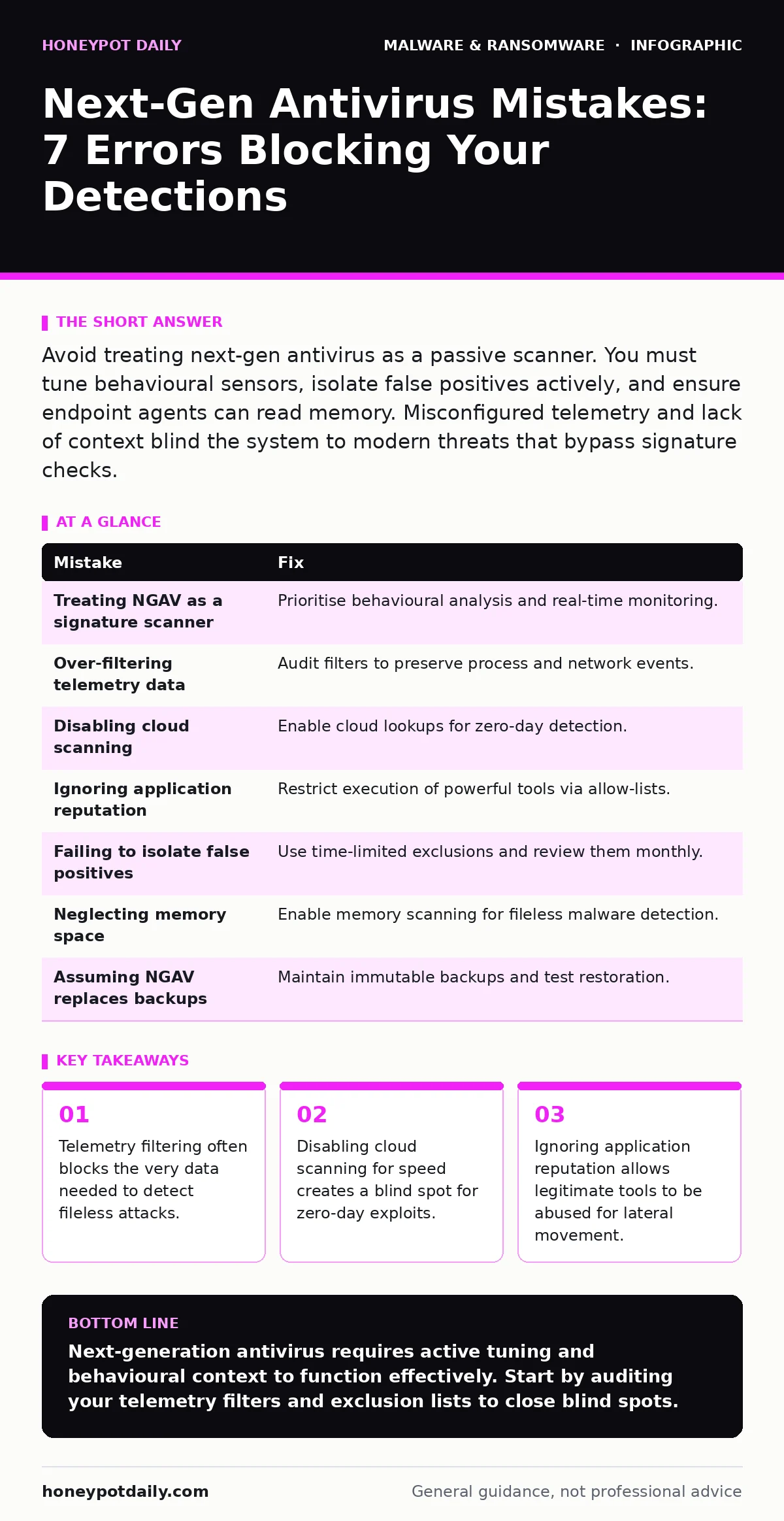
Avoid treating next-gen antivirus as a passive scanner. You must tune behavioural sensors, isolate false positives actively, and ensure endpoint agents can read memory. Misconfigured telemetry and lack of context blind the system to modern threats that bypass signature checks.
Mistake 1: Treating Next-Gen Antivirus as a Signature Scanner
Many teams deploy next-generation antivirus (NGAV) expecting it to work exactly like legacy software. They rely on known bad hashes and file signatures to catch threats. This approach fails because modern malware rarely arrives as a static file with a known identity.
Why it hurts:
Attackers use polymorphic malware, which changes its code structure with every execution to avoid signature detection. If your NGAV only looks for known file patterns, it will miss these shifting threats entirely. The system becomes a expensive paperweight that only catches outdated malware samples from years ago.
The fix:
Configure your NGAV to prioritise behavioural analysis over static signatures. Ensure the endpoint agent monitors process creation, registry modifications and network connections in real time. You must tune the sensitivity so that legitimate administrative tasks do not trigger alerts, while anomalous behaviour does.
Mistake 2: Over-Filtering Telemetry Data
Security operations teams often fear data volume and noise. They apply aggressive filters to reduce the amount of telemetry sent to the central console. They block logs from non-critical systems or limit the frequency of behavioural reports.
Why it hurts:
Telemetry is the fuel for machine learning models that detect anomalies. When you filter this data, you starve the detection engine. The system cannot learn what "normal" looks like for your specific environment. Consequently, it fails to spot subtle deviations that indicate an early-stage infection or reconnaissance activity.
The fix:
Audit your telemetry filters regularly. Ensure that process execution, network connection and file system events are captured for all endpoints, not just servers. Use sampling only for high-volume, low-risk events. Preserve the raw data long enough to investigate false positives without deleting potential indicators of compromise.
Mistake 3: Disabling Cloud Scanning for Performance
Local processing is faster and more reliable than sending data to a remote server. Some administrators disable cloud-based scanning to reduce latency and bandwidth usage. They prefer the endpoint agent to make decisions locally without external input.
Why it hurts:
Local agents have limited intelligence. They cannot access the global threat intelligence pool in real time. Zero-day exploits and newly emerging malware families may not be known to the local signature database. By cutting the cloud link, you isolate your endpoints from the collective knowledge of the security community.
The fix:
Keep cloud scanning enabled for suspicious files and behaviours. Allow the agent to upload hashes and behavioural snippets for analysis. Balance this with local caching to reduce repeated lookups for known safe files. This hybrid approach provides speed without sacrificing detection capability for new threats.
Mistake 4: Ignoring Application Reputation
NGAV solutions often block unknown executables but allow signed applications to run freely. Administrators assume that if a file is digitally signed by a trusted publisher, it is safe. They do not scrutinise the behaviour of legitimate software once it is running.
Why it hurts:
Attackers frequently abuse legitimate tools for malicious purposes, a technique known as living off the land. A signed PowerShell script or a legitimate remote administration tool can be used to deploy ransomware. If your NGAV trusts the signature blindly, it will allow these tools to execute destructive commands without raising an alarm.
The fix:
Enable application control policies that restrict the execution of powerful tools like PowerShell, WMI and CMD. Define allow-lists for specific scripts and commands rather than trusting the entire application. Monitor the behaviour of signed applications for unusual network connections or file modifications.
Mistake 5: Failing to Isolate False Positives Properly
When an NGAV blocks a legitimate application, the immediate reaction is often to disable the rule or add the file to an exclusion list. This quick fix restores functionality but leaves a gap in the security posture. The exclusion remains active indefinitely, often forgotten by the team.
Why it hurts:
Exclusions are persistent blind spots. An attacker can place a malicious file with the same name in the excluded directory. The NGAV will ignore it completely. Over time, these exclusions accumulate, creating a large area of the system that is unprotected. This undermines the entire value of the next-generation solution.
The fix:
Use short-term exclusions with automatic expiration dates whenever possible. Document every exclusion with a ticket number and a reason. Review exclusions monthly and remove any that are no longer necessary. If a false positive persists, work with the vendor to refine the detection rule rather than disabling it.
See also: Endpoint telemetry checklist: capture what attackers hide · Fake Software Updates: How to Spot and Block Deceptive Patches
Mistake 6: Neglecting Memory Space Monitoring
Most traditional antivirus tools focus on files stored on the disk. They scan executables, documents and archives for known threats. However, they often ignore the memory space where code actually runs. This is a critical oversight in modern defence strategies.
Why it hurts:
Fileless malware resides entirely in memory. It never writes a malicious file to the disk. By the time traditional scanners look for a file, there is nothing to find. This technique allows attackers to execute commands and maintain persistence without leaving a forensic trail on the filesystem.
The fix:
Ensure your NGAV agent has the permissions and capability to scan memory space. Look for features that monitor process injection, hooking and code execution in RAM. Integrate memory forensics capabilities to analyse suspicious processes that do not have a corresponding file on disk.
Mistake 7: Assuming NGAV Replaces Backups
Some teams believe that a robust NGAV solution eliminates the need for frequent backups. They assume that if malware is detected and blocked, data loss is prevented. This confidence leads to relaxed backup schedules and testing routines.
Why it hurts:
No detection tool is perfect. False negatives occur, and advanced threats can evade behavioural analysis for periods of time. If your NGAV misses a ransomware encryption event, your primary defence is your backup. Without immutable backups, you have no way to restore data without paying a ransom or accepting data loss.
The fix:
Maintain a strict backup schedule with immutable storage. Test your restoration procedures regularly to ensure data can be recovered quickly. Treat backups as your last line of defence, independent of your detection capabilities.
| Mistake | Fix |
|---|---|
| Treating NGAV as a signature scanner | Prioritise behavioural analysis and real-time monitoring. |
| Over-filtering telemetry data | Audit filters to preserve process and network events. |
| Disabling cloud scanning | Enable cloud lookups for zero-day detection. |
| Ignoring application reputation | Restrict execution of powerful tools via allow-lists. |
| Failing to isolate false positives | Use time-limited exclusions and review them monthly. |
| Neglecting memory space | Enable memory scanning for fileless malware detection. |
| Assuming NGAV replaces backups | Maintain immutable backups and test restoration. |
Key takeaways
- Telemetry filtering often blocks the very data needed to detect fileless attacks.
- Disabling cloud scanning for speed creates a blind spot for zero-day exploits.
- Ignoring application reputation allows legitimate tools to be abused for lateral movement.
Next-generation antivirus requires active tuning and behavioural context to function effectively. Start by auditing your telemetry filters and exclusion lists to close blind spots.
Frequently asked questions
Does NGAV protect against all types of ransomware?
No NGAV solution guarantees complete protection. It reduces risk by detecting behavioural anomalies, but advanced threats may still bypass detection if configured incorrectly.
How often should I review NGAV exclusions?
Review exclusions at least monthly. Any exclusion that persists longer than thirty days without a valid ticket should be investigated and likely removed.
Can NGAV detect fileless malware?
Yes, if configured to monitor memory and process behaviour. Traditional file-based scanning will miss fileless attacks, so memory monitoring is required.
Is cloud scanning safe for sensitive data?
Cloud scanning typically sends hashes and behavioural metadata, not the actual file content. Verify the vendor’s data handling policy to ensure sensitive data is not transmitted.
How this guide was produced: written by the Honeypot Daily editorial team with AI assistance, checked against the public references listed below, and reviewed when the facts change. See our editorial policy or report an error.