Immutable Backups: Stop Ransomware Deleting Your Data Copies
Write-once storage prevents attackers from erasing your recovery files, ensuring you can restore operations even if your main network is compromised.
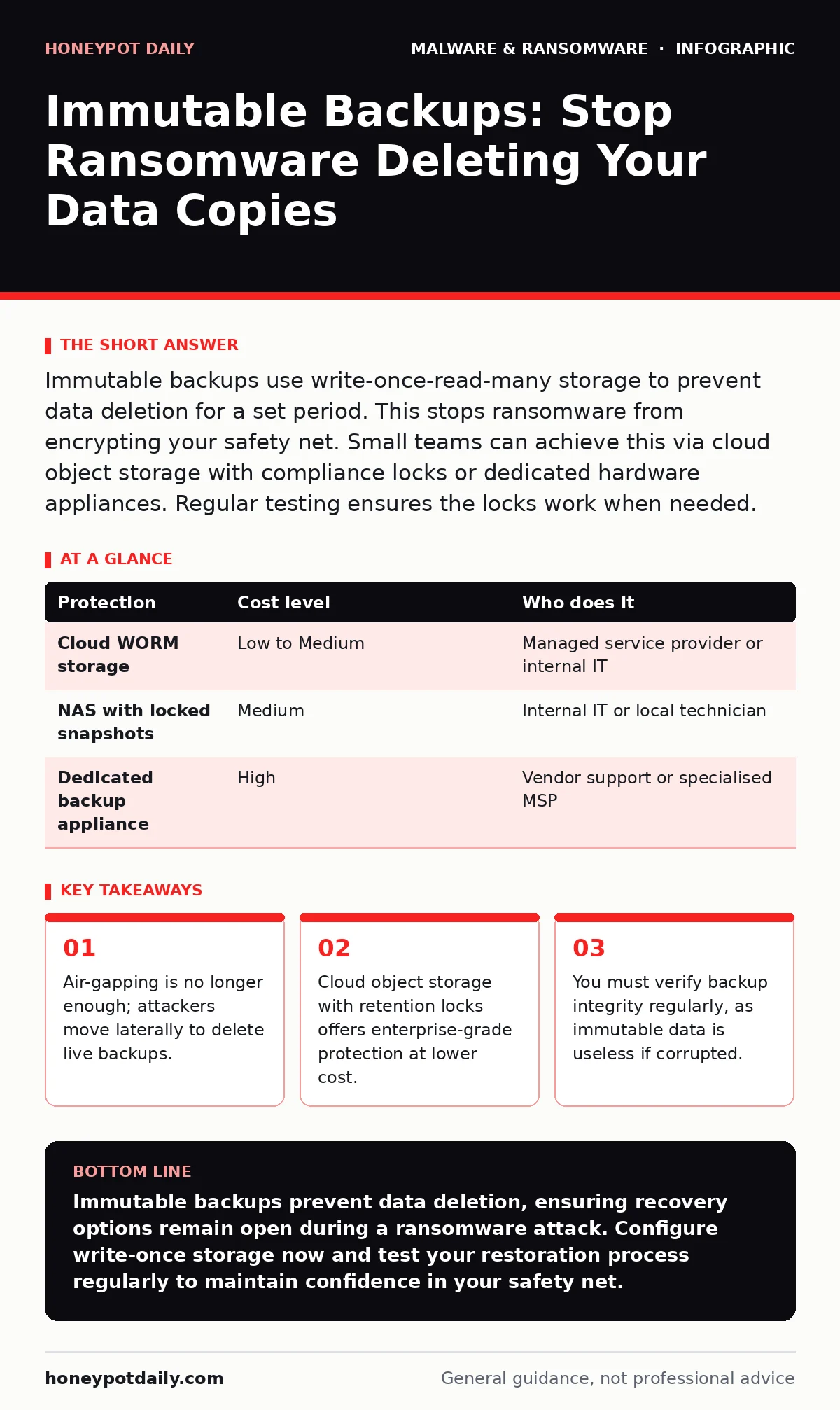
Immutable backups use write-once-read-many storage to prevent data deletion for a set period. This stops ransomware from encrypting your safety net. Small teams can achieve this via cloud object storage with compliance locks or dedicated hardware appliances. Regular testing ensures the locks work when needed.
The Shift From Isolation to Immutability
Traditional backup strategies relied on isolation. You kept copies on separate drives or offline media, assuming attackers would not bother with them. This assumption has failed repeatedly. Modern ransomware operators treat backups as primary targets. They move through the network, seeking every copy of your data to ensure you cannot restore without paying.
Isolation alone is insufficient because attackers often gain administrative privileges. Once they have control, they can delete or encrypt isolated drives if those drives remain connected to the network, even briefly. Immutability changes the rules. It makes the data unchangeable and undeletable for a defined period, regardless of who tries to access it.
This mechanism relies on the principle of write-once-read-many (WORM) storage. When you write data to WORM media, it becomes locked. You can read it, but you cannot modify or erase it until the retention period expires. This applies to the user account, the operating system, and the attacker alike.
Why Small Teams Need This Now
Small organisations often believe they are too small to be targeted by sophisticated ransomware groups. This belief is dangerous. Attackers use automated tools to scan for vulnerable systems. They do not care about your size; they care about whether you pay. Small businesses often have weaker defences and less redundancy, making them attractive targets.
Furthermore, small teams usually have limited staff to manage recovery. If your backups are corrupted, you lack the resources to rebuild from scratch quickly. Immutability reduces the risk of backup failure. It ensures that at least one copy of your data remains untouched, giving you a viable path to recovery.
Consider the hidden cost of downtime. For a small business, even a few hours of lost productivity can impact client trust and revenue. Immutability is an insurance policy against total data loss. It buys you time to negotiate, restore, and continue operations without paying a ransom.
Affordable Implementation Strategies
You do not need expensive enterprise hardware to implement immutability. Cloud object storage services offer compliance features that enable WORM capabilities. These services allow you to set retention rules on buckets, ensuring data cannot be deleted before the period ends. This is often more cost-effective than buying dedicated backup appliances.
Another option is using network-attached storage (NAS) devices with immutable snapshots. Some modern NAS units support locking snapshots for a specific duration. This provides a local layer of protection without the latency of cloud transfers. Combining cloud and local immutable backups offers a balanced approach.
| Protection | Cost level | Who does it |
|---|---|---|
| Cloud WORM storage | Low to Medium | Managed service provider or internal IT |
| NAS with locked snapshots | Medium | Internal IT or local technician |
| Dedicated backup appliance | High | Vendor support or specialised MSP |
Integrating With Existing Defences
Immutable backups are a last line of defence, not a complete solution. You still need to prevent initial infection. While next-generation antivirus helps detect known threats, it may miss novel attacks. Immutability ensures that if detection fails, your data remains safe.
Be aware of firmware malware, which can persist even after you wipe the drive. If an attacker modifies your backup appliance’s firmware, they might bypass immutability settings. Regularly update your hardware and verify the integrity of your backup infrastructure. This adds a layer of security beyond simple file locks.
Also, consider malicious browser extensions as an entry point. These extensions can steal credentials, allowing attackers to access your cloud storage directly. If they access your cloud account, they might try to delete immutable data. However, if the storage has strict retention policies, the deletion request will fail.
What to Delegate to Providers
Small teams often lack the expertise to configure complex backup systems. Delegating management to a managed service provider (MSP) can be wise, but you must define clear responsibilities. The provider should handle configuration, monitoring, and regular testing. You retain ownership of the data and the retention policies.
Ask your provider to implement reimaging infected computers as part of their incident response plan. Immutability protects the data, but the infected system itself must be cleaned or replaced. A provider with experience in this area can reduce recovery time significantly.
Ensure your provider does not share administrative credentials. Each team member should have unique access. This limits the blast radius if one account is compromised. It also makes auditing easier, as you can track who accessed what and when.
See also: Data Inventory and Mapping for Small Businesses · Polymorphic Malware Risks and Protection for Small Businesses
Questions for Your IT Provider
Before handing over backup management, ask specific questions. These queries reveal whether the provider understands modern threats.
- How do you ensure backups are immutable and not just isolated?
- What is your process for testing backup restoration?
- How do you handle credential management for backup accounts?
- What happens if the backup software itself is compromised?
- Do you offer out-of-band monitoring for backup integrity?
The Hidden Cost of Complexity
Immutability adds complexity to your backup strategy. You must manage retention periods, storage costs, and access controls. If configured incorrectly, you might find yourself unable to delete old backups, leading to storage bloat. Plan your retention policies carefully to balance cost and protection.
Another hidden cost is the testing burden. Immutable backups are useless if they are corrupt. You must regularly restore files to verify integrity. This takes time and resources. Automate testing where possible, but manual checks are still necessary for critical data.
Remember that immutability does not protect against logical errors. If you accidentally delete a file and it is immediately backed up, the backup will also contain the deletion. You need versioning to recover from user error. Ensure your system supports multiple versions of files within the immutable window.
Beyond Basic Ransomware Protection
Immutability helps against polymorphic malware, which changes its code to avoid detection. Even if the malware evades your antivirus, it cannot delete your immutable backups. This buys you time to analyse the threat and develop a response.
It also mitigates the risk from malware families that specialise in wiping disks. Some variants are designed specifically to target backup directories. Immutability neutralises this tactic by making deletion impossible.
Finally, be cautious of fake software updates that mimic legitimate backup tools. Attackers may trick users into installing malicious versions that bypass security controls. Always verify the source of your backup software and keep it updated.
Key takeaways
- Air-gapping is no longer enough; attackers move laterally to delete live backups.
- Cloud object storage with retention locks offers enterprise-grade protection at lower cost.
- You must verify backup integrity regularly, as immutable data is useless if corrupted.
Immutable backups prevent data deletion, ensuring recovery options remain open during a ransomware attack. Configure write-once storage now and test your restoration process regularly to maintain confidence in your safety net.
Frequently asked questions
Can ransomware delete immutable backups?
No, immutable backups use write-once storage that prevents deletion for a set period, even if attackers gain administrative access.
Is cloud storage safe for immutable backups?
Yes, many cloud providers offer compliance features like object lock that enforce immutability, provided you configure retention policies correctly.
Do I need offline backups if I have immutable ones?
Offline backups add an extra layer of security, but immutable online backups are often sufficient if configured with strict access controls and regular testing.
How long should I keep backups immutable?
Retention periods depend on your risk tolerance and recovery needs. Common periods range from 30 to 90 days, balancing cost with protection against delayed detection.
How this guide was produced: written by the Honeypot Daily editorial team with AI assistance, checked against the public references listed below, and reviewed when the facts change. See our editorial policy or report an error.