
How Social Media Oversharing Enables Targeted Attacks
Public profile details combine with passive data collection to bypass multi-factor authentication and verify identities for credential theft without direct interaction.
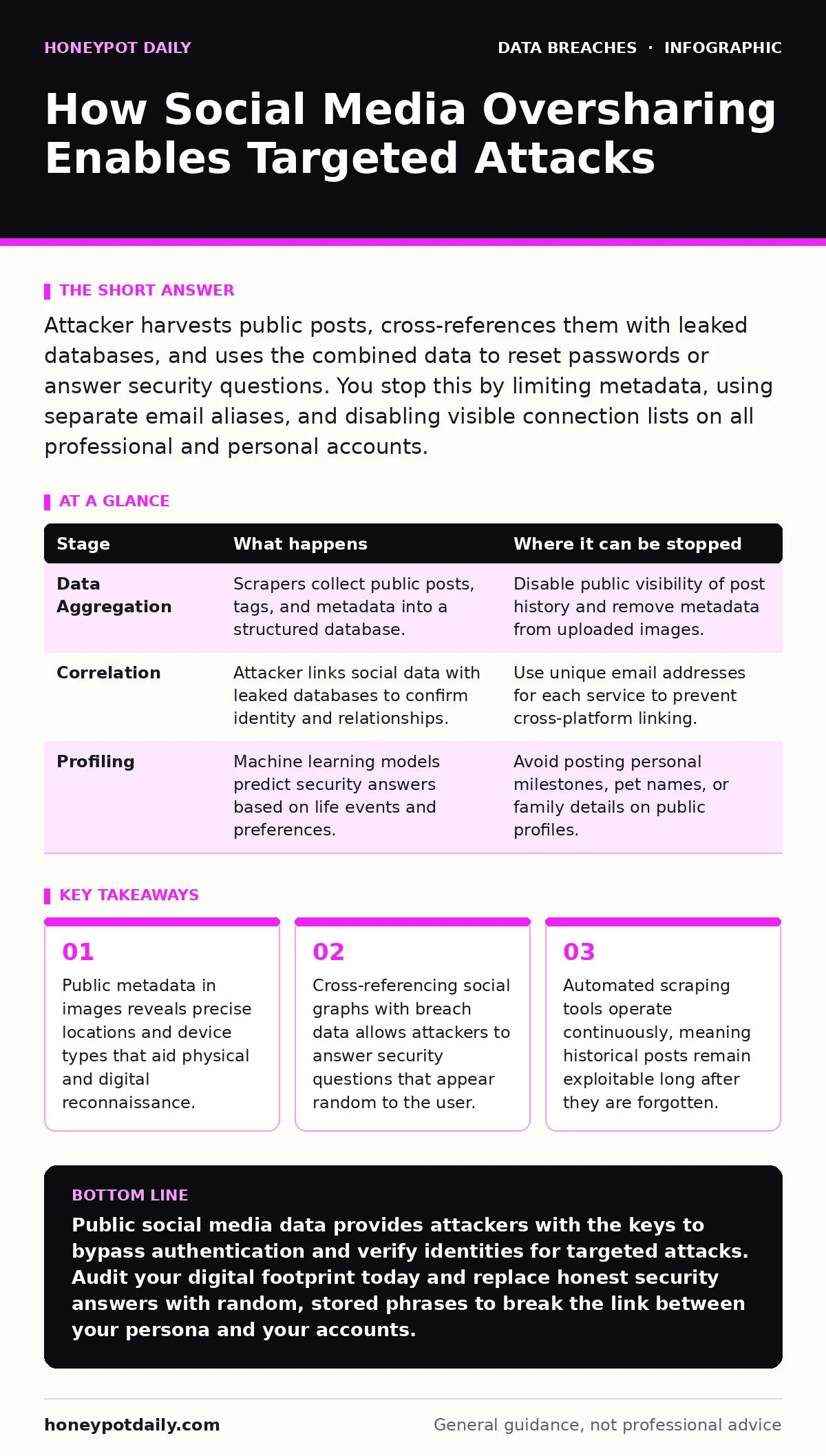
Attacker harvests public posts, cross-references them with leaked databases, and uses the combined data to reset passwords or answer security questions. You stop this by limiting metadata, using separate email aliases, and disabling visible connection lists on all professional and personal accounts.
The Reconnaissance Phase: Passive Data Harvesting
Attackers begin by collecting publicly available information without interacting with the target. This passive approach avoids triggering security alerts. Social media platforms expose vast amounts of personally identifiable information through profile settings, post history, and tagged photos. Scraping tools automate the collection of names, birthdates, pet names, and home addresses.
These tools run continuously, archiving content even if the user later deletes it. The attacker builds a dossier that maps the target’s digital footprint. This phase relies on the user’s assumption that old posts are invisible or irrelevant. In reality, cached versions and third-party archives preserve this data indefinitely. The attacker looks for consistency across platforms to verify the accuracy of the collected data.
Identity Verification and Credential Stuffing
The harvested data serves two immediate purposes. First, it verifies that a username or email address belongs to a real, active user. Attackers use this to filter out fake accounts in large-scale attacks. Second, the data feeds into credential stuffing attempts. If the user reuses passwords, the attacker tries combinations of the username and common password patterns.
Social media posts often hint at password structures, such as using a child’s name or a sports team followed by a year. The attacker uses this insight to generate targeted password lists. This method bypasses generic brute-force protections because the guesses are highly specific to the victim. The system sees these attempts as legitimate login requests from a known user.
Stage 1: Data Aggregation and Correlation
| Stage | What happens | Where it can be stopped |
|---|---|---|
| Data Aggregation | Scrapers collect public posts, tags, and metadata into a structured database. | Disable public visibility of post history and remove metadata from uploaded images. |
| Correlation | Attacker links social data with leaked databases to confirm identity and relationships. | Use unique email addresses for each service to prevent cross-platform linking. |
| Profiling | Machine learning models predict security answers based on life events and preferences. | Avoid posting personal milestones, pet names, or family details on public profiles. |
Bypassing Security Questions and Resets
Many organisations still use security questions for account recovery. These questions often ask for static, personal facts. A mother’s maiden name, first pet, or high school name is frequently posted on social media. The attacker uses the aggregated data to answer these questions correctly. This allows them to reset the password on email, banking, or corporate accounts.
The mechanism relies on the user’s failure to treat security answers as passwords. If you answer honestly, you have handed the key to anyone who follows you. The attacker does not need to hack the system; they simply navigate the recovery flow with correct information. This bypasses multi-factor authentication if the attacker can reset the primary credentials and intercept the secondary code via email.
Exploiting Social Graphs and Trust
Attackers analyse the connections visible on a user’s profile. They identify colleagues, family members, and close friends. This social graph reveals the user’s professional role and potential access levels. The attacker then crafts a data extortion scenario or a phishing message that appears to come from a trusted contact.
They use the target’s name, job title, and recent activities to make the request urgent and plausible. The victim is more likely to click a malicious link or transfer funds if the request seems to originate from a known peer. This stage exploits the human tendency to trust familiar names and contexts. Technical controls often fail here because the email header may be spoofed to look legitimate.
Stage 2: Exploitation and Access Gaining
| Stage | What happens | Where it can be stopped |
|---|---|---|
| Social Engineering | Attacker sends phishing messages mimicking colleagues or family using harvested context. | Verify urgent requests through a secondary channel like a phone call or in-person confirmation. |
| Account Takeover | Attacker resets passwords using answers derived from public posts and breached data. | Use a password manager to generate unique, random security answers and store them securely. |
| Lateral Movement | Attacker uses the compromised account to access connected services or internal networks. | Implement strict data retention policies to limit the lifespan of accessible credentials and sessions. |
The Hidden Cost of Metadata
Images and documents shared on social media contain EXIF data. This metadata includes GPS coordinates, camera model, and timestamp. Attackers use this to determine the user’s physical location and device type. Knowing the device type helps the attacker tailor malware that exploits specific operating system vulnerabilities.
GPS data reveals the user’s home address or regular commute routes. This information aids in physical theft or targeted surveillance. The user rarely sees this data, but it is transmitted with every upload. Stripping metadata before sharing is a critical but often overlooked step. Most social platforms strip some metadata, but not all, and not consistently.
See also: Phishing Simulations: How to Run Tests That Actually Work · Data Retention Policy Mistakes and How to Avoid Them
Interrupting the Attack Chain
The attack chain can be interrupted at multiple points. The most effective intervention is reducing the surface area of available data. Users should treat their social media presence as a permanent public record. Every post adds a piece to the puzzle the attacker is solving. Limiting the audience of posts to verified contacts reduces the amount of data available to scrapers. Using pseudonyms or partial names prevents easy correlation with professional directories. Regularly auditing privacy settings ensures that new platform updates do not inadvertently expose more data. The goal is to make the cost of gathering sufficient information higher than the potential reward for the attacker.
Stage 3: Persistence and Exfiltration
| Stage | What happens | Where it can be stopped |
|---|---|---|
| Persistence | Attacker installs backdoors or adds recovery emails to maintain access after password changes. | Monitor account activity logs for unfamiliar devices or locations and revoke unknown sessions immediately. |
| Exfiltration | Sensitive data is copied and transferred to external servers controlled by the attacker. | Implement network monitoring to detect unusual outbound traffic from compromised accounts or devices. |
| Covering Tracks | Attacker deletes login history or modifies settings to hide their presence. | Enable immutable audit logs that cannot be altered by standard user or attacker actions. |
Long-Term Mitigation Strategies
Mitigation requires a shift in how personal data is managed online. Users should adopt data inventory and mapping principles for their digital lives. This means knowing where your data exists and who can see it. Regularly search for your name and email address in public databases to see what information is exposed. Remove yourself from data broker sites that sell your contact details. Use password hashing and salting concepts for your own security answers: create random strings and store them in a secure vault, rather than using real answers. This breaks the link between your public persona and your private security controls.
The Role of Platform Defaults
Social media platforms often default to public settings to maximise engagement. This design choice shifts the burden of privacy onto the user. Users must actively configure privacy settings for each new account or feature. This creates a security debt that accumulates over time. When users fail to update these settings, they remain exposed. The attacker relies on this inertia. Changing defaults to private would significantly reduce the effectiveness of passive reconnaissance. Until platforms change, users must assume their data is public and accessible to automated tools. Vigilance in configuration is the only defence against this systemic risk.
Integrating with Broader Security
Social media hygiene is not isolated from technical security. It intersects with SIM swap fraud when attackers use personal details to convince carriers to transfer your phone number. It connects to payment card theft when attackers use social engineering to trick users into revealing card details. Understanding these links helps prioritise which data to protect. The most damaging information is that which enables identity verification. Focus on hiding or obfuscating data points that answer security questions. This reduces the effectiveness of social engineering and credential reset attacks.
Monitoring and Response
Even with strict privacy settings, data leaks occur. Dark web monitoring can alert you if your credentials or personal details appear in breach databases. This allows you to take proactive measures, such as changing passwords and checking for unauthorized access. Regularly reviewing account activity helps detect early signs of compromise. If you notice unfamiliar login attempts or password reset emails, act immediately. Change credentials and review connected applications. Removing third-party app access can stop an attacker from maintaining entry. Continuous monitoring is the final layer of defence against the persistent threat of oversharing.
Key takeaways
- Public metadata in images reveals precise locations and device types that aid physical and digital reconnaissance.
- Cross-referencing social graphs with breach data allows attackers to answer security questions that appear random to the user.
- Automated scraping tools operate continuously, meaning historical posts remain exploitable long after they are forgotten.
Public social media data provides attackers with the keys to bypass authentication and verify identities for targeted attacks. Audit your digital footprint today and replace honest security answers with random, stored phrases to break the link between your persona and your accounts.
Frequently asked questions
Does deleting old social media posts protect me from attackers?
No, because automated scrapers archive public content before you delete it. Cached copies and third-party databases retain the information indefinitely.
How do attackers use my friends list to hack me?
They map your social connections to identify your professional role and craft phishing messages that appear to come from trusted colleagues or family members.
Can I use the same security answers for all accounts?
No, reusing answers makes it easier for attackers to compromise multiple accounts once they discover one answer through public data or breaches.
What is the most dangerous type of metadata in shared images?
GPS coordinates are the most dangerous as they reveal your physical location, enabling physical theft or targeted surveillance alongside digital attacks.
How this guide was produced: written by the Honeypot Daily editorial team with AI assistance, checked against the public references listed below, and reviewed when the facts change. See our editorial policy or report an error.