Phishing Simulations: How to Run Tests That Actually Work
Most phishing simulations fail because they measure click rates rather than the underlying decision-making processes that lead to credential compromise.
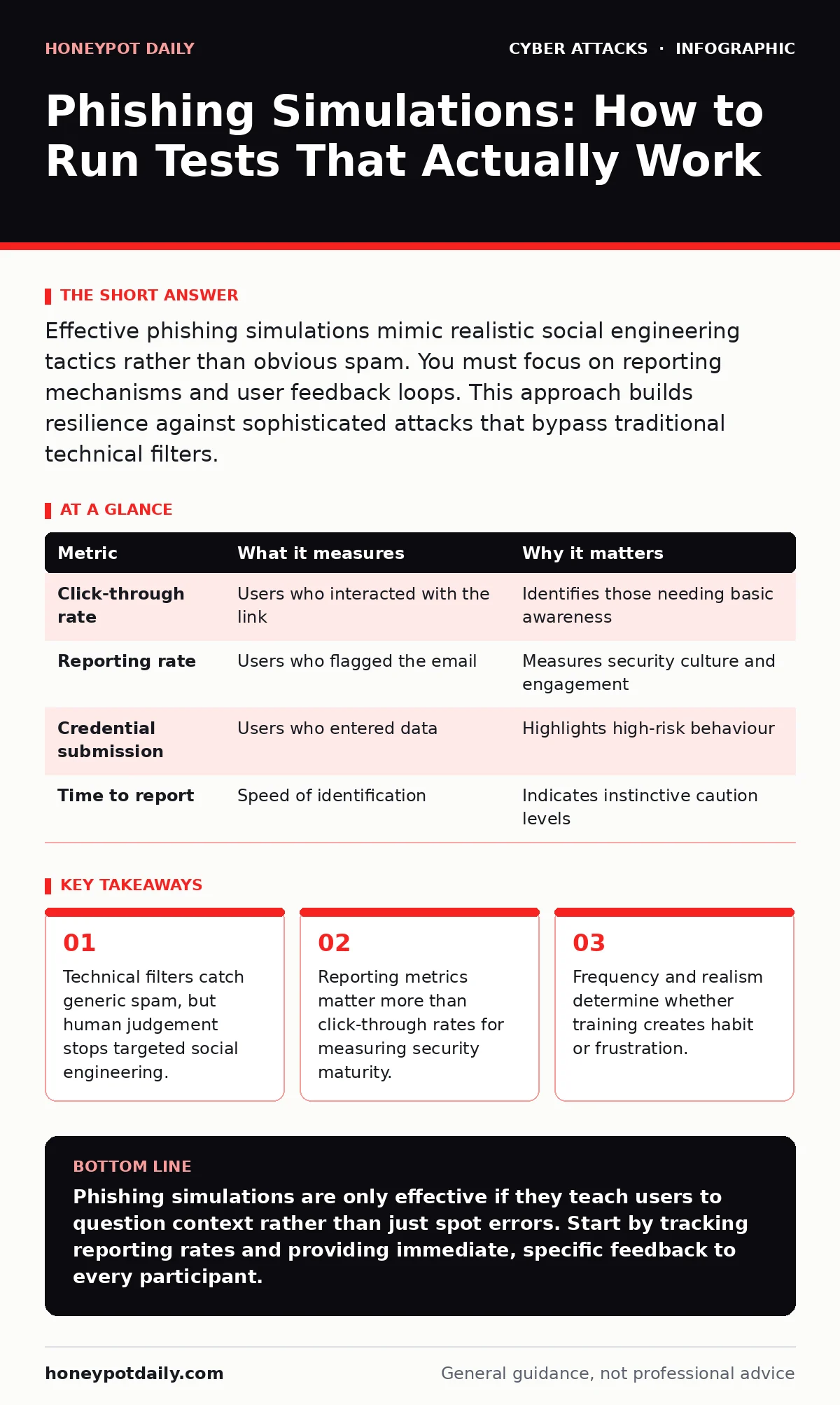
Effective phishing simulations mimic realistic social engineering tactics rather than obvious spam. You must focus on reporting mechanisms and user feedback loops. This approach builds resilience against sophisticated attacks that bypass traditional technical filters.
Do simulations actually reduce phishing risk?
Simulations reduce risk only when they are part of a continuous feedback loop that teaches users why an email was dangerous. A one-off test that simply flags a user as "failed" creates anxiety without building skill. You need to connect the simulation to immediate, contextual learning. This mirrors how experts discuss incident response plans, where reaction speed matters more than initial detection. If the user does not understand the specific indicator they missed, the next attack will look different and succeed.
How should you design a realistic phishing email?
A realistic email targets specific roles or recent organisational events rather than using generic financial urgency. It mimics the visual identity of a trusted internal system or a vendor the recipient actually uses. Avoid cartoonish errors or broken images, as these train users to spot flaws rather than evaluate intent. This aligns with the principles of baiting attacks, where the lure must appear legitimate to succeed. The goal is to test whether the user questions the context, not whether they can spell-check the sender.
Is sending simulations too often harmful?
Excessive frequency causes alert fatigue, leading users to ignore both real threats and legitimate communications. You must balance regular testing with meaningful intervals that allow for behavioural change. If you send a test every week, users will stop reading headers or checking sender domains. This undermines the purpose of the exercise. Consider how account lockout policies work; too many failed attempts lock the user out, while too few allow brute force. The same balance applies to psychological resilience.
What metrics should you track beyond click rates?
This metric indicates whether your security culture encourages proactive behaviour. Click rates only tell you who failed; reporting rates tell you who is engaged. This is similar to how DDoS protection measures traffic volume, but the real value lies in identifying the source pattern. Focus on the time between receipt and reporting, as speed indicates instinctive caution.
| Metric | What it measures | Why it matters |
|---|---|---|
| Click-through rate | Users who interacted with the link | Identifies those needing basic awareness |
| Reporting rate | Users who flagged the email | Measures security culture and engagement |
| Credential submission | Users who entered data | Highlights high-risk behaviour |
| Time to report | Speed of identification | Indicates instinctive caution levels |
Should you simulate malicious email attachments?
You can simulate attachments, but you must ensure they are harmless and clearly marked in your internal systems. Real attachments carry malware, so simulations must use safe file types that trigger detection without risk. This requires careful coordination with your endpoint detection tools. It connects directly to the topic of malicious email attachments, where the payload is the primary threat. If your simulation triggers a false positive on your security stack, you lose trust in your tools.
See also: Browser-in-the-Browser Attacks: Risks and Protection for Small Businesses
How do you handle users who fail repeatedly?
Repeated failures require targeted coaching rather than generic e-learning modules. These users may lack context, have language barriers, or work in high-pressure roles. You should identify the specific gap in their knowledge. This is akin to privileged access management, where excess privilege is reduced by understanding specific needs. Generic training does not address individual blind spots. Personalised feedback helps users understand their specific risk profile.
Can simulations detect browser-in-the-browser attacks?
Standard email simulations cannot detect browser-in-the-browser attacks, as these occur after the user has already clicked a link. These attacks mimic login pages within a fake browser window, tricking users into believing they are on a legitimate site. You need separate testing methods that focus on URL inspection and certificate validation. This is a distinct threat vector from email-based social engineering. Relying solely on email tests leaves this gap unaddressed.
What is the role of password managers in this context?
Password managers can mitigate the damage of a successful simulation by preventing the reuse of credentials. If a user enters a password into a simulated phishing site, the manager should block it or warn them. This adds a layer of technical defence to human error. It complements the use of password managers as a broader security strategy. However, it does not stop the initial click, so awareness training remains necessary.
How do you measure long-term improvement?
Long-term improvement is measured by a decrease in reporting time and an increase in the quality of reported indicators. Users should move from reporting "suspicious" to citing specific reasons like "mismatched domain" or "unexpected request". This shows deepened understanding. It reflects a shift from rule-based checking to heuristic analysis. This is the goal of any mature security programme.
What happens when a simulation goes wrong?
A simulation can cause panic if it mimics a critical system alert too closely. You must have a clear communication channel to inform users immediately if a test is running. This prevents unnecessary stress and confusion. It is part of your broader incident response planning, where communication is key. Transparency builds trust in your security team.
Key takeaways
- Technical filters catch generic spam, but human judgement stops targeted social engineering.
- Reporting metrics matter more than click-through rates for measuring security maturity.
- Frequency and realism determine whether training creates habit or frustration.
Phishing simulations are only effective if they teach users to question context rather than just spot errors. Start by tracking reporting rates and providing immediate, specific feedback to every participant.
Frequently asked questions
How often should we run phishing simulations?
Run them monthly or quarterly, depending on your industry risk profile. Consistency matters more than frequency, so choose a schedule you can sustain with high-quality content.
Should we simulate CEO fraud or whaling attacks?
Only if you have explicit approval from leadership and a clear educational goal. These attacks target high-value accounts and require careful handling to avoid reputational damage.
Can we use external vendors for simulations?
Yes, but ensure they comply with your data privacy policies. You must verify that they do not store sensitive user data and that their templates are realistic but safe.
How do we deal with users who refuse to participate?
Frame participation as a security requirement, not a choice. Explain that phishing affects everyone and that non-participation leaves the organisation vulnerable.
How this guide was produced: written by the Honeypot Daily editorial team with AI assistance, checked against the public references listed below, and reviewed when the facts change. See our editorial policy or report an error.