
Baiting Attacks: Debunking Six Common Security Myths
Baiting attacks rarely rely on flashy malware; they succeed by exploiting human curiosity and the lack of visibility into peripheral storage devices.
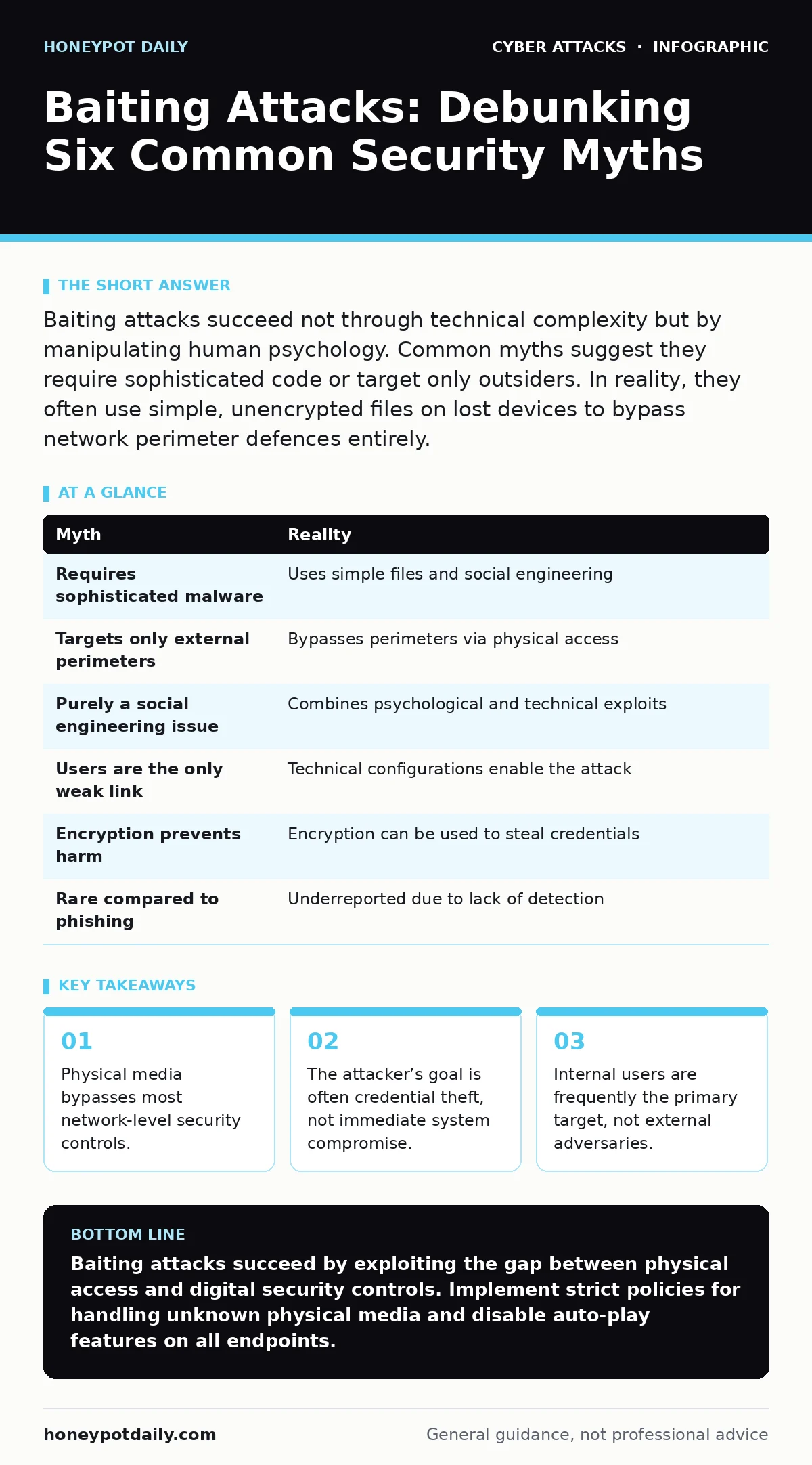
Baiting attacks succeed not through technical complexity but by manipulating human psychology. Common myths suggest they require sophisticated code or target only outsiders. In reality, they often use simple, unencrypted files on lost devices to bypass network perimeter defences entirely.
Myth: Baiting attacks require sophisticated malware
Reality: Most baiting payloads are rudimentary scripts or standard document formats with embedded macros. The complexity lies in the delivery mechanism, not the code. An attacker does not need zero-day exploits to succeed. They only need a file that looks valuable enough to open.
The assumption that high-level coding skills are required leads teams to focus on signature-based detection. This misses the mark because the file itself may be benign until executed. The danger is the user’s action, not the file’s architecture.
Suppose a USB drive is left in a parking lot. It contains a single text file named "Salary_Adjustments.txt". Opening it does nothing. However, a second file, "Read_Me.pdf", contains a link to a credential harvesting site. The malware component is minimal. The social engineering component is where the effort lies.
Myth: These attacks only target external perimeter defences
Reality: Baiting attacks frequently target internal networks and trusted users. The physical nature of the bait allows it to bypass firewalls and intrusion detection systems. Once the device is plugged in, it sits inside the trusted zone.
Network security tools monitor traffic entering and leaving the corporate boundary. They do not typically inspect the local execution of a file inserted via a physical port. The attack originates from within the trusted environment. This makes lateral movement easier for the adversary.
Imagine an employee finds a laptop in the office lobby. They plug it in to see who it belongs to. The laptop is configured to automatically connect to the corporate Wi-Fi. It now has a foothold inside the network. The perimeter defences never triggered because the device presented itself as a legitimate client.
Myth: Users are the only weak link in the chain
Reality: Technical configurations often enable baiting attacks to succeed. Auto-play features and unencrypted file sharing protocols facilitate the spread of malicious content. Hardware settings can override user caution.
Many operating systems are configured to automatically mount and execute content from removable media. This convenience feature is a security liability. Even if a user exercises caution, the system may execute the payload before they can intervene.
Privileged access management policies often fail to account for physical access risks. An attacker with physical access to a workstation can install keyloggers or boot from external drives. Software-based controls cannot prevent hardware-level manipulation.
Myth: Baiting is purely a social engineering problem
Reality: Baiting attacks combine psychological manipulation with technical exploitation. While the lure is psychological, the payload relies on technical vulnerabilities. Treating it as solely a training issue leaves technical gaps open.
Users may be trained to report suspicious devices. However, if the device uses a legitimate protocol to exfiltrate data, the user may not notice anything unusual. The technical layer must detect anomalous behaviour, not just suspicious files.
Incident response plans often focus on remote attacks. They may lack procedures for handling physical media found on premises. This gap allows an attacker to establish persistence before detection. The response must cover both human and technical vectors.
Myth: Encryption on bait devices prevents all harm
Reality: Encryption protects the data on the device, but not the execution environment. If a user enters a password to unlock a bait device, they have already been compromised. The credential itself becomes the stolen asset.
Attackers often use simple PINs or default passwords on bait devices. The goal is not to protect the malware, but to trick the user into revealing their own credentials. The encryption is a prop, not a shield.
Suppose a user finds an encrypted SD card. A note instructs them to enter the password "1234" to view the contents. They do so. The device then logs this interaction and transmits the user’s session token. The encryption was irrelevant to the attack’s success.
See also: Phishing Simulations: How to Run Tests That Actually Work · PowerShell Abuse Anatomy: Step-by-Step Attack Execution
Myth: Baiting attacks are rare compared to phishing
Reality: Baiting attacks are underreported but prevalent. They are harder to detect because they leave fewer digital footprints in email servers. This leads to an underestimation of their frequency.
Phishing simulations are common in security awareness programmes. Baiting simulations are less common because they are logistically difficult. This lack of simulation means users are less prepared to recognise physical lures.
Malicious email attachments are well-understood threats. Physical media threats are often overlooked in risk assessments. This discrepancy creates a blind spot in security posture. The physical world offers a direct bypass to digital defences.
| Myth | Reality |
|---|---|
| Requires sophisticated malware | Uses simple files and social engineering |
| Targets only external perimeters | Bypasses perimeters via physical access |
| Purely a social engineering issue | Combines psychological and technical exploits |
| Users are the only weak link | Technical configurations enable the attack |
| Encryption prevents harm | Encryption can be used to steal credentials |
| Rare compared to phishing | Underreported due to lack of detection |
Key takeaways
- Physical media bypasses most network-level security controls.
- The attacker’s goal is often credential theft, not immediate system compromise.
- Internal users are frequently the primary target, not external adversaries.
Baiting attacks succeed by exploiting the gap between physical access and digital security controls. Implement strict policies for handling unknown physical media and disable auto-play features on all endpoints.
Frequently asked questions
How do I disable auto-play on Windows?
Use the Group Policy Editor to configure the "Turn off Autoplay" policy for all drives. This prevents automatic execution of content from removable media.
Should I throw away found USB drives?
Do not plug them in. Hand them to security or facilities management for safe disposal. Plugging them in risks immediate compromise.
Can baiting attacks occur via email?
Yes, digital baiting involves luring users to click links or download attachments. The principle remains the same: curiosity overrides caution.
How do I detect a baiting attack?
Monitor for unusual network traffic from endpoints that connect new hardware. Look for unexpected credential usage or data exfiltration patterns.
How this guide was produced: written by the Honeypot Daily editorial team with AI assistance, checked against the public references listed below, and reviewed when the facts change. See our editorial policy or report an error.