
Alert Triage Mechanics: How Security Teams Filter Noise
Most alerts never reach a human analyst because automated enrichment and correlation rules discard them before they enter the queue.
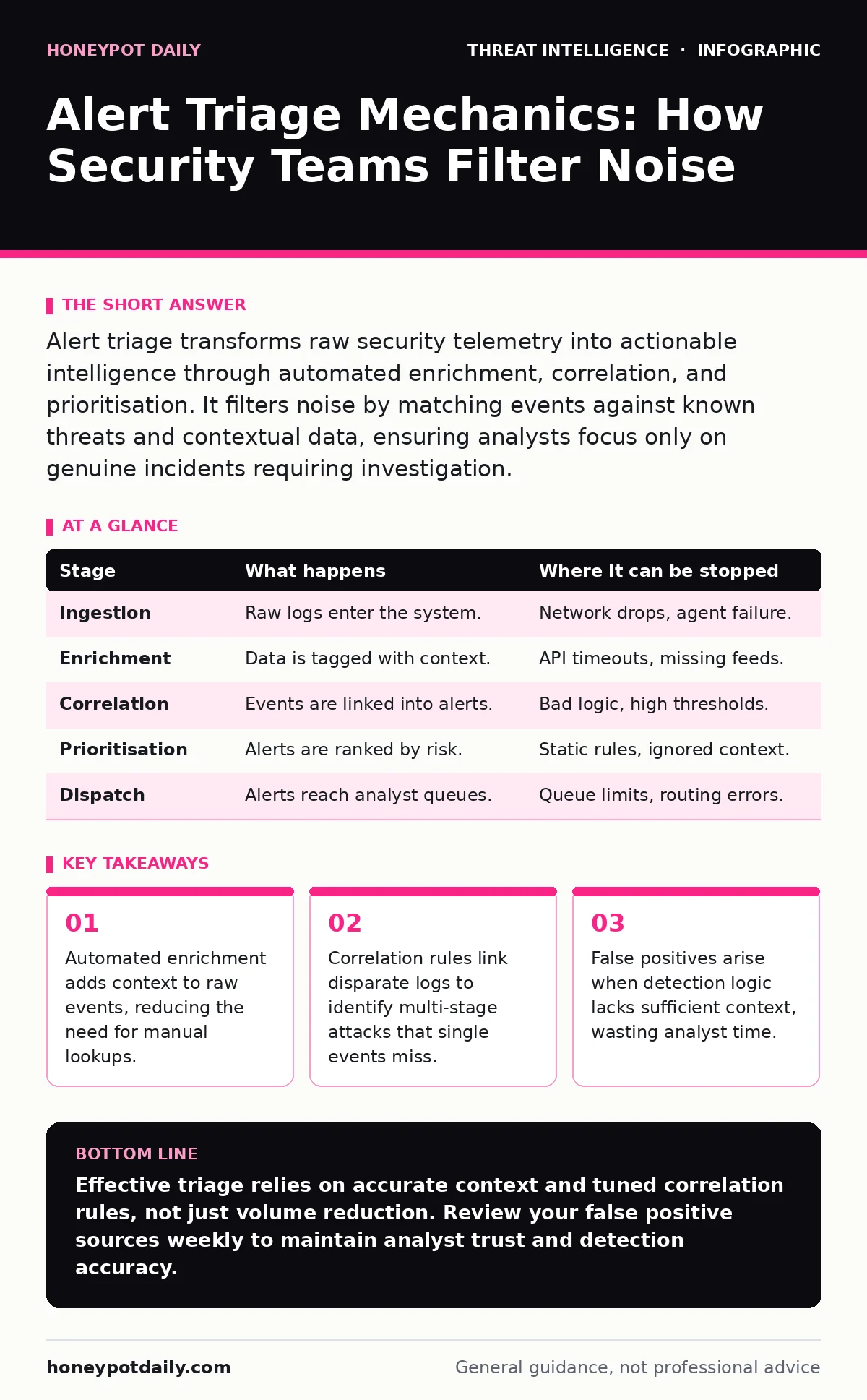
Alert triage transforms raw security telemetry into actionable intelligence through automated enrichment, correlation, and prioritisation. It filters noise by matching events against known threats and contextual data, ensuring analysts focus only on genuine incidents requiring investigation.
The Signal Within The Noise
Security tools generate thousands of events daily. Most are benign user activity or system maintenance. Your challenge is distinguishing genuine threats from this background chatter. This process is alert triage. It converts raw data into decisions. Without it, your team faces alert fatigue.
Imagine a firewall logs an outbound connection. Alone, this is meaningless. When combined with destination reputation data and user behaviour baselines, it may indicate data exfiltration. Triage provides that context. It happens before you ever see the alert.
The Triage Pipeline Overview
Triage follows a linear path, though automation blurs the stages. Each step reduces volume while increasing relevance. Errors at early stages compound later. A misconfigured enrichment source can poison the entire pipeline. You must understand each phase to trust the output.
| Stage | What happens | Where it can be stopped |
|---|---|---|
| Ingestion | Raw logs enter the system. | Network drops, agent failure. |
| Enrichment | Data is tagged with context. | API timeouts, missing feeds. |
| Correlation | Events are linked into alerts. | Bad logic, high thresholds. |
| Prioritisation | Alerts are ranked by risk. | Static rules, ignored context. |
| Dispatch | Alerts reach analyst queues. | Queue limits, routing errors. |
Stage 1: Ingestion And Normalisation
First, data enters your platform. This is ingestion. Sources include endpoints, networks, and cloud services. These sources speak different languages. Your system must normalise them into a common schema. This allows consistent analysis. If normalisation fails, fields are lost. You cannot search for what you do not store.
Ensure your parsers handle edge cases. A malformed log entry might skip validation. It then disappears into the void. You never know it existed. Regularly audit ingestion rates against expected volumes. Sudden drops indicate broken collectors, not quiet networks.
Stage 2: Contextual Enrichment
Raw events lack meaning. Enrichment adds context. It queries external databases and internal assets. For example, an IP address becomes a geolocation and threat reputation score. A file hash becomes a malware family name. This happens in milliseconds. It uses threat intelligence feeds and asset inventories.
Without enrichment, every event looks suspicious. You cannot differentiate between a hacker and a confused user. Enrichment reduces false positives significantly. However, it relies on accurate data. Stale asset records lead to incorrect assumptions. Keep your inventory updated.
Stage 3: Correlation And Aggregation
Single events are rarely attacks. Attacks are sequences. Correlation links related events over time. It identifies patterns. For instance, a port scan followed by a successful login is more dangerous than either alone. Your system applies correlation rules. These rules define the patterns.
Aggregation groups similar events. Ten failed logins from one IP become one alert. This prevents alert storms. It simplifies the picture. However, aggressive aggregation can hide details. You might miss a low-and-slow attack. Balance is key. Tune your rules to match your threat model.
Stage 4: Prioritisation And Scoring
Not all alerts are equal. Prioritisation ranks them. It uses scoring models. Factors include asset criticality, user privilege, and threat severity. A root login attempt on a production server scores higher than a guest user error. This ranking drives the queue order.
Scoring is often static. It does not adapt to new tactics. If attackers change their methods, scores may drop. You must review scoring logic regularly. Integrate dynamic factors where possible. Current threat intel can adjust scores in real-time. This keeps high-risk items at the top.
Limits Of Automated Triage
Automation is not perfect. It struggles with ambiguity. Context matters. A command-line execution is normal for an admin. It is suspicious for a finance user. Automated systems often lack this nuance. They rely on heuristics. Heuristics can be wrong.
False negatives are dangerous. They mean missed attacks. Triage systems may discard genuine threats if they do not match rules. You must validate your rules against recent tactics. Test with simulated attacks. Ensure they trigger alerts.
Integrating With Broader Operations
Triage does not exist in isolation. It feeds into wider security processes. Effective triage supports blue team operations by providing clean data. It reduces the burden on analysts. It allows faster response times.
Consider how triage interacts with detection capabilities. Network detection and response tools provide the raw data for triage. Without accurate network visibility, triage is blind. Similarly, Windows event log monitoring feeds endpoint data. Missing logs create gaps in the triage pipeline.
Improving Your Triage Accuracy
Start by tuning your rules. Review closed alerts. Identify patterns in false positives. Adjust thresholds accordingly. Use YARA rules to refine file-based detections. This reduces noise from benign files.
Invest in asset context. Know what is normal for each system. Baseline behaviour helps correlation. Anomalous activity stands out. Regularly update your threat intel feeds. Stale data leads to poor enrichment.
See also: What Is Threat Actors: Definitions, Tactics and Detection Strategies · Blue Team Operations: Definition, Purpose and Core Mechanics
The Human Element
Automation handles volume. Humans handle complexity. Triage prepares data for human analysis. It does not replace judgement. Analysts must interpret the context. They decide if an alert is a true positive.
Training is vital. Analysts must understand the triage logic. They need to know why an alert was prioritised. This builds trust in the system. It also helps them identify when the system is wrong.
Monitoring Triage Performance
Track your metrics. Mean time to detect is a key indicator. If it rises, your triage is failing. Review alert volumes. Sudden spikes indicate misconfiguration or new attacks. Analyze false positive rates. High rates mean poor tuning.
Regularly audit your pipeline. Check for dropped logs. Verify enrichment sources. Ensure correlation rules are active. Triage is a living process. It requires constant care. Neglect leads to decay. Your visibility fades.
Key takeaways
- Automated enrichment adds context to raw events, reducing the need for manual lookups.
- Correlation rules link disparate logs to identify multi-stage attacks that single events miss.
- False positives arise when detection logic lacks sufficient context, wasting analyst time.
Effective triage relies on accurate context and tuned correlation rules, not just volume reduction. Review your false positive sources weekly to maintain analyst trust and detection accuracy.
Frequently asked questions
How do I reduce alert fatigue in my SOC?
Improve enrichment accuracy and tune correlation rules to aggregate related events. Suppress known benign patterns using allowlists and trusted source data.
What is the difference between triage and investigation?
Triage filters and prioritises raw events into potential alerts. Investigation determines if a prioritised alert represents a genuine security incident requiring response.
Can automated triage replace security analysts?
No. Automation handles volume and routine filtering. Analysts provide context, judgement, and investigation for complex or novel threats that automation cannot interpret.
How often should I update my correlation rules?
Update rules regularly, ideally after every major incident or threat intel update. Review performance metrics monthly to identify outdated or ineffective logic.
How this guide was produced: written by the Honeypot Daily editorial team with AI assistance, checked against the public references listed below, and reviewed when the facts change. See our editorial policy or report an error.