Password Manager Security Checklist: Hardening Your Vault
Your password manager becomes the single most valuable target for attackers, turning a convenience tool into a high-value honeypot if its own access controls remain weak.
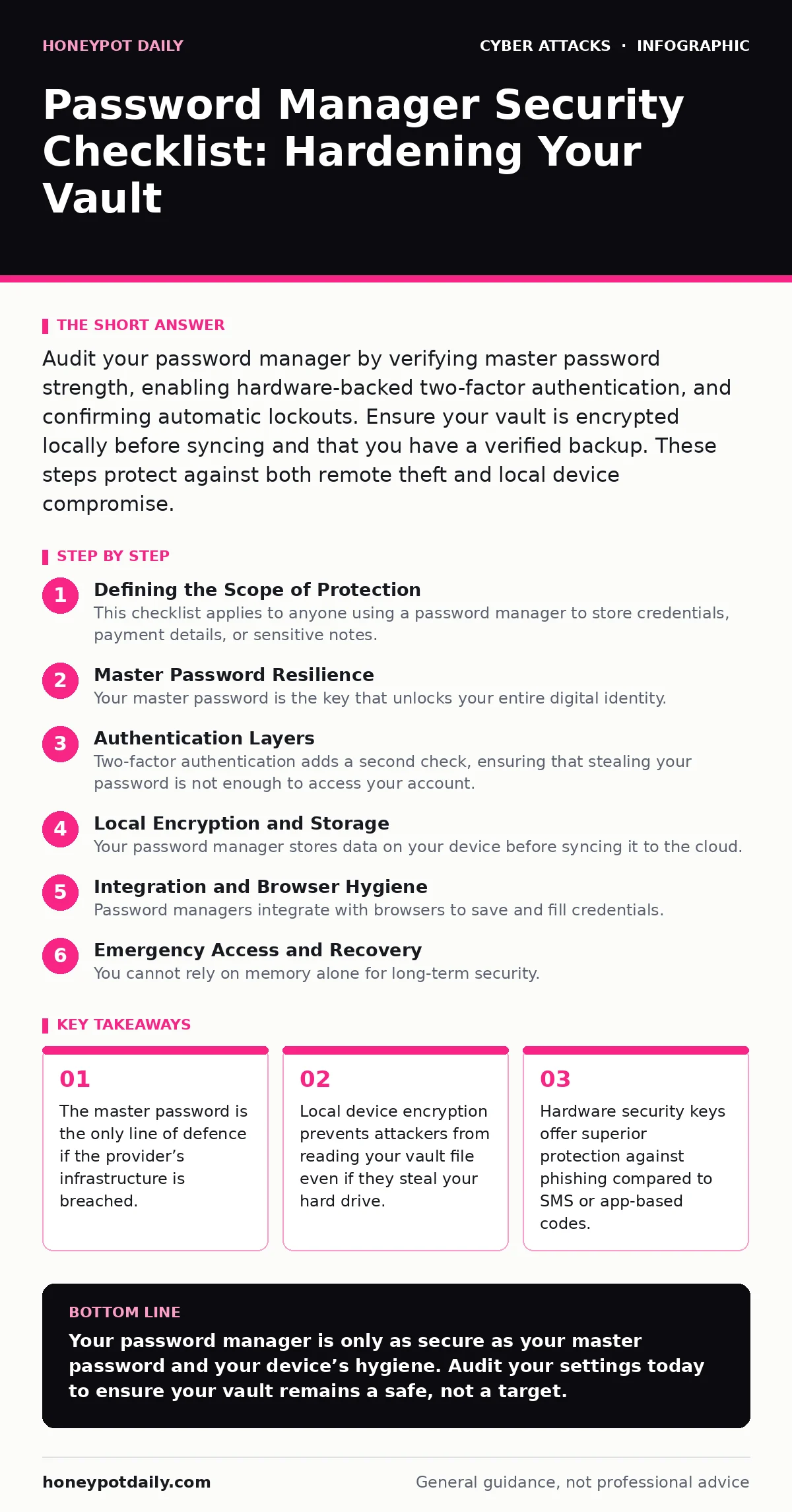
Audit your password manager by verifying master password strength, enabling hardware-backed two-factor authentication, and confirming automatic lockouts. Ensure your vault is encrypted locally before syncing and that you have a verified backup. These steps protect against both remote theft and local device compromise.
Defining the Scope of Protection
This checklist applies to anyone using a password manager to store credentials, payment details, or sensitive notes. You should use it to audit your current setup, not just during initial configuration. A password manager solves the problem of password reuse, but it introduces a new failure point: the vault itself. If you secure the vault poorly, you have simply consolidated all your weaknesses into one place.
Master Password Resilience
Your master password is the key that unlocks your entire digital identity. It must be strong enough to resist offline brute-force attacks, where an attacker tries billions of combinations per second.
- Use a passphrase of at least twenty characters: Length defeats brute-force attacks more effectively than complexity rules.
- Avoid dictionary words or common substitutions: Attackers use dictionaries and rule-based mutations to guess common patterns.
- Memorise the phrase, do not write it down: Writing it down creates a physical theft vector that bypasses all digital security.
- Never reuse this password elsewhere: If another site leaks your credentials, your entire vault is compromised.
The master password is never sent to the provider’s servers. It exists only on your device, used to derive the encryption key. If you forget it, there is no recovery. This design protects your data from the provider, but it also means you bear full responsibility for its secrecy and strength.
Authentication Layers
Two-factor authentication adds a second check, ensuring that stealing your password is not enough to access your account. However, not all second factors are equal. SMS codes can be intercepted via SIM swapping, and some app-based codes are vulnerable to real-time phishing.
- Enable two-factor authentication for the vault access: This stops attackers who have guessed or stolen your master password.
- Prefer hardware security keys over apps: Hardware keys use public-key cryptography, making them immune to phishing and replay attacks.
- Disable SMS-based authentication: SIM swapping allows attackers to redirect your verification codes to their own device.
- Configure automatic lockout after failed attempts: This slows down automated guessing attacks against your master password.
Imagine an attacker has your master password. Without a second factor, they can log in from anywhere. With a hardware key, they physically need the device in your pocket. This physical requirement raises the barrier to entry significantly, forcing attackers to target you directly rather than your data remotely.
Local Encryption and Storage
Your password manager stores data on your device before syncing it to the cloud. If your computer is infected with malware, that malware can read the unencrypted vault file or capture keystrokes. You must ensure that the data at rest is protected.
- Verify end-to-end encryption is enabled: This ensures only you and your devices can read the vault data, not the provider.
- Store the vault file in an encrypted directory: This protects the data if your hard drive is stolen or imaged.
- Disable auto-fill in untrusted environments: Auto-fill scripts can be hijacked by malicious websites to capture credentials.
- Regularly export and verify your backup: A corrupted backup is useless during an emergency recovery scenario.
The provider cannot read your data if end-to-end encryption is used correctly. However, if your local machine is compromised, the encryption is irrelevant while you are logged in. This is why keeping your operating system patched is as important as the password manager itself. For deeper context on how attackers might trick you into bypassing these controls, see our guide on browser-in-the-browser attacks.
Integration and Browser Hygiene
Password managers integrate with browsers to save and fill credentials. These extensions have high privileges, allowing them to see and modify any page you visit. A compromised extension can steal data from other security tools.
- Use the official browser extension only: Third-party extensions may contain malware designed to intercept your credentials.
- Restrict extension permissions to necessary sites: Limiting scope reduces the damage if the extension is compromised.
- Disable auto-save for sensitive fields: Prevents accidental storage of one-time codes or security questions.
- Regularly update the extension: Updates often patch vulnerabilities that could allow data leakage.
Extensions are powerful but risky. They sit between you and the website, a position attackers target heavily. If you suspect your browser is acting strangely, consider that the extension may be the vector. This connects to the broader issue of phishing simulations, where attackers mimic legitimate login prompts to trick extensions into filling credentials on fake sites.
Emergency Access and Recovery
You cannot rely on memory alone for long-term security. You need a way to recover your account if you lose your master password or hardware key, without giving the provider access to your data.
- Set up emergency contacts with delayed access: This allows trusted people to access your data if you become incapacitated.
- Store a recovery code in a physical safe: This provides a last-resort method to regain access without digital dependencies.
- Test the recovery process annually: A recovery plan that has never been tested is likely to fail when needed.
- Review access logs regularly: Unusual login attempts may indicate a breach before significant damage occurs.
Recovery mechanisms are often the weakest link. They require you to trust a third party or a physical location. Ensure that your emergency contacts are aware of their role and that the physical storage location is secure. This aligns with broader incident response plans, where preparation prevents panic during a crisis.
Key takeaways
- The master password is the only line of defence if the provider’s infrastructure is breached.
- Local device encryption prevents attackers from reading your vault file even if they steal your hard drive.
- Hardware security keys offer superior protection against phishing compared to SMS or app-based codes.
Your password manager is only as secure as your master password and your device’s hygiene. Audit your settings today to ensure your vault remains a safe, not a target.
Frequently asked questions
Is a password manager secure if the provider is hacked?
If the provider uses end-to-end encryption, your data remains safe because the attacker cannot decrypt it without your master password.
Can I use the same master password for my email?
No, reusing your master password creates a single point of failure that compromises all your stored credentials if one account is breached.
Do hardware keys work with all password managers?
Most modern managers support FIDO2/WebAuthn standards, but you must check compatibility before purchasing a hardware key.
What happens if I lose my hardware key?
You must use your recovery code or emergency access to reset your two-factor authentication, which requires prior setup.
How this guide was produced: written by the Honeypot Daily editorial team with AI assistance, checked against the public references listed below, and reviewed when the facts change. See our editorial policy or report an error.