
Mitigations and Workarounds: How They Bridge the Patch Gap
Temporary controls shift risk rather than removing it, creating hidden complexity that often outlives the original vulnerability.
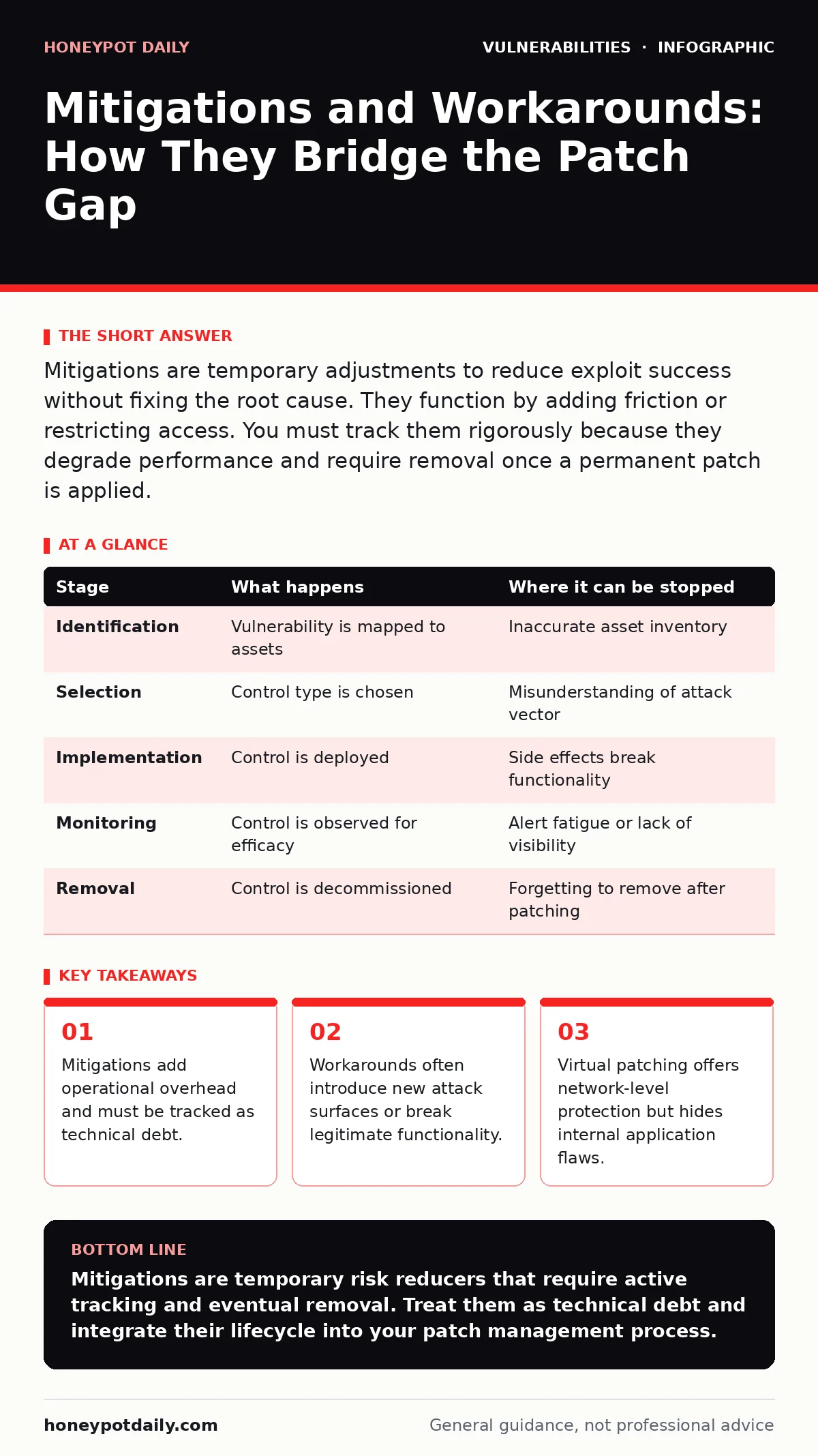
Mitigations are temporary adjustments to reduce exploit success without fixing the root cause. They function by adding friction or restricting access. You must track them rigorously because they degrade performance and require removal once a permanent patch is applied.
The Nature of Temporary Defences
A mitigation is a temporary measure designed to reduce the likelihood or impact of a vulnerability until a permanent fix is available. It does not resolve the underlying code defect. Instead, it alters the environment to make exploitation difficult or impossible. A workaround is a specific type of mitigation that changes how a system operates to bypass the vulnerable component entirely.
You use these controls when a vendor has not yet released a patch. You also use them when a patch is available but cannot be deployed immediately due to compatibility concerns. The goal is to shrink the window of exposure. This window is the time between vulnerability disclosure and full remediation.
Stage 1: Identification and Scope Definition
The process begins with identifying the specific vulnerability. You must understand exactly which software version, configuration, or protocol is affected. This requires accurate asset inventory data. If you do not know where the vulnerable component lives, you cannot apply a targeted mitigation.
You define the scope by listing all systems running the affected software. You also identify which systems are exposed to untrusted networks. Internal-only systems may require less aggressive mitigation. This step determines the urgency and the type of control you will implement.
Stage 2: Control Selection
You choose a mitigation based on the attack vector. If the vulnerability is triggered by network traffic, you might use virtual patching. This is a technique where a firewall or web application firewall blocks malicious requests before they reach the server. The application code remains unchanged.
If the vulnerability requires user interaction, you might restrict access. This is an administrative workaround. You limit who can log in or which features can be used. Another option is input validation at the perimeter. You filter traffic to ensure it matches expected patterns. This stops malformed requests from reaching the application.
Stage 3: Implementation and Validation
You deploy the selected control in a staging environment first. This allows you to test for side effects. Mitigations often break legitimate functionality. For example, a strict firewall rule might block valid API calls. You must verify that business processes continue to work.
Once validated, you deploy the control to production. You monitor logs for errors or blocked requests. You adjust the rules if legitimate traffic is being dropped. This iterative tuning is necessary to balance security and usability.
Stage 4: Monitoring and Maintenance
Mitigations are not set-and-forget controls. They require continuous monitoring. You must check that the control remains effective. Attackers may adapt their techniques to bypass your mitigation. You also need to monitor for performance degradation. Some controls, like deep packet inspection, consume significant resources.
You must also track the status of the permanent patch. As soon as the vendor releases a fix, you begin the change management for security patches process. The mitigation is only temporary. Leaving it in place indefinitely creates technical debt.
See also: CVSS 4.0 Misreadings: What Security Teams Get Wrong · Industrial Control System Vulnerabilities: Hidden Risks and Fixes
Stage 5: Removal and Reversion
Once the permanent patch is deployed and verified, you remove the mitigation. This is a critical step. Many teams forget to remove temporary controls. This leads to configuration drift. The system becomes harder to manage over time. You must document the removal process.
You revert any configuration changes made during implementation. You update your documentation to reflect the new state. You should review the incident to see if the mitigation could have been applied faster in the future.
The Hidden Costs of Workarounds
Mitigations have hidden costs. They add complexity to your infrastructure. Each rule or configuration change is a potential point of failure. They also mask the underlying vulnerability. This can give a false sense of security. Teams might delay patching because they believe the mitigation is sufficient.
You must treat mitigations as high-priority technical debt. They require regular review. You should assign ownership to each mitigation. This ensures someone is responsible for tracking the patch status and removing the control.
Understanding the Mechanics
To apply mitigations effectively, you must understand how they interact with the system. The following table outlines the stages and potential failure points.
| Stage | What happens | Where it can be stopped |
|---|---|---|
| Identification | Vulnerability is mapped to assets | Inaccurate asset inventory |
| Selection | Control type is chosen | Misunderstanding of attack vector |
| Implementation | Control is deployed | Side effects break functionality |
| Monitoring | Control is observed for efficacy | Alert fatigue or lack of visibility |
| Removal | Control is decommissioned | Forgetting to remove after patching |
Strategic Integration
Mitigations fit into a broader security strategy. They are part of exposure management. You use them to reduce the attack surface while waiting for fixes. They complement penetration testing, which can verify that the mitigation is effective. Testers can attempt to bypass the control to ensure it holds.
You should also consider dynamic application security testing (DAST). This can help identify if the mitigation introduces new vulnerabilities. For instance, a firewall rule might create a new path for attackers. Regular testing ensures your temporary defences do not create new weaknesses.
Final Considerations
Mitigations are a necessary tool in your arsenal. They buy you time. But they are not a substitute for proper patching. You must manage them with discipline. Track them, test them, and remove them. This approach keeps your environment secure and manageable.
By following this structured approach, you reduce risk without compromising operations. You maintain security posture while waiting for vendor fixes. This balance is key to effective vulnerability management.
Key takeaways
- Mitigations add operational overhead and must be tracked as technical debt.
- Workarounds often introduce new attack surfaces or break legitimate functionality.
- Virtual patching offers network-level protection but hides internal application flaws.
Mitigations are temporary risk reducers that require active tracking and eventual removal. Treat them as technical debt and integrate their lifecycle into your patch management process.
Frequently asked questions
How long should a mitigation remain in place?
Only until a permanent patch is available and deployed. Ideally, this is days or weeks, not months.
Can mitigations introduce new vulnerabilities?
Yes, complex rules or configuration changes can create new attack surfaces or bypass paths.
Is virtual patching a permanent solution?
No, it only stops network-based exploitation. It does not fix the code and may not protect against local exploits.
How do I validate a mitigation?
Test it in a staging environment to ensure it blocks the exploit without breaking legitimate functionality.
How this guide was produced: written by the Honeypot Daily editorial team with AI assistance, checked against the public references listed below, and reviewed when the facts change. See our editorial policy or report an error.