How to Read CSAF Advisories Without Misinterpreting Scope
CSAF documents describe affected supply chain components with machine-readable precision that prevents false positives in vulnerability management.
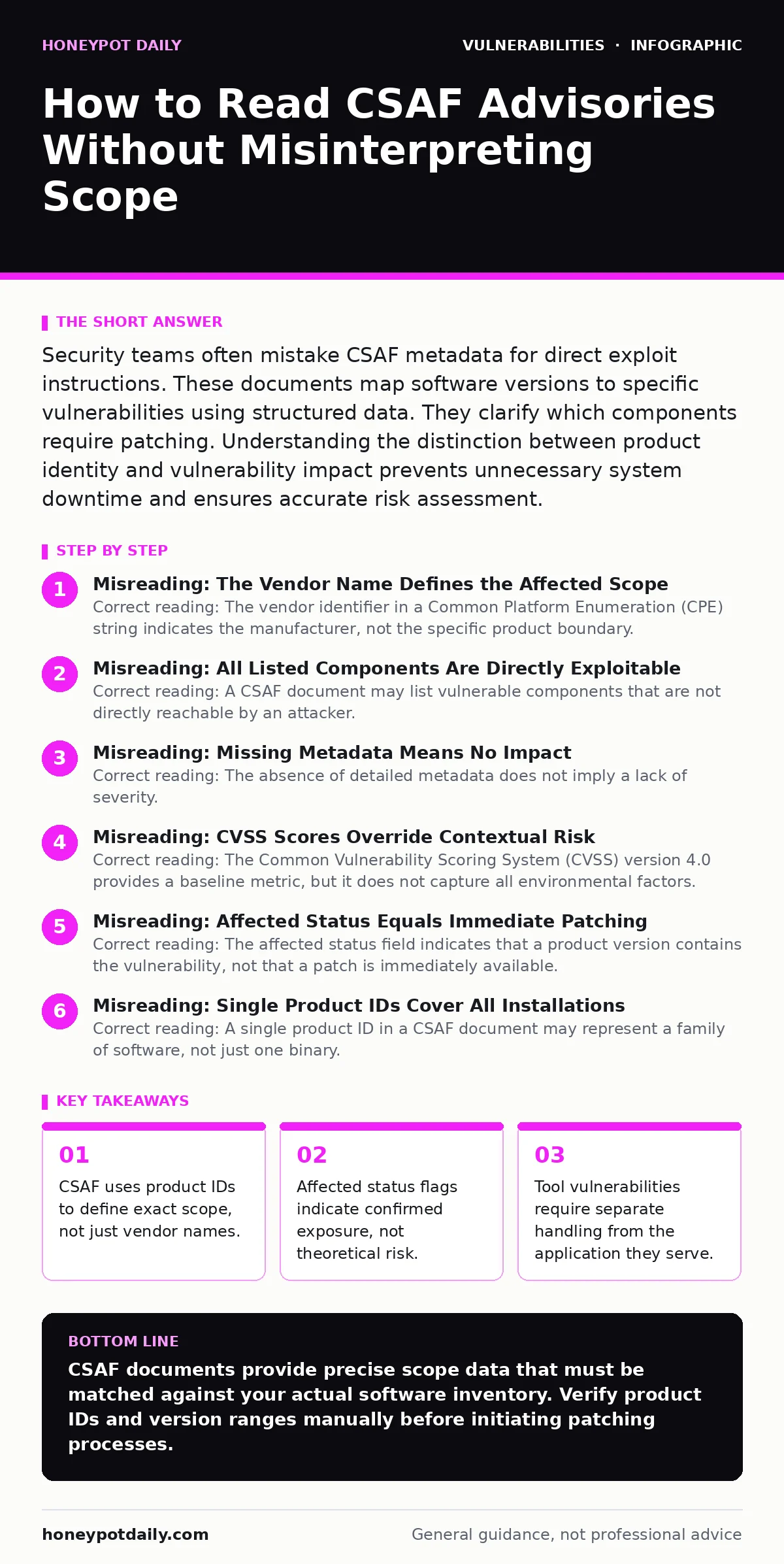
Security teams often mistake CSAF metadata for direct exploit instructions. These documents map software versions to specific vulnerabilities using structured data. They clarify which components require patching. Understanding the distinction between product identity and vulnerability impact prevents unnecessary system downtime and ensures accurate risk assessment.
Misreading: The Vendor Name Defines the Affected Scope
Correct reading: The vendor identifier in a Common Platform Enumeration (CPE) string indicates the manufacturer, not the specific product boundary. Many readers assume that if a vendor is listed, all their products are vulnerable. This assumption causes teams to scan entire portfolios unnecessarily. The CSAF document specifies exact product versions and variants. You must match the product ID against your inventory. A mismatch in the version number means your system is not affected, even if the vendor matches.
Imagine a large software provider releases 50 different products. One contains a flaw. The CSAF advisory will list that single product with its specific version range. If you only check the vendor name, you flag 49 clean products as risky. This creates alert fatigue. The correct approach is to parse the product ID. This identifier includes the version and edition. It isolates the exact binary or package that contains the defect.
Misreading: All Listed Components Are Directly Exploitable
Correct reading: A CSAF document may list vulnerable components that are not directly reachable by an attacker. Teams often treat every listed component as an immediate entry point. This overlooks network segmentation and access controls. A vulnerable library might only be accessible via internal APIs. The advisory describes the vulnerability in the code, not the network topology. You must assess reachability separately from the vulnerability presence.
Consider a web application that uses a vulnerable logging library. The library has a flaw allowing arbitrary code execution. If the logging output is never exposed to the internet, the risk is significantly lower. The CSAF document will flag the library as vulnerable. It will not describe your network firewall rules. You must combine the advisory data with your architecture diagram. This context determines the actual exploit path.
Misreading: Missing Metadata Means No Impact
Correct reading: The absence of detailed metadata does not imply a lack of severity. Some vendors publish minimal CSAF documents due to resource constraints. These documents may lack detailed impact descriptions or remediation steps. Teams sometimes ignore these sparse advisories. This is dangerous. The core data—product ID and vulnerability ID—remains valid. The missing text does not negate the technical fact of the vulnerability.
Suppose a small vendor releases an update with a brief CSAF notice. It lists the affected version and the CVE ID. It omits the narrative description of the bug. A security team might dismiss this as low priority. The flaw could still allow remote code execution. The structure of the CSAF ensures the machine-readable data is present. You should treat minimal documents with the same urgency as verbose ones. Verify the version match strictly.
Misreading: CVSS Scores Override Contextual Risk
Correct reading: The Common Vulnerability Scoring System (CVSS) version 4.0 provides a baseline metric, but it does not capture all environmental factors. Teams often sort advisories strictly by CVSS score. This ignores the specific context of your deployment. A high-score vulnerability in a disabled feature poses less risk than a moderate-score flaw in a critical path. The CSAF document provides the score, but you must apply your own risk context.
The CVSS 4.0 framework includes environmental metrics that adjust the base score. These metrics require input about your specific environment. The CSAF document may provide a base score only. You must calculate the environmental score yourself. This involves assessing the presence of exploitable features and the availability of mitigating controls. A high base score does not always mean immediate action is required. A low score does not guarantee safety.
Misreading: Affected Status Equals Immediate Patching
Correct reading: The affected status field indicates that a product version contains the vulnerability, not that a patch is immediately available. Teams often expect a fix to be linked directly in the advisory. This is not always the case. Some vulnerabilities have no known patch yet. Others require configuration changes rather than software updates. The CSAF document clarifies the status of the product, not the status of the remediation.
You must check the remediation guidance section carefully. It may advise disabling a feature, applying a workaround, or waiting for a future release. Ignoring this section leads to failed patching attempts. The advisory confirms the presence of the flaw. It does not guarantee an immediate solution. Plan your response based on the available mitigations, not just the presence of the vulnerability.
See also: CVSS 4.0 Misreadings: What Security Teams Get Wrong · Industrial Control System Vulnerabilities: Hidden Risks and Fixes
Misreading: Single Product IDs Cover All Installations
Correct reading: A single product ID in a CSAF document may represent a family of software, not just one binary. Teams often assume a one-to-one mapping between the ID and a server. This overlooks modular deployments. A product ID might cover a base system and several optional modules. If you only run the base system, you might not be affected by a vulnerability in an optional module.
The CSAF document uses variant references to distinguish between modules. You must inspect these references. They detail which components are included in the affected product. If your installation excludes the vulnerable module, you are safe. This granularity prevents unnecessary downtime. It requires careful inventory management. Ensure your asset database tracks modules, not just main applications.
Misreading: Ignoring Tool Vulnerabilities in the Supply Chain
Correct reading: CSAF documents can identify vulnerabilities in the tools used to build software, not just the final product. Teams often focus only on runtime dependencies. This misses flaws in compilers, libraries, or build scripts. A vulnerability in a build tool can affect all software produced by that tool. The CSAF advisory will flag the tool as the affected product.
Suppose a popular logging library has a flaw. Applications that link against this library are affected. The CSAF document will list the library as the product. Your application is not the product, but it is impacted. You must track these indirect dependencies. This requires a deeper view of your software bill of materials. It extends beyond your direct codebase.
Misreading: Treating CSAF as a Replacement for Manual Verification
Correct reading: CSAF documents are machine-readable inputs, not final truth for security decisions. They require validation against your specific environment. Automated systems may misinterpret the data if the parser is flawed. Manual verification ensures that the mapping between the advisory and your assets is correct. The CSAF provides the raw data. You provide the context.
Imagine an automated scanner flags a system as vulnerable based on a CSAF feed. The scanner matches the vendor name but misses the version constraint. The system is actually safe. Manual review catches this error. Relying solely on automation introduces false positives. These false positives distract your team from real threats. Always cross-reference automated alerts with the source CSAF document.
Key takeaways
- CSAF uses product IDs to define exact scope, not just vendor names.
- Affected status flags indicate confirmed exposure, not theoretical risk.
- Tool vulnerabilities require separate handling from the application they serve.
CSAF documents provide precise scope data that must be matched against your actual software inventory. Verify product IDs and version ranges manually before initiating patching processes.
Frequently asked questions
How do I parse CSAF documents in my SIEM?
Use a JSON parser that supports the CSAF 2.0 schema. Map the product ID fields to your asset database keys. Ensure your parser handles nested variant references correctly to avoid missing specific modules.
Can CSAF documents be used for compliance audits?
Yes, they provide auditable evidence of vulnerability awareness. The structured format allows for consistent reporting. Ensure you retain the original documents and your mapping decisions for audit trails.
What if a CSAF document lists a product I do not use?
Verify the product ID and version carefully. If it does not match your inventory, you can safely ignore it. Document this exclusion in your vulnerability management process to demonstrate due diligence.
How often are CSAF documents updated?
Vendors update them when new information becomes available. This includes new versions, patches, or severity changes. Monitor the source feed regularly. Do not assume a static document remains accurate indefinitely.
How this guide was produced: written by the Honeypot Daily editorial team with AI assistance, checked against the public references listed below, and reviewed when the facts change. See our editorial policy or report an error.