Port Scanning Mistakes: 7 Errors That Leave Your Network Exposed
Misconfigured firewall logging and default service banners provide attackers with a detailed map of your infrastructure without them ever touching a single packet.
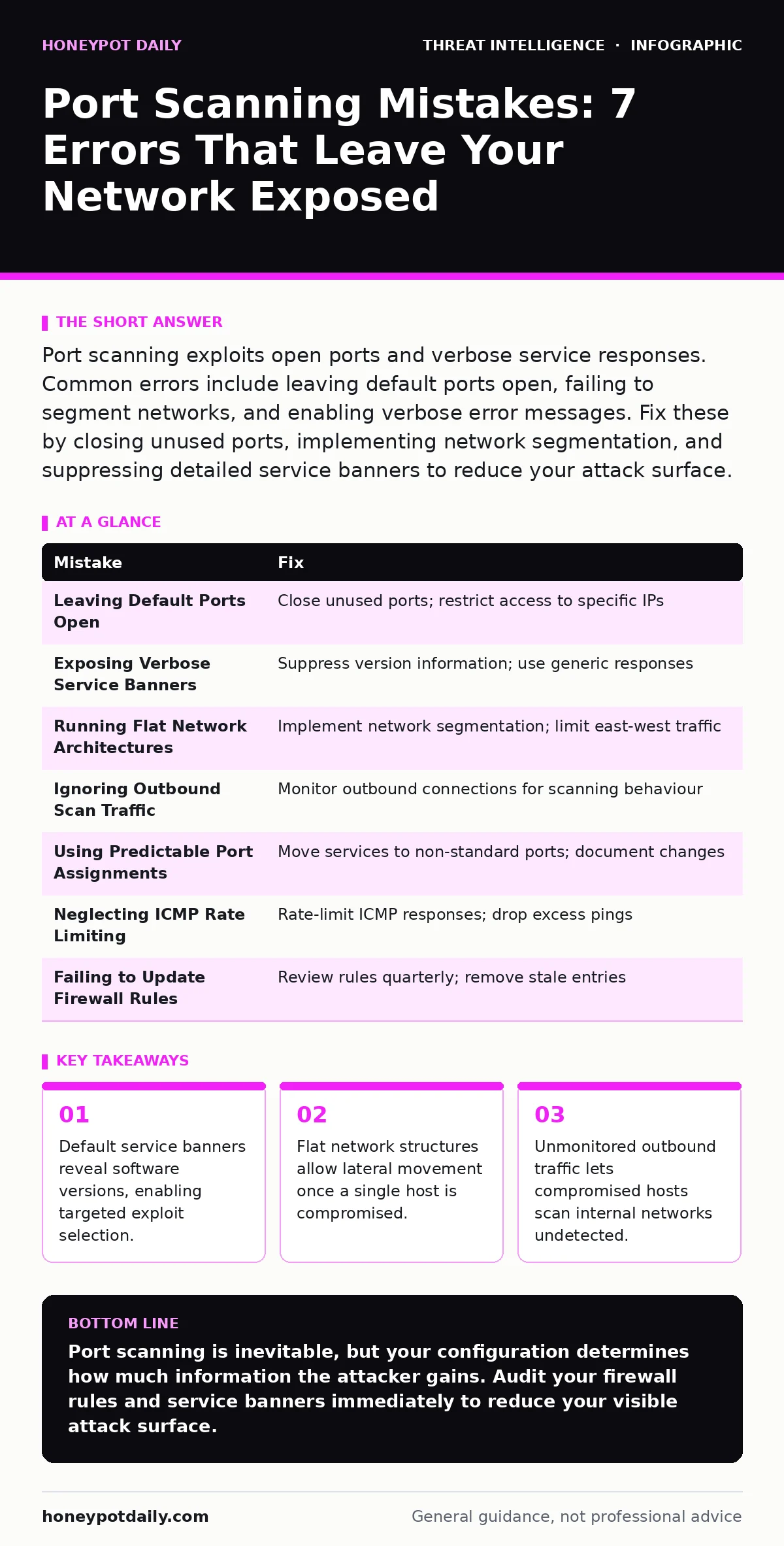
Port scanning exploits open ports and verbose service responses. Common errors include leaving default ports open, failing to segment networks, and enabling verbose error messages. Fix these by closing unused ports, implementing network segmentation, and suppressing detailed service banners to reduce your attack surface.
Mistake 1: Leaving Default Ports Open
Default ports such as 22 for SSH, 3389 for RDP, and 80 for HTTP remain open by default on many operating systems and appliances. Attackers know these ports exist and target them first. Leaving them exposed increases the volume of automated noise your security team must filter.
Why it hurts:
Open default ports act as beacons. Scanners identify them instantly. This reduces the effort required for an attacker to find a valid entry point. Each open port is a potential door. The more doors you leave unlocked, the higher the probability of a successful breach.
The fix:
Close every port that does not serve a business function. Use a host-based firewall to block inbound traffic on unnecessary ports. If a service must be accessible, restrict it to specific IP ranges. Regularly audit listening sockets to ensure no new services have been left open by accident.
Mistake 2: Exposing Verbose Service Banners
Many services respond to connection attempts with a banner that includes the software name and version number. For example, an FTP server might reply with "Welcome to ProFTPD 1.3.5". This information is publicly visible to anyone who connects to the port.
Why it hurts:
Verbose banners hand the attacker a shopping list. They can look up known vulnerabilities for that specific version. This turns a generic scan into a targeted attack. The attacker no longer needs to guess which exploit will work. They simply apply the one that matches the version you advertised.
The fix:
Configure services to suppress version information in their banners. Use generic responses that do not reveal the underlying technology. For instance, change an HTTP header to return "Server: HTTP Server" instead of the specific software name. This forces attackers to perform more invasive fingerprinting techniques.
Mistake 3: Running Flat Network Architectures
A flat network allows any device to communicate with any other device without restriction. When a scanner identifies an open port on one machine, it often pivots to scan the rest of the network from that foothold. There are no barriers to stop this lateral movement.
Why it hurts:
Flat architectures remove the concept of depth. If an attacker compromises a single web server, they can scan the entire internal network from that position. They bypass external perimeter defenses entirely. The internal network becomes a free-for-all for reconnaissance and exploitation.
The fix:
Implement network segmentation. Divide your infrastructure into zones based on function and sensitivity. Place firewalls or access control lists between these zones. Limit east-west traffic to only what is strictly necessary. This containment strategy stops a breach from spreading.
Mistake 4: Ignoring Outbound Scan Traffic
Most security teams focus on inbound traffic. They monitor who is trying to get in. They often neglect outbound traffic, assuming that internal hosts are trusted. However, a compromised host often scans the internal network to find more targets.
Why it hurts:
Outbound scans are a primary indicator of compromise. If a workstation starts scanning internal servers, it likely already has malware. Ignoring this traffic lets the attacker map your internal infrastructure in real time. They identify high-value assets and plan their next move without detection.
The fix:
Monitor outbound connections for scanning behaviour. Look for a single host connecting to many internal ports in a short period. Alert on unusual outbound traffic patterns. Integrate this data with endpoint telemetry to correlate network activity with process execution on the host.
Mistake 5: Using Predictable Port Assignments
Assigning services to standard ports is convenient but predictable. If you run a custom database on port 5432, an attacker knows exactly where to look. Using non-standard ports provides security through obscurity, which is not a defence, but it does add friction.
Why it hurts:
Predictable ports make automated scanning efficient. Attackers use scripts that target well-known ports. If your critical services are on these ports, they are hit by the first wave of automated attacks. You become a low-hanging fruit target. The attacker spends less time finding you and more time exploiting you.
The fix:
Move non-public services to non-standard ports. This does not stop a determined attacker, but it filters out casual scanners. Document these changes internally to avoid operational confusion. Combine this with strict access controls so that only authorised hosts can connect to these ports.
See also: Network Enumeration Mistakes That Expose Your Internal Assets · Network Detection and Response: How It Works and Why You Need It
Mistake 6: Neglecting ICMP Rate Limiting
ICMP echo requests, commonly known as pings, are often used to discover live hosts before port scanning. If your network responds to every ping, an attacker can quickly build a list of active IP addresses. This speeds up the subsequent port scan.
Why it hurts:
Unrestricted ICMP responses reveal the topology of your network. Attackers identify which IPs are active and which are not. This reduces the search space for port scanning. They only scan live hosts, making their scan faster and quieter. It also helps them map out your network structure.
The fix:
Rate-limit ICMP responses at your perimeter firewall. Drop excess ping requests. Some organisations disable ICMP entirely, but this can break legitimate network tools. Rate limiting is a balanced approach. It allows necessary connectivity while slowing down reconnaissance.
Mistake 7: Failing to Update Firewall Rules
Firewall rules often accumulate over time. Old rules for decommissioned servers remain active. These stale rules may allow traffic to ports that should be closed. Attackers exploit these forgotten openings.
Why it hurts:
Stale rules create ghost access points. A server that was shut down last year might still have a firewall rule allowing inbound traffic. An attacker scans the port, finds it open, and connects to nothing. But if a new server is assigned that IP, the door is already open. This is a silent failure of your defence.
The fix:
Review firewall rules quarterly. Remove rules for services that no longer exist. Automate rule expiration where possible. Ensure that every open port has a documented owner and business justification. This hygiene reduces the noise and the risk.
| Mistake | Fix |
|---|---|
| Leaving Default Ports Open | Close unused ports; restrict access to specific IPs |
| Exposing Verbose Service Banners | Suppress version information; use generic responses |
| Running Flat Network Architectures | Implement network segmentation; limit east-west traffic |
| Ignoring Outbound Scan Traffic | Monitor outbound connections for scanning behaviour |
| Using Predictable Port Assignments | Move services to non-standard ports; document changes |
| Neglecting ICMP Rate Limiting | Rate-limit ICMP responses; drop excess pings |
| Failing to Update Firewall Rules | Review rules quarterly; remove stale entries |
Key takeaways
- Default service banners reveal software versions, enabling targeted exploit selection.
- Flat network structures allow lateral movement once a single host is compromised.
- Unmonitored outbound traffic lets compromised hosts scan internal networks undetected.
Port scanning is inevitable, but your configuration determines how much information the attacker gains. Audit your firewall rules and service banners immediately to reduce your visible attack surface.
Frequently asked questions
Does changing ports stop port scanning?
No, changing ports does not stop scanning. It only hides services from automated scanners that target standard ports. Determined attackers will still find your services through comprehensive scans.
How do I detect a port scan in real time?
Use intrusion detection systems that monitor for rapid connection attempts to multiple ports. Configure alerts for hosts that fail to complete handshakes on many ports in a short period.
Is it safe to block all ICMP traffic?
Blocking all ICMP can break legitimate network operations. Path MTU discovery relies on ICMP. Rate limiting is generally safer than blocking, as it prevents reconnaissance while allowing essential network functions.
Can cloud infrastructure prevent port scanning?
Cloud infrastructure provides tools to manage security groups and firewalls. However, misconfigured security groups can expose instances to scanning. You must still apply the same principles of least privilege and monitoring.
How this guide was produced: written by the Honeypot Daily editorial team with AI assistance, checked against the public references listed below, and reviewed when the facts change. See our editorial policy or report an error.