Firmware Malware Prevention Checklist for Persistent Threats
Firmware resides below the operating system, allowing malware to survive disk wipes and remain active during secure boot processes that standard security tools cannot detect.
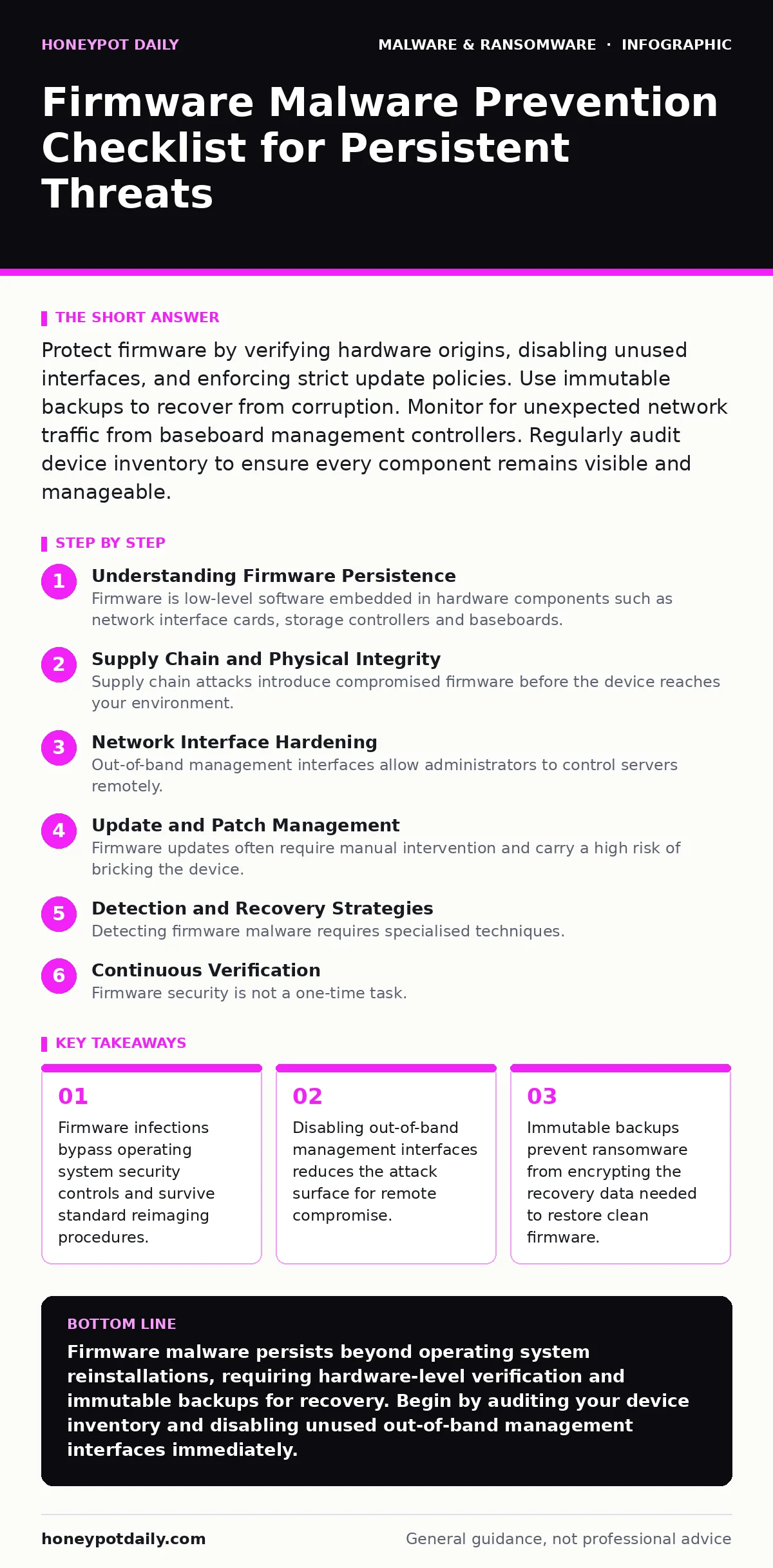
Protect firmware by verifying hardware origins, disabling unused interfaces, and enforcing strict update policies. Use immutable backups to recover from corruption. Monitor for unexpected network traffic from baseboard management controllers. Regularly audit device inventory to ensure every component remains visible and manageable.
Understanding Firmware Persistence
Firmware is low-level software embedded in hardware components such as network interface cards, storage controllers and baseboards. Unlike operating system malware, firmware code executes before the main system loads. An attacker who compromises this layer gains a foothold that survives disk format operations. You cannot remove firmware malware by reinstalling the operating system.
The infection remains dormant until the hardware powers on again. This persistence makes detection difficult because standard endpoint protection tools operate at a higher privilege level. They lack the visibility to inspect the microcode running on the processor or the configuration stored in non-volatile memory. Understanding this architectural separation is the first step in defence.
Supply Chain and Physical Integrity
- Verify hardware provenance: Only purchase components from authorised distributors to avoid tampered devices.
- Inspect physical ports: Disable unused USB and serial ports to prevent local injection attacks.
- Secure boot configuration: Ensure UEFI Secure Boot is enabled to validate signed firmware images.
- Inventory all devices: Maintain a current list of every hardware component to detect unauthorised additions.
Supply chain attacks introduce compromised firmware before the device reaches your environment. A tampered network adapter can intercept traffic before encryption occurs. Physical access allows an attacker to plug in a malicious device that installs rootkits into the motherboard. Verifying provenance ensures the hardware has not been altered during manufacturing or distribution. Disabling unused ports removes convenient entry points for local attackers. Secure Boot checks digital signatures against a trusted key database, rejecting unauthorised modifications.
Network Interface Hardening
- Disable IPMI over LAN: Turn off remote management interfaces unless strictly required for operations.
- Segment management traffic: Isolate out-of-band management networks from general production traffic.
- Restrict BMC access: Limit Baseboard Management Controller access to specific administrative IP addresses.
- Monitor firmware traffic: Alert on unexpected network connections originating from hardware management controllers.
Out-of-band management interfaces allow administrators to control servers remotely. These interfaces often run independent operating systems with their own network stacks. Attackers target these interfaces because they frequently have weaker authentication requirements than the main operating system. Once compromised, an attacker can use the interface to inject malicious code into the main firmware. Disabling IPMI over LAN removes the remote attack vector entirely. Segmenting management traffic ensures that even if the production network is breached, the management plane remains isolated.
Update and Patch Management
- Validate update signatures: Verify digital signatures before applying any firmware updates.
- Test updates in isolation: Apply firmware patches to a non-production environment first.
- Maintain rollback capabilities: Keep previous firmware versions available for immediate restoration.
- Automate inventory checks: Regularly scan for devices running outdated or vulnerable firmware versions.
Firmware updates often require manual intervention and carry a high risk of bricking the device. Attackers exploit known vulnerabilities in outdated firmware versions. Applying updates without verification can introduce new vulnerabilities or malicious code. Validating signatures ensures the update comes from the legitimate vendor. Testing in isolation prevents widespread disruption if an update fails. Maintaining rollback capabilities allows rapid recovery if an update causes instability. Automated checks ensure no device remains vulnerable due to oversight.
Detection and Recovery Strategies
- Deploy memory forensics tools: Analyse system memory for indicators of firmware-level compromise.
- Implement immutable backups: Store configuration and firmware images in write-once storage.
- Monitor for anomalies: Watch for unexpected changes in boot times or hardware behaviour.
- Plan for reimaging: Prepare procedures to replace compromised hardware rather than attempting cleanup.
Detecting firmware malware requires specialised techniques. Standard antivirus solutions cannot inspect the low-level code running on hardware. Memory forensics tools can analyse the contents of RAM for signs of malicious activity. Immutable backups protect recovery data from encryption or deletion by ransomware. If a device is compromised, replacing the hardware is often safer than attempting to clean the firmware. Imagine a scenario where malware hides in the network card firmware. Reinstalling the operating system does nothing. Only replacing the card or flashing a clean image from an immutable backup restores security.
Continuous Verification
- Audit boot logs: Review system boot logs for errors or delays that indicate tampering.
- Check cryptographic seals: Verify that firmware measurement logs match expected values.
- Update threat intelligence: Incorporate new indicators of compromise into monitoring rules.
- Review access controls: Ensure only authorised personnel can modify firmware settings.
Firmware security is not a one-time task. Attackers continuously develop new techniques to bypass protections. Regular audits of boot logs can reveal subtle signs of interference. Cryptographic seals provide a tamper-evident record of firmware integrity. Updating threat intelligence ensures monitoring rules remain effective against new threats. Reviewing access controls prevents insider threats or compromised credentials from being used to modify firmware. This continuous cycle of verification and adjustment maintains defence posture over time.
Key takeaways
- Firmware infections bypass operating system security controls and survive standard reimaging procedures.
- Disabling out-of-band management interfaces reduces the attack surface for remote compromise.
- Immutable backups prevent ransomware from encrypting the recovery data needed to restore clean firmware.
Firmware malware persists beyond operating system reinstallations, requiring hardware-level verification and immutable backups for recovery. Begin by auditing your device inventory and disabling unused out-of-band management interfaces immediately.
Frequently asked questions
Can standard antivirus detect firmware malware?
No, standard antivirus tools operate at the operating system level and cannot inspect the low-level code embedded in hardware firmware.
How do I know if my firmware is infected?
Look for unusual network traffic from management controllers, unexpected boot delays, or discrepancies in cryptographic integrity measurements.
Should I replace hardware or attempt to clean it?
Replacing the hardware is generally safer and more reliable, as cleaning firmware is complex and may leave residual malicious code behind.
What is the role of immutable backups in firmware security?
Immutable backups store clean copies of firmware and configurations that cannot be altered or deleted, ensuring recovery is possible after compromise.
How this guide was produced: written by the Honeypot Daily editorial team with AI assistance, checked against the public references listed below, and reviewed when the facts change. See our editorial policy or report an error.