Detect Firmware Malware: Signals, Tools and Hidden Blind Spots
Firmware infections hide beneath the operating system, rendering standard antivirus checks and disk imaging ineffective against persistent threats.
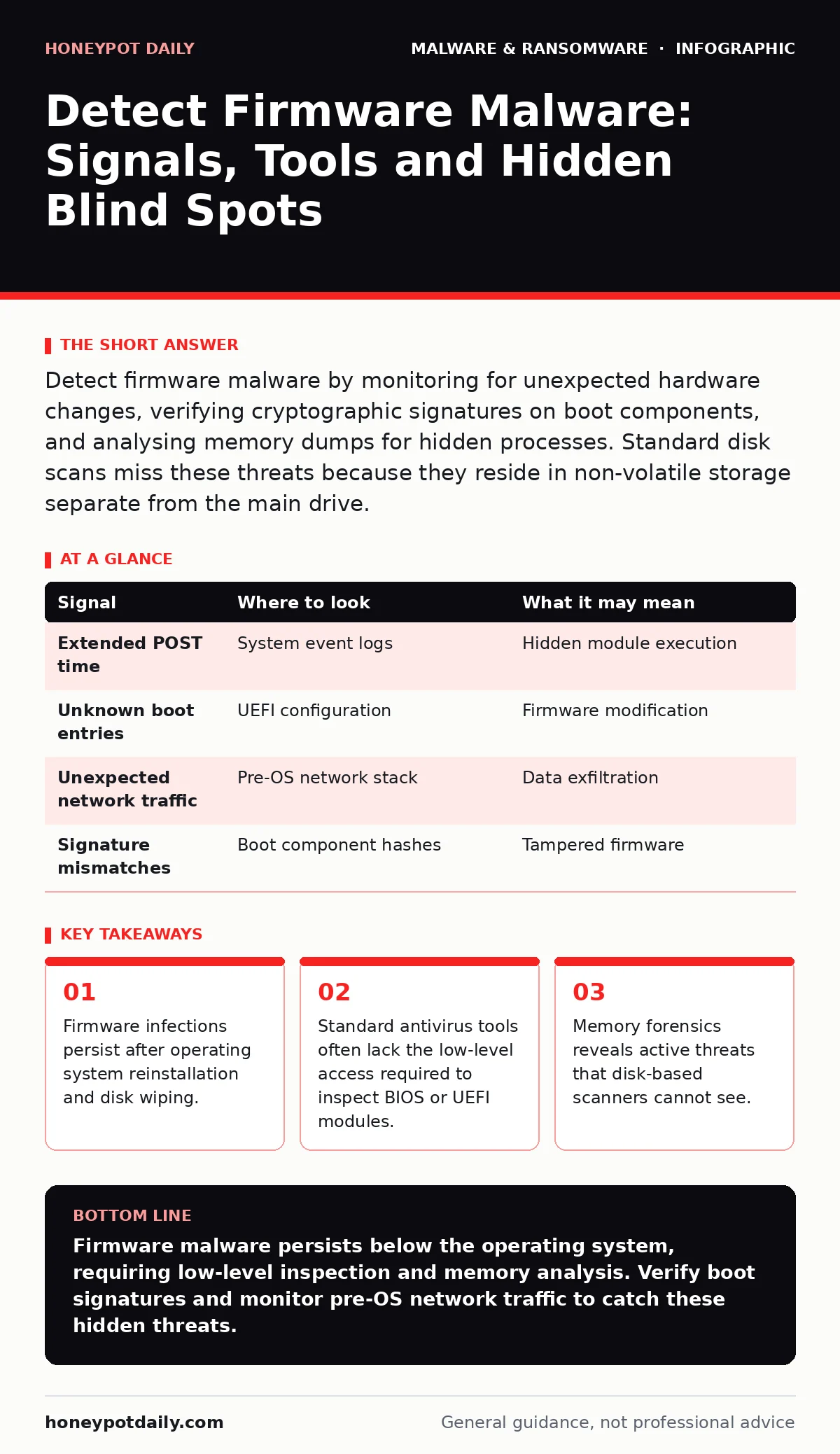
Detect firmware malware by monitoring for unexpected hardware changes, verifying cryptographic signatures on boot components, and analysing memory dumps for hidden processes. Standard disk scans miss these threats because they reside in non-volatile storage separate from the main drive.
The Persistence Problem
Firmware resides on non-volatile chips within your hardware, such as the BIOS or UEFI controller. This software runs before the operating system loads, giving it higher privileges than any application. When malware infects this layer, it sits beneath the security stack you rely on. Standard disk wipes and operating system reinstalls do not touch these chips. This means the threat survives every standard remediation step you would normally take. You must look below the OS to find these threats.
Boot Sequence Anomalies
The boot process is the first place to look for irregularities. Malware in firmware often modifies the boot order or inserts new modules during initialisation. Watch for unexpected delays between the POST screen and the OS loader. These pauses may indicate the execution of hidden code. Imagine a system that takes significantly longer to boot after a suspected compromise. This delay could signal a malicious payload loading into memory. Check the boot logs for entries you do not recognise. Compare current boot times against a known good baseline.
| Signal | Where to look | What it may mean |
|---|---|---|
| Extended POST time | System event logs | Hidden module execution |
| Unknown boot entries | UEFI configuration | Firmware modification |
| Unexpected network traffic | Pre-OS network stack | Data exfiltration |
| Signature mismatches | Boot component hashes | Tampered firmware |
Memory Forensics for Hidden Code
Because firmware malware often loads into RAM, it may not be visible on the disk. Memory forensics involves analysing the contents of RAM to find active processes and code. This technique reveals threats that operate entirely in memory. Standard disk scanners cannot see what is not written to the drive. You can capture memory dumps from suspected systems and analyse them for anomalies. Look for processes that have no corresponding executable file on disk. These orphaned processes are strong indicators of advanced threats.
Network Traffic Before OS Load
Some firmware threats include network capabilities that activate before the operating system starts. This allows them to communicate with command and control servers even if the OS is offline or wiped. Monitor network traffic during the pre-boot phase. Look for outbound connections from the machine while it is in a powered-off or rebooting state. This is difficult to detect without dedicated hardware monitoring. Imagine a server that sends small packets every night during reboot. This behaviour suggests a firmware-level beacon.
Signature Verification Failures
Modern firmware uses cryptographic signatures to ensure integrity. If these signatures are broken or missing, it indicates tampering. Use tools that verify the digital signatures of boot components. Look for warnings about invalid or unknown certificates. Some malware attempts to mimic legitimate signatures, so cross-reference with known good values. Do not rely solely on the presence of a signature. Verify that the issuer is trusted and the certificate has not expired.
Common Blind Spots in Detection
Many security teams focus exclusively on the operating system and applications. This leaves the firmware layer exposed. Another blind spot is the assumption that re-imaging infected computers removes all threats. Reimaging infected computers only replaces the OS, not the firmware. You must explicitly check and update firmware separately. Additionally, some vendors disable remote firmware management for security reasons. This makes it harder to monitor changes across a large fleet. Plan for manual checks or use hardware-based monitoring where possible.
Tools and Techniques for Inspection
Several open standards and frameworks help in inspecting firmware. The Unified Extensible Firmware Interface specification includes features for secure boot and measurement. Enable these features to prevent unauthorised code from executing. Tools that perform memory forensics are essential for finding active threats. Some hardware vendors provide utilities to verify firmware integrity. However, do not rely on commercial products that lack transparency. Prefer tools that allow you to inspect the raw data.
Integrating with Existing Defences
Firmware detection should complement your existing security measures. It does not replace the need for strong endpoint protection. However, it adds a layer of defence against threats that bypass standard controls. Consider how next-generation antivirus solutions handle low-level threats. Some may offer limited firmware scanning, but verification is key. Ensure your incident response plans include steps for firmware inspection. Train your team to recognise the signs of firmware compromise.
The Role of Hardware Trust
Hardware trust roots are critical for preventing firmware attacks. These are immutable components that verify the integrity of the boot process. If the hardware trust root is compromised, all subsequent checks are invalid. Ensure your hardware supports secure boot and measured boot. These features record the state of the firmware and report it to a trusted platform module. This allows you to verify that the system has not been tampered with. Without hardware trust, software-based checks are insufficient.
Key takeaways
- Firmware infections persist after operating system reinstallation and disk wiping.
- Standard antivirus tools often lack the low-level access required to inspect BIOS or UEFI modules.
- Memory forensics reveals active threats that disk-based scanners cannot see.
Firmware malware persists below the operating system, requiring low-level inspection and memory analysis. Verify boot signatures and monitor pre-OS network traffic to catch these hidden threats.
Frequently asked questions
Can standard antivirus detect firmware malware?
Most standard antivirus tools scan the file system and running processes, missing code stored in firmware chips or executing before the OS loads.
Does reinstalling the operating system remove firmware malware?
No, reinstalling the OS only replaces the
How this guide was produced: written by the Honeypot Daily editorial team with AI assistance, checked against the public references listed below, and reviewed when the facts change. See our editorial policy or report an error.